


Introduction
Automating PDF creation with Bubble significantly optimizes operational workflows by eliminating manual document processing. Integrating Bubble, a versatile no-code SaaS platform, with pdf noodle, a powerful no-code PDF builder, ensures precise, professional, and consistent document generation.
This guide provides clear, actionable steps to effortlessly implement automated PDF generation within your Bubble applications.

What is Bubble?

Bubble is a sophisticated no-code development platform that enables developers and non-developers alike to rapidly create scalable SaaS applications. Its visual interface empowers users to orchestrate complex processes seamlessly, facilitating custom workflows and integrations without traditional programming.
Using Bubble's intuitive workflow editor, you visually configure triggers—like form submissions or database updates—and subsequent actions. By integrating external APIs, you expand Bubble’s capabilities, allowing it to automate intricate processes such as generating dynamic PDFs directly within your app.
What is pdf noodle?

pdf noodle is a third-party pdf generation API. You can create beautiful reports with flexible layouts and complex components with an easy-to-use opinionated no-code builder. Let the AI do the heavy lifting by generating your templates, creating custom components or even filling all the variables for you.
With pdf noodle's native Bubble plugin, you can automate the transformation of data into visually compelling documents, leveraging seamless API connectivity and minimizing manual intervention on your Bubble workflows.
Automating PDF Generation with Bubble and pdf noodle
To establish automated PDF workflows in Bubble, you’ll first create your PDF templates using pdf noodle, then connect them to your Bubble application via API.
Creating Your PDF Template with pdf noodle
Here's the simple steps to generate your first pdf template on pdf noodle:
-
Create your account on our sign-up page.
-
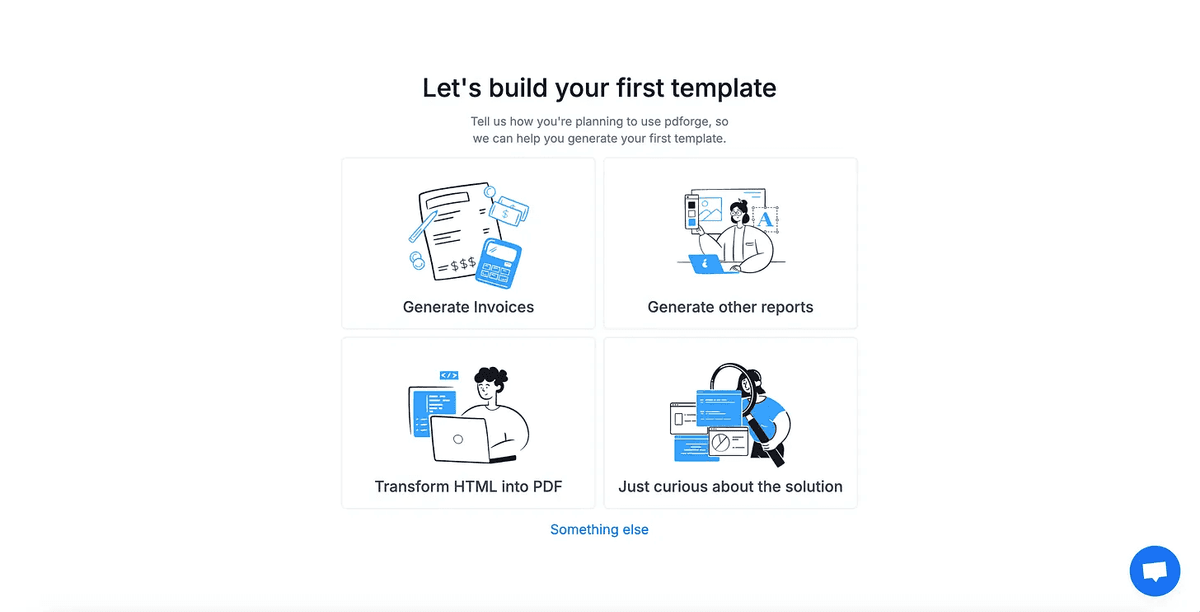
Select the type of template you're trying to create
-
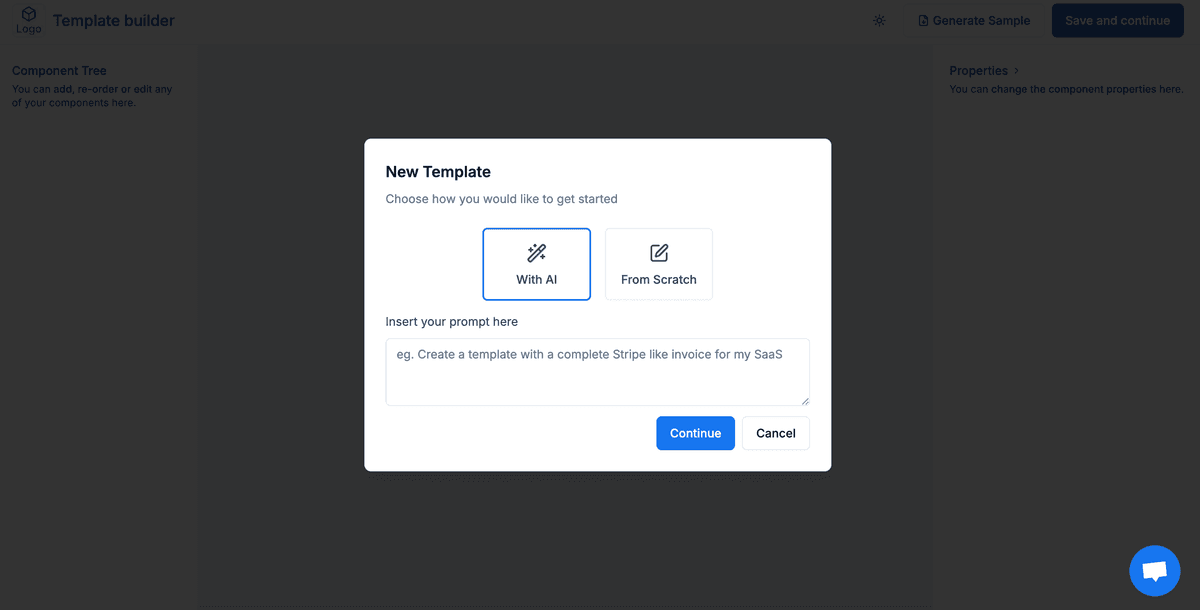
Use our AI Agents to create your first template.
-
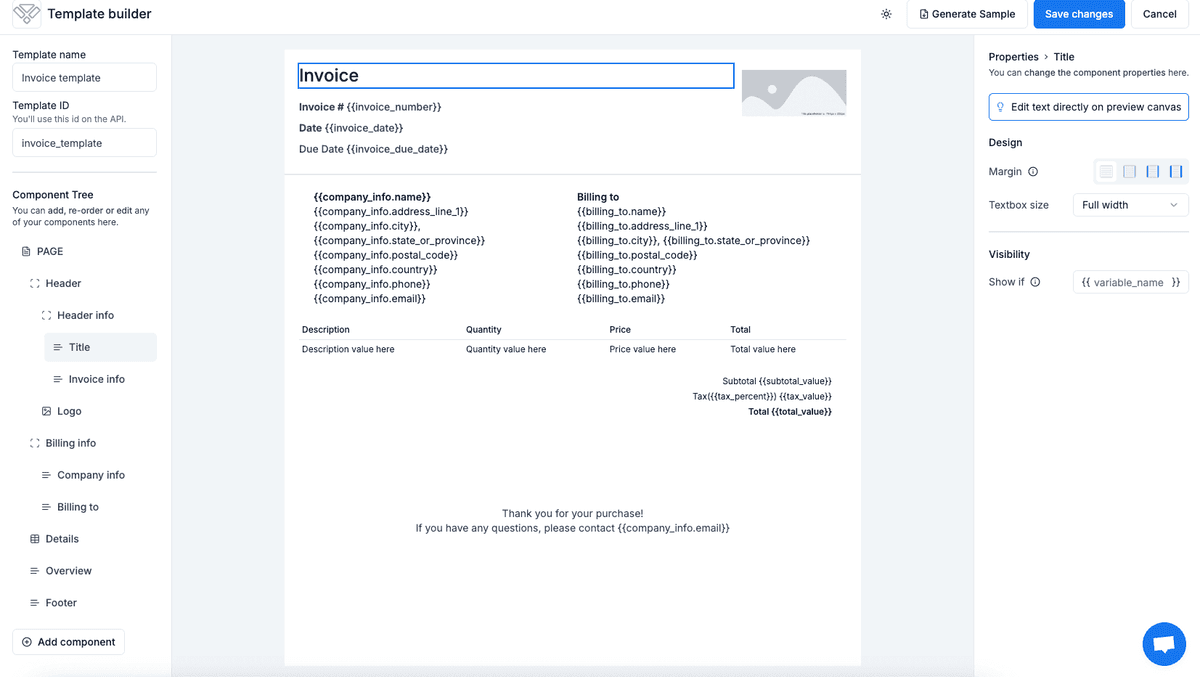
Edit your template on our no-code builder
-
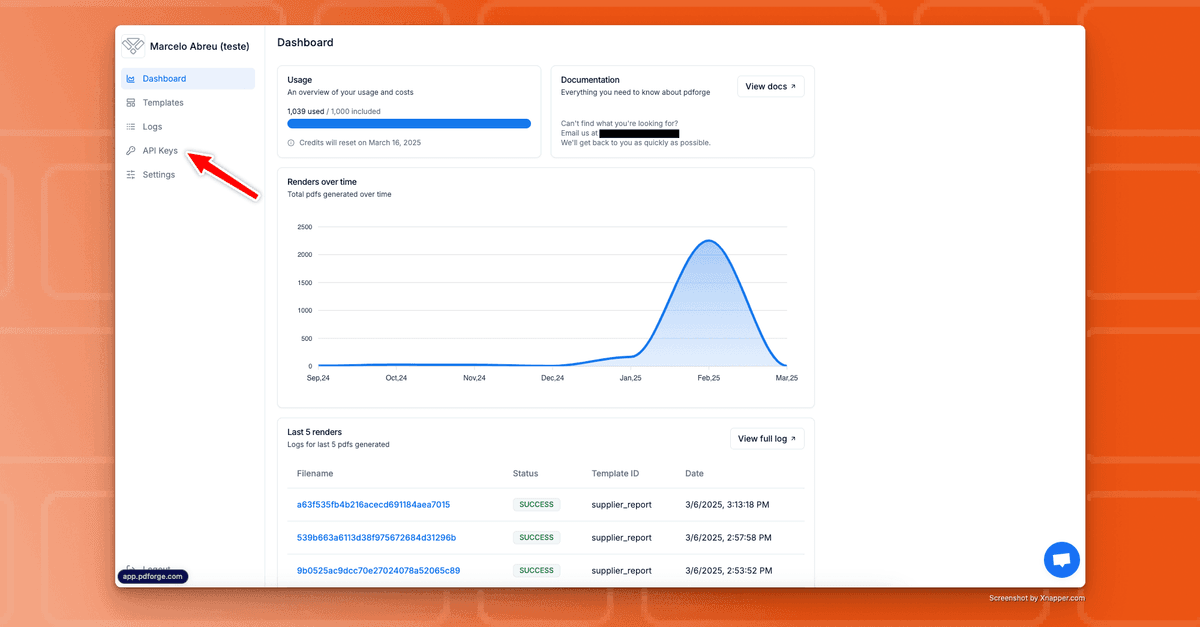
Use our 7-day free trial to access your API KEY on the Dashboard
Using pdf noodle native plugin within Bubble
Streamline PDF generation within your Bubble workflows by following these concise steps:
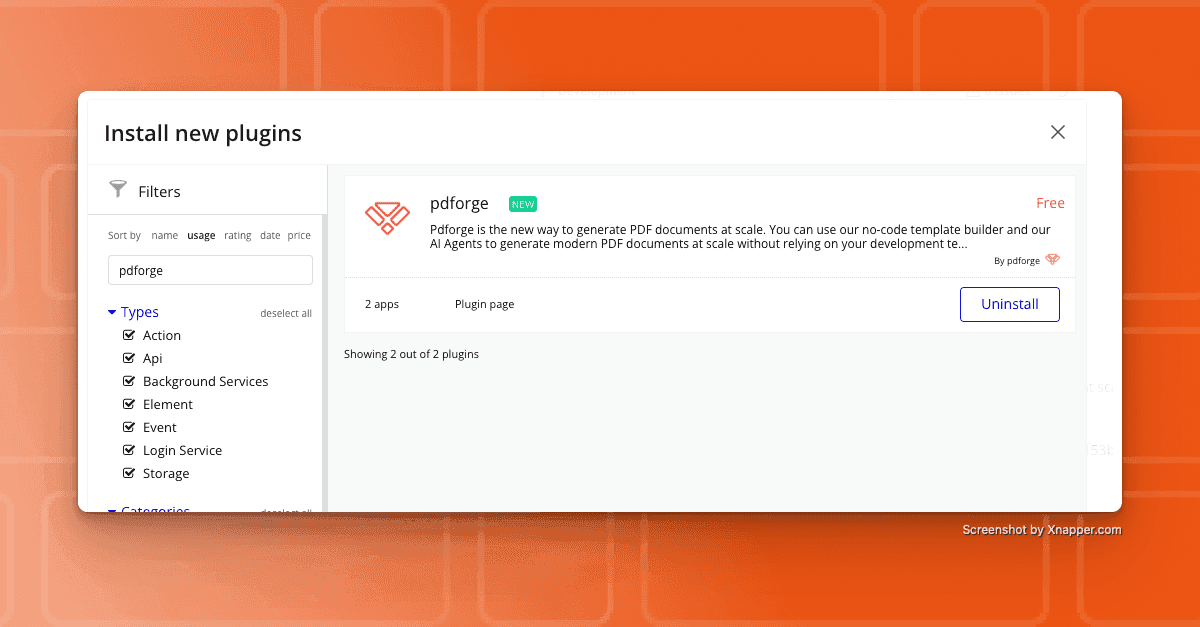
1. In Bubble, navigate to the Plugins tab and add pdf noodle's plugin.
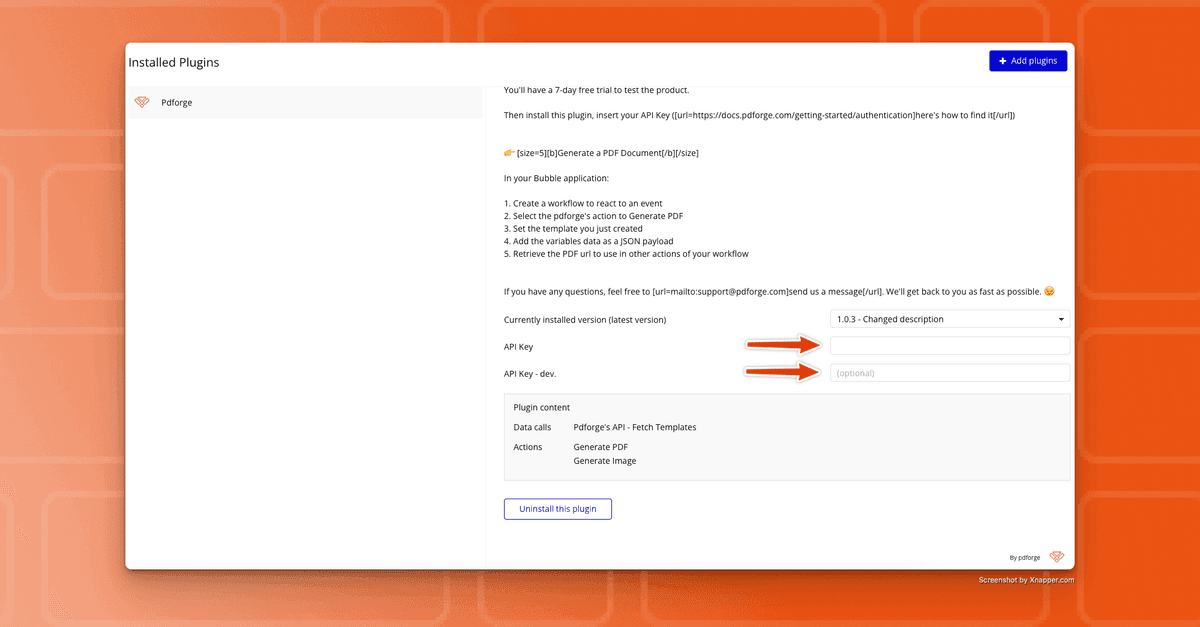
2. Insert your API key (Production and development).
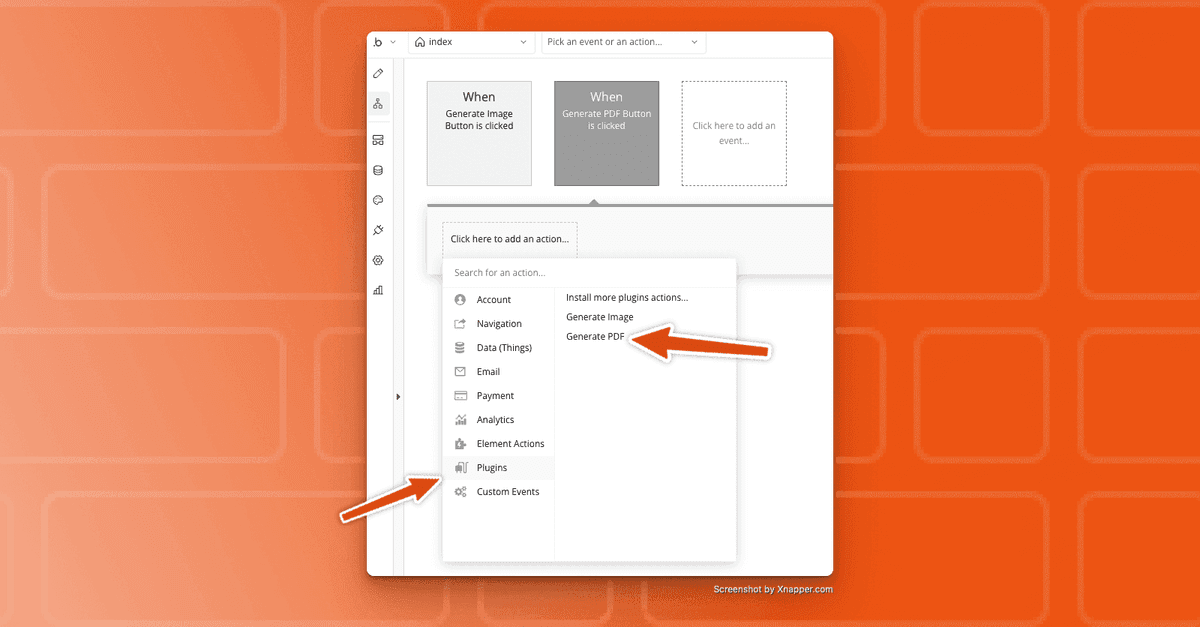
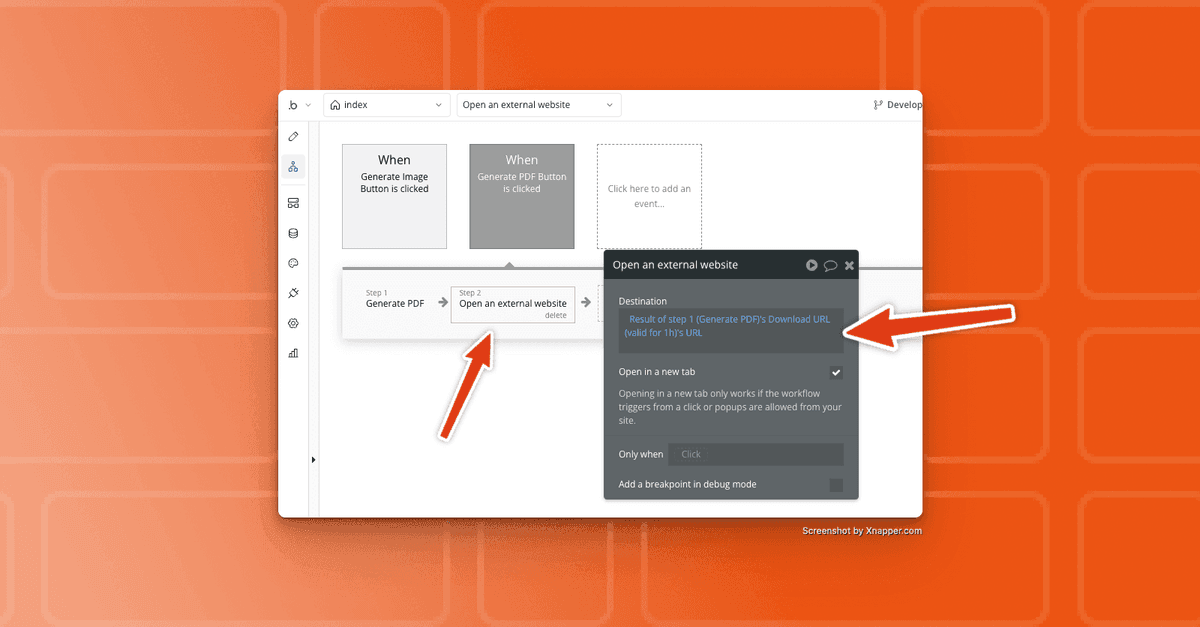
3. Trigger the PDF generation within Bubble’s workflow:
- Select your event (e.g., "button clicked" or "form submission").
- Include the pdf noodle "Generate PDF" function
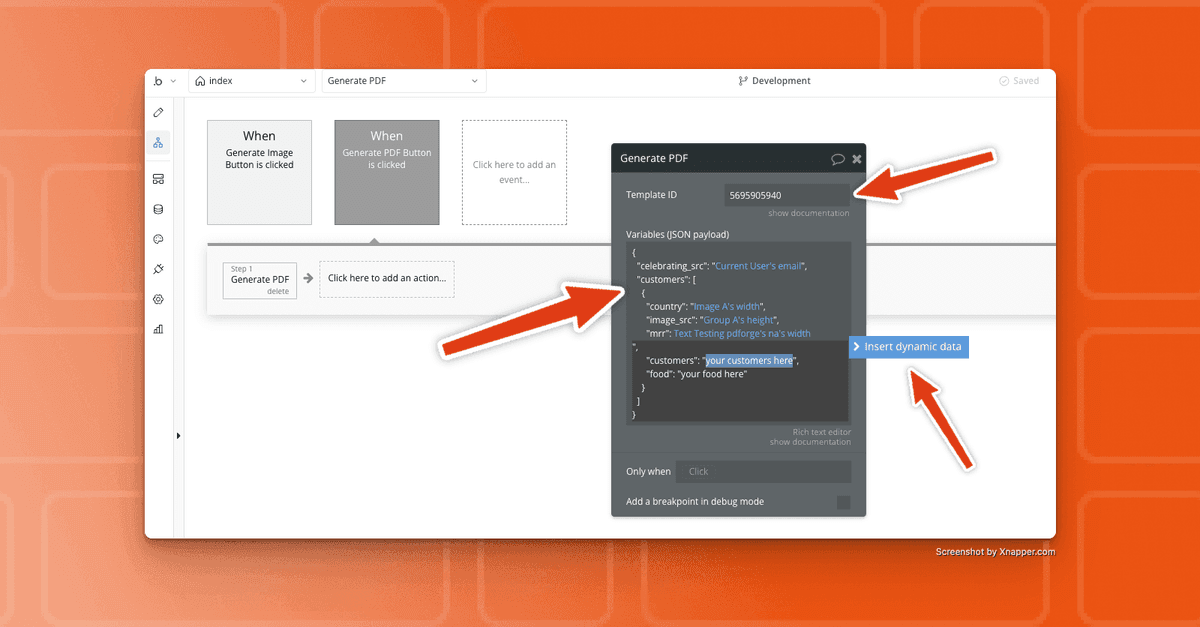
- Configure the "Generate PDF" function
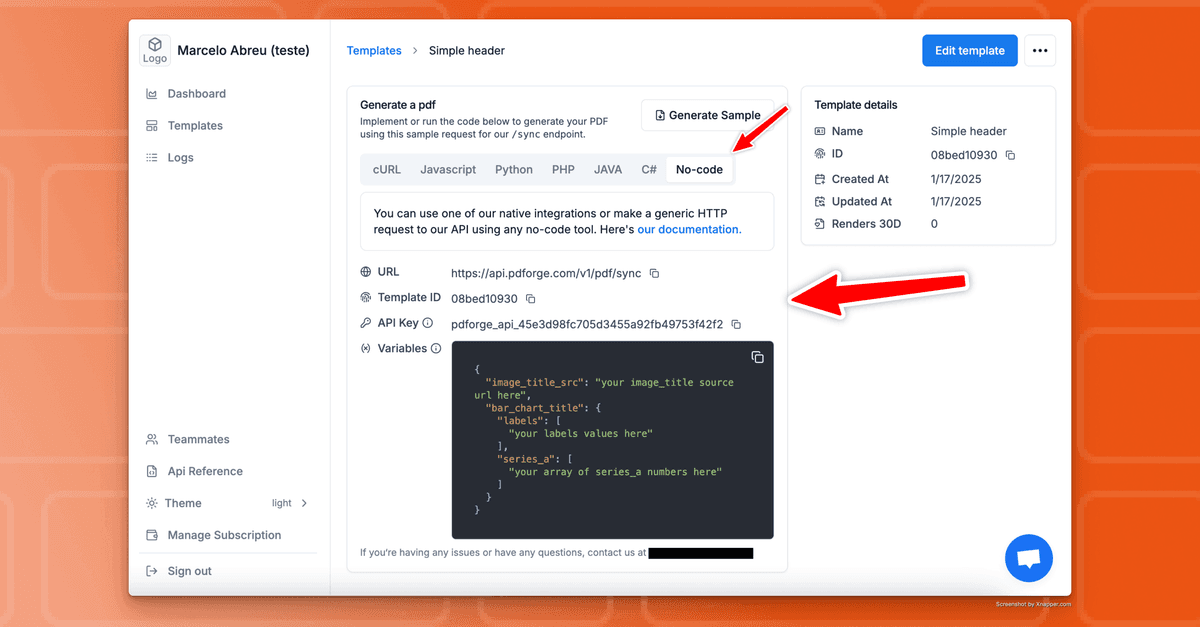
- Insert the ID of the template you just created and fill the variables using dynamic data
You can get all these information on the template visualization, on the "No-Code" tab, inside pdf noodle's application:
5. Store or deliver your PDF directly within Bubble:
- Save the generated PDF URL returned by pdf noodle to Bubble’s database.
- Download the PDF by navigating to the URL
- Automatically email the document or provide a download link within your app.
Connecting Additional Functionalities to Your PDF Workflow
Amplify automation by linking additional actions to your Bubble-pdf noodle workflows:
- Cloud Storage: Automatically archive generated PDFs to AWS S3, Google Drive, or Bubble’s native storage.
- Email Automation: Immediately dispatch PDF documents as attachments to your customers, stakeholders, or internal teams.
- CRM Integration: Instantly update CRM records (e.g., HubSpot, Salesforce, Airtable) with generated PDFs, maintaining comprehensive documentation.
By interlinking multiple actions, you fully automate end-to-end document workflows—from initial trigger to final distribution.
Use Case Examples for PDF Generation in Bubble
Automating Invoice Generation
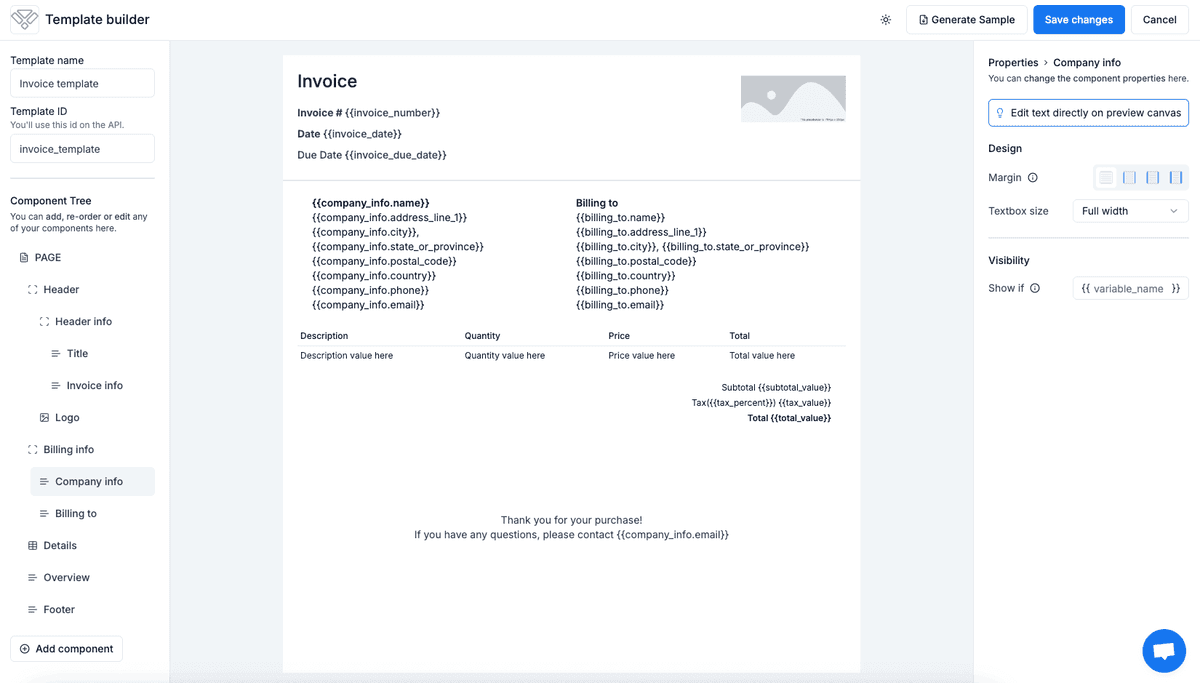
Eliminate delays and inaccuracies in invoicing:
- Trigger the workflow upon order confirmation in Bubble.
- pdf noodle automatically generates and returns the invoice PDF.
- Bubble delivers the invoice to the client immediately via email or user portal.
Automating Reporting
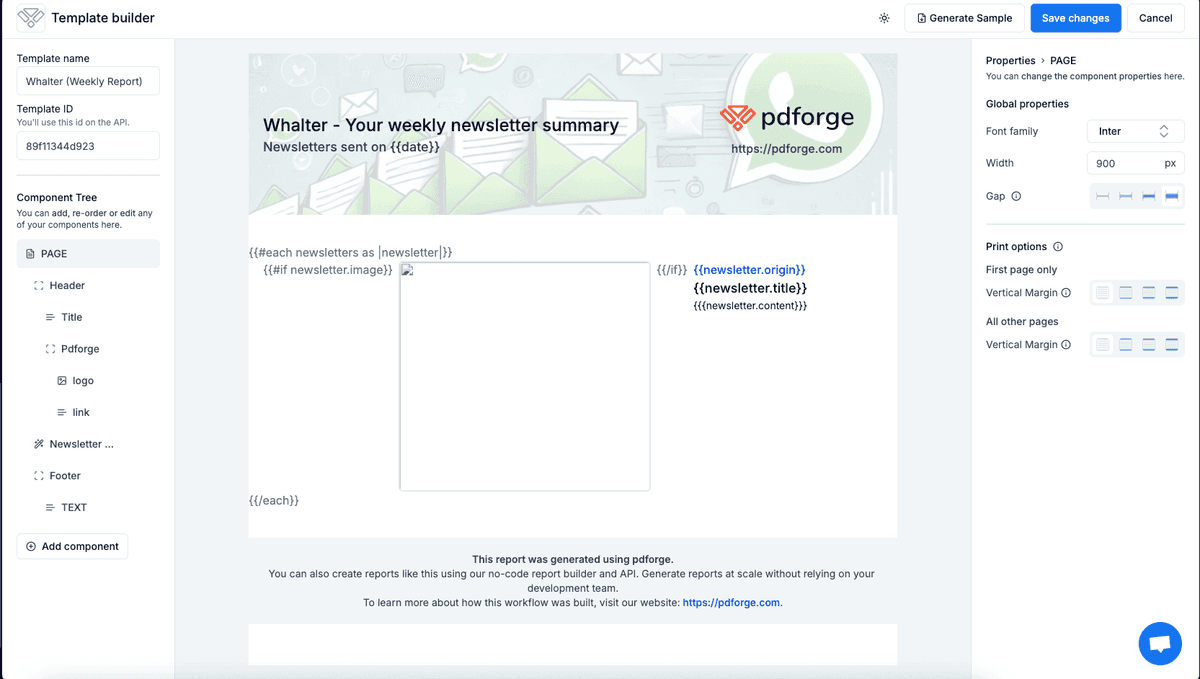
Efficiently deliver professional weekly or monthly reports:
- Bubble compiles user or analytics data.
- pdf noodle formats this data into an insightful, branded PDF report.
- Reports are automatically distributed to team members or clients through automated email workflows or downloads.
Lead Magnet Automation
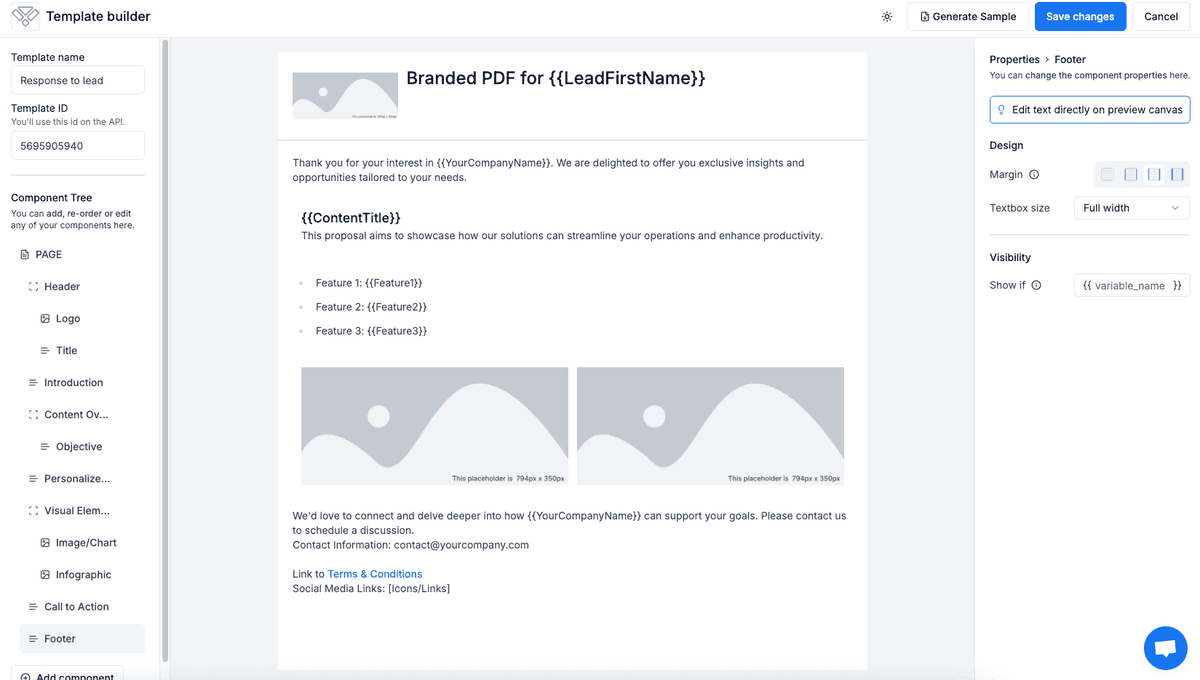
Rapidly engage prospective clients:
- Bubble identifies new leads from sign-up forms.
- pdf noodle creates customized PDFs such as personalized offers or informational eBooks.
- Bubble automatically sends these PDFs via email, boosting lead conversion and engagement.
Conclusion
Integrating Bubble with pdf noodle fundamentally transforms your PDF document management by automating creation, distribution, and storage. Eliminating manual intervention enhances accuracy and efficiency, enabling your business to prioritize strategic objectives.
If you’re still creating PDFs trying to take a screenshots of your screen, now is the time to upgrade. Follow the steps outlined in this guide to quickly establish a reliable, automated PDF workflow within your Bubble application today.


