The HTML to PDF API
that scales with your volume
Convert your HTML to PDF with a single API call. Get it perfectly rendered in under 2 seconds with full CSS3 support, and no Chromium to manage. Plans include monthly PDF volume, a predictable per-PDF rate beyond it, and unlimited PDFs on Production. Built for developers and SaaS teams generating documents at scale.
Trusted by builders in 35+ countries · 1.5M+ PDFs generated
Implement HTML to PDF automation today
Send your HTML, adjust page properties, add metadata, and get a perfect PDF back.
SDKs for Node.js, Python, PHP, and more.
1import { PdfNoodle } from 'pdfnoodle';23const pdfnoodle = new PdfNoodle('pdfnoodle_api_...');45const { data } = await pdfnoodle.pdf.fromHTML({6 html: `7 <h1>Invoice #1042</h1>8 <p>Acme Corp — March 2026</p>9 <table>10 <tr><td>Consulting</td><td>$4,500</td></tr>11 <tr><td>Development</td><td>$12,000</td></tr>12 <tr><td><strong>Total</strong></td><td><strong>$16,500</strong></td></tr>13 </table>14 `,15});1{2 "signedUrl": "https://cdn.pdfnoodle.com/def456.pdf",3 "metadata": {4 "executionTime": "1.2 seconds",5 "fileSize": "12.4 kB"6 }7}Add the pdf noodle MCP
Give your AI coding agent the ability to generate PDFs, create templates, and manage documents.
1npx -y mcp-server-pdfnoodle23# Your AI agent (Claude Code, Cursor, Windsurf, etc.) can now:4# Convert HTML to PDF5# Generate PDFs from templates6# Create templates with natural language7# Merge, split, and compress PDFsWhat our customers are rendering with pdf noodle
SaaS, healthcare, fintech, and logistics teams automate the documents their products depend on.
Powered by a full Chromium engine with support for page breaks, custom headers and footers, page numbers, third-party libraries like Tailwind, and custom fonts.
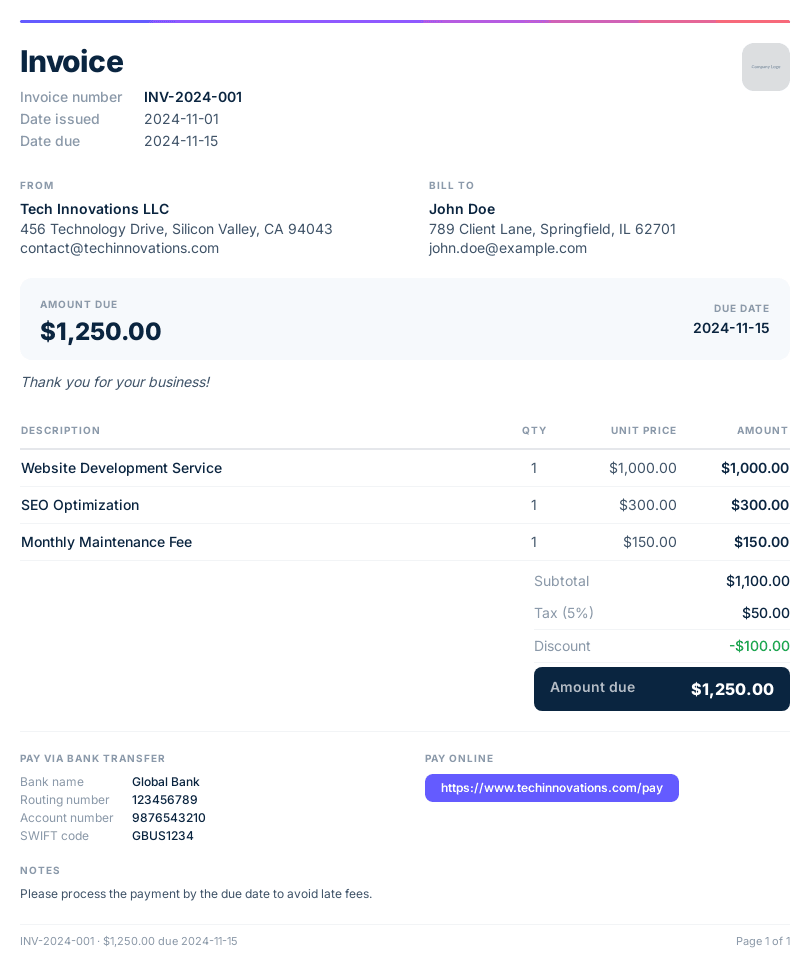
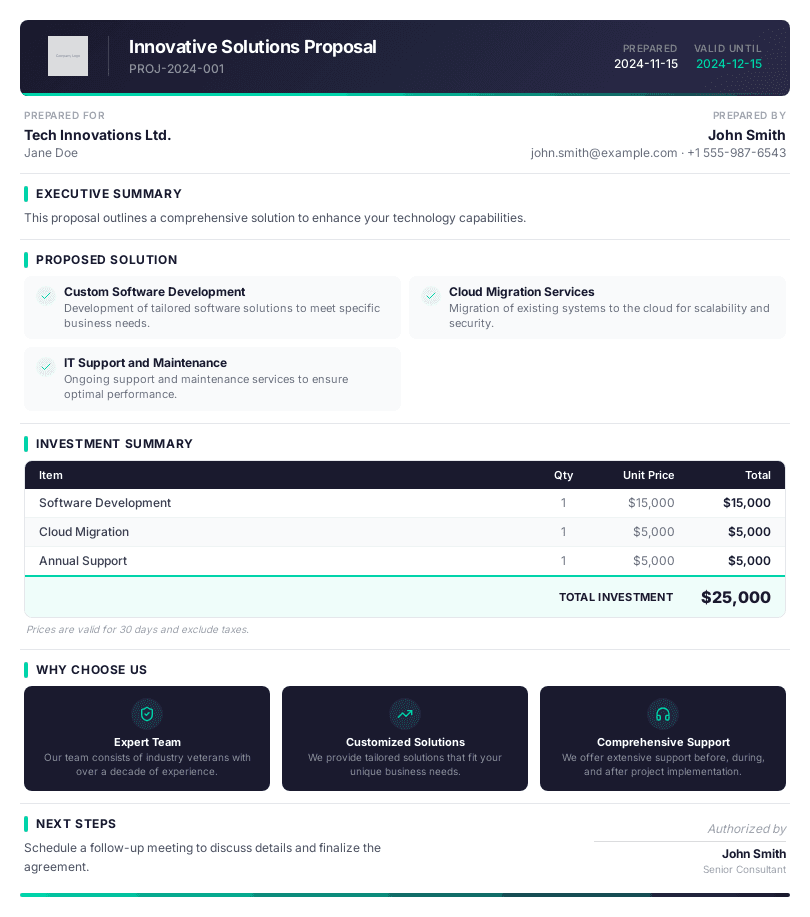
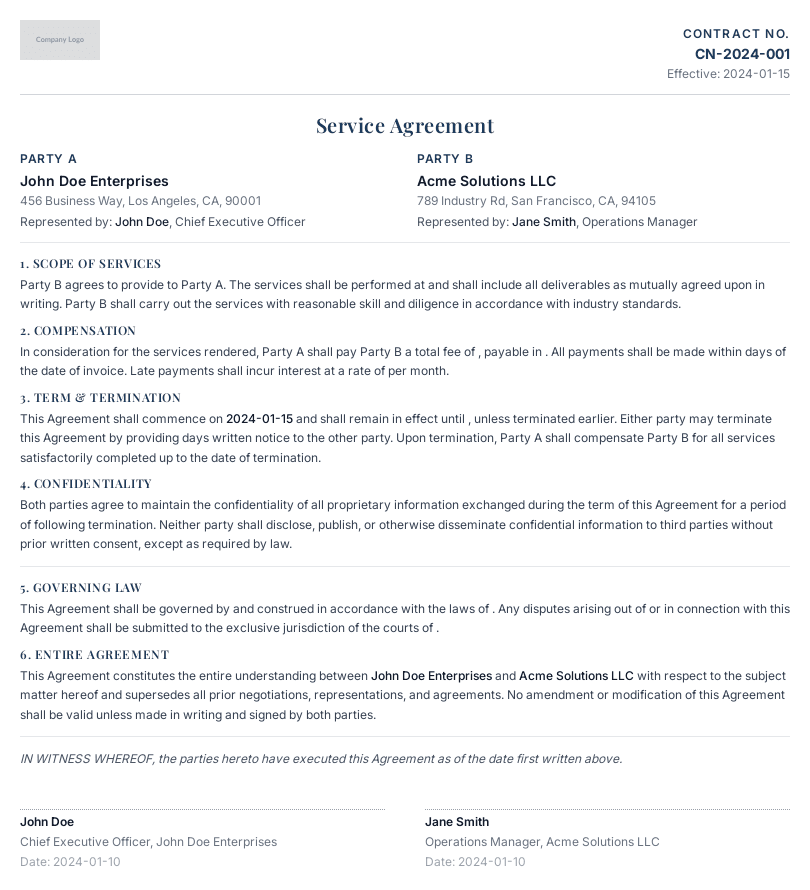
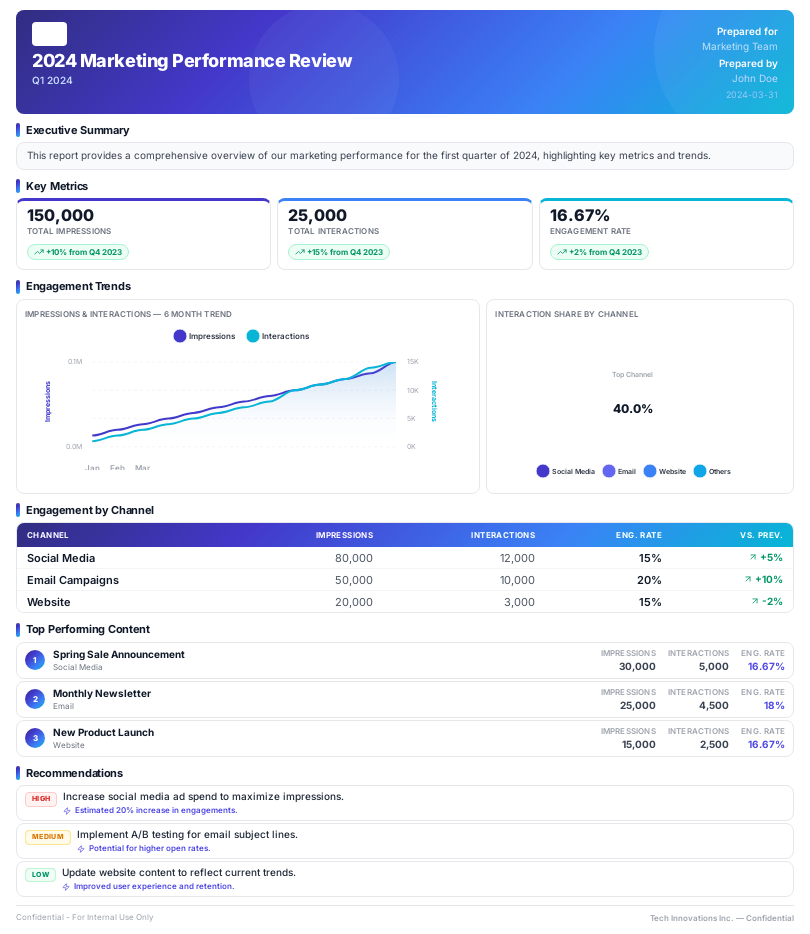
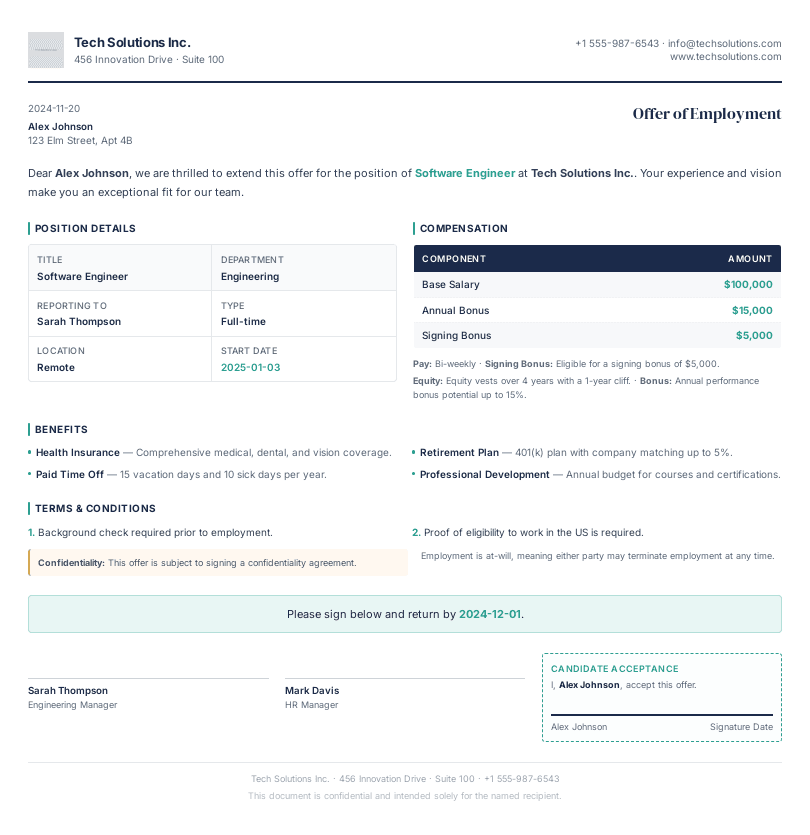
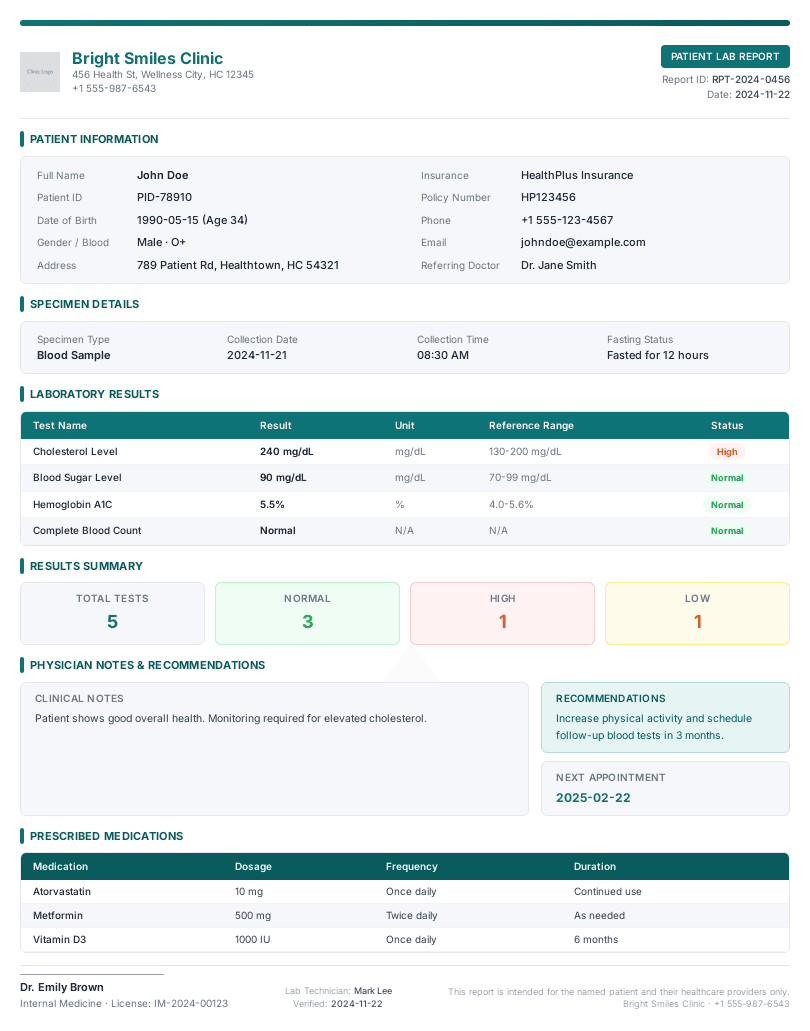
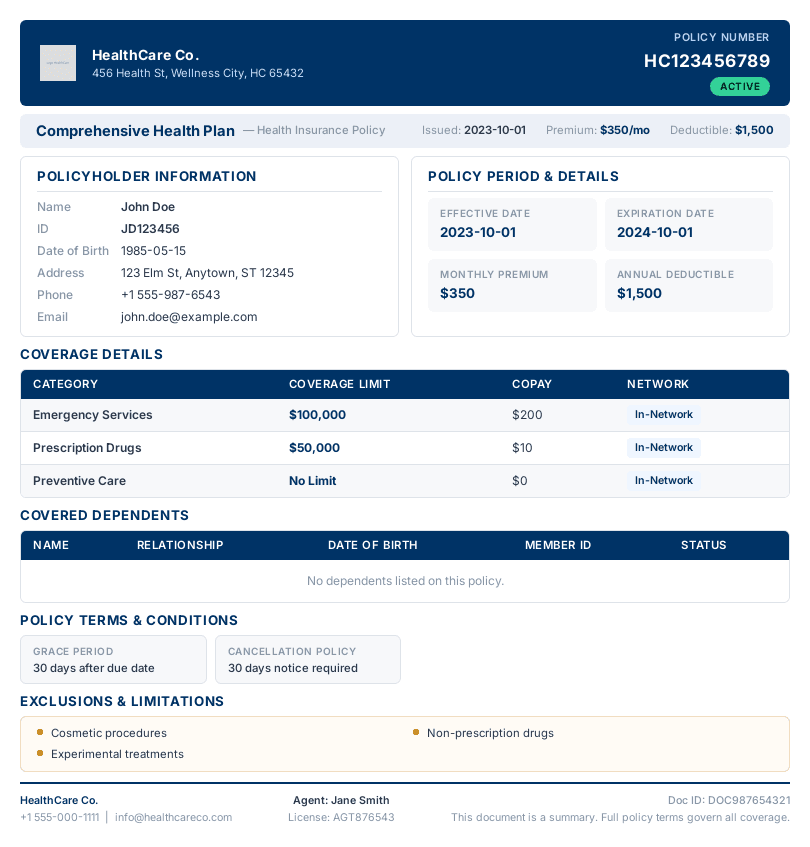
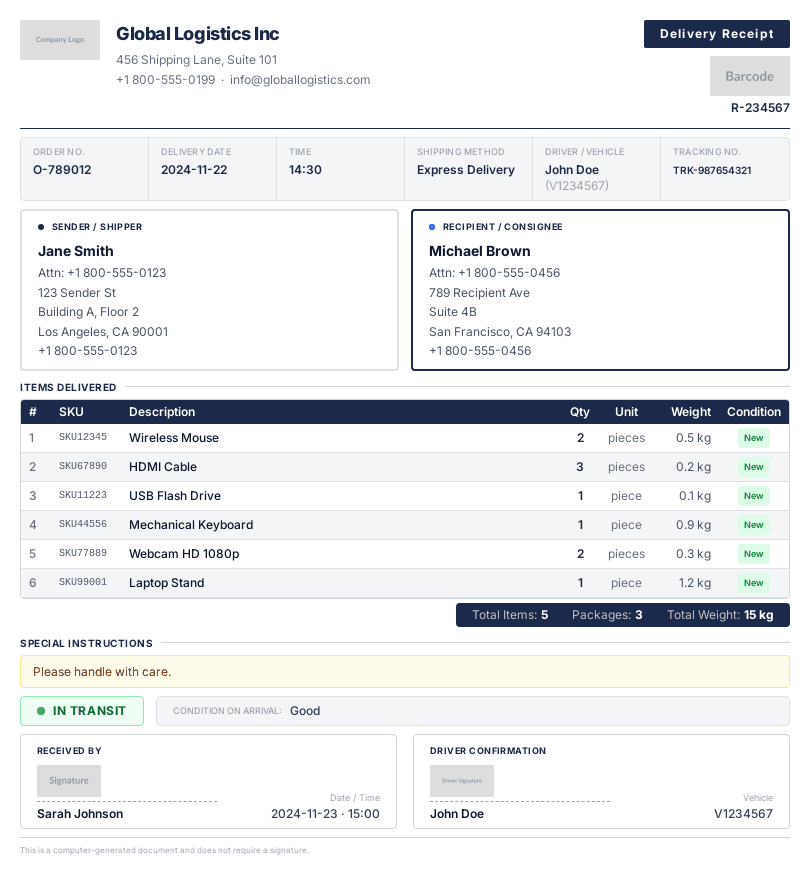
Our customers generate thousands of PDFs in under 2 seconds per render.
1.5M+
PDFs generated
99.99%
uptime
3.5K+
templates created
35+
countries

We don't store any data sent to generate the PDF and you can store the PDF on your own bucket.
Migrate from Puppeteer, wkhtmltopdf, or Playwright in minutes
Same HTML, better output. Drop the Chromium dependency, skip the serverless timeouts, and let pdf noodle handle rendering.
1import puppeteer from 'puppeteer';23const browser = await puppeteer.launch({4 headless: true,5 args: [6 '--no-sandbox',7 '--disable-setuid-sandbox',8 '--disable-dev-shm-usage',9 '--disable-gpu',10 '--single-process',11 '--disk-cache-size=33554432',12 ],13});1415const context = await browser.createBrowserContext({16 ignoreHTTPSErrors: true,17});1819const page = await context.newPage();2021await page.setContent(`22 <h1>Invoice #1042</h1>23 <p>Acme Corp</p>24 <table>25 <tr><td>Consulting</td><td>$4,500</td></tr>26 <tr><td>Development</td><td>$12,000</td></tr>27 </table>28`);2930const pdf = await page.pdf({31 format: 'A4',32 printBackground: true,33});3435await browser.close();1import { PdfNoodle } from 'pdfnoodle';23const pdfnoodle = new PdfNoodle('pdfnoodle_api_...');45const { data } = await pdfnoodle.pdf.fromHTML({6 html: `7 <h1>Invoice #1042</h1>8 <p>Acme Corp</p>9 <table>10 <tr><td>Consulting</td><td>$4,500</td></tr>11 <tr><td>Development</td><td>$12,000</td></tr>12 </table>13 `,14});Want even more consistency?
Create reusable HTML templates.
Describe the document you need and our AI creates a reusable template for you. Then just send the dynamic data and pdf noodle merges it with your template.
1import { PdfNoodle } from 'pdfnoodle';23const pdfnoodle = new PdfNoodle('pdfnoodle_api_...');45const { data } = await pdfnoodle.pdf.fromHTML({6 html: `7 <!DOCTYPE html>8 <html>9 <head>10 <style>11 body { font-family: 'Inter', sans-serif; margin: 0; padding: 40px; }12 .header { display: flex; justify-content: space-between; align-items: center; margin-bottom: 40px; }13 .logo { font-size: 24px; font-weight: 700; color: #1c1917; }14 .badge { background: #f97316; color: white; padding: 4px 12px; border-radius: 20px; font-size: 12px; }15 .info-grid { display: grid; grid-template-columns: 1fr 1fr; gap: 24px; margin-bottom: 32px; }16 .info-block h3 { font-size: 11px; text-transform: uppercase; color: #78716c; margin-bottom: 4px; }17 .info-block p { font-size: 14px; color: #1c1917; }18 table { width: 100%; border-collapse: collapse; margin-bottom: 32px; }19 th { text-align: left; padding: 12px; background: #fafaf9; border-bottom: 2px solid #e7e5e4; font-size: 12px; text-transform: uppercase; color: #78716c; }20 td { padding: 12px; border-bottom: 1px solid #f5f5f4; font-size: 14px; color: #44403c; }21 .total-row td { font-weight: 700; color: #1c1917; border-top: 2px solid #1c1917; }22 .footer { margin-top: 40px; padding-top: 20px; border-top: 1px solid #e7e5e4; font-size: 12px; color: #a8a29e; }23 </style>24 </head>25 <body>26 <div class="header">27 <div class="logo">Acme Corp</div>28 <span class="badge">PAID</span>29 </div>30 <div class="info-grid">31 <div class="info-block">32 <h3>Invoice Number</h3>33 <p>#INV-1042</p>34 </div>35 <div class="info-block">36 <h3>Date Issued</h3>37 <p>March 15, 2026</p>38 </div>39 <div class="info-block">40 <h3>Bill To</h3>41 <p>TechStart Inc.<br/>456 Innovation Blvd</p>42 </div>43 <div class="info-block">44 <h3>Due Date</h3>45 <p>April 14, 2026</p>46 </div>47 </div>48 <table>49 <tr><th>Description</th><th>Qty</th><th>Rate</th><th>Amount</th></tr>50 <tr><td>UI/UX Consulting</td><td>40h</td><td>$112.50</td><td>$4,500</td></tr>51 <tr><td>Frontend Development</td><td>80h</td><td>$150.00</td><td>$12,000</td></tr>52 <tr><td>API Integration</td><td>24h</td><td>$150.00</td><td>$3,600</td></tr>53 <tr><td>QA & Testing</td><td>16h</td><td>$100.00</td><td>$1,600</td></tr>54 <tr class="total-row"><td colspan="3">Total</td><td>$21,700</td></tr>55 </table>56 <div class="footer">57 <p>Payment terms: Net 30 · Late fee: 1.5%/month</p>58 <p>Acme Corp · 123 Business Ave · hello@acme.com</p>59 </div>60 </body>61 </html>62 `,63});Code or no-code.
You choose!
Connect via n8n, Make, Zapier, or Bubble. Or use our easy-to-use API and native SDKs for Python, JavaScript, PHP, and more.
See all integrations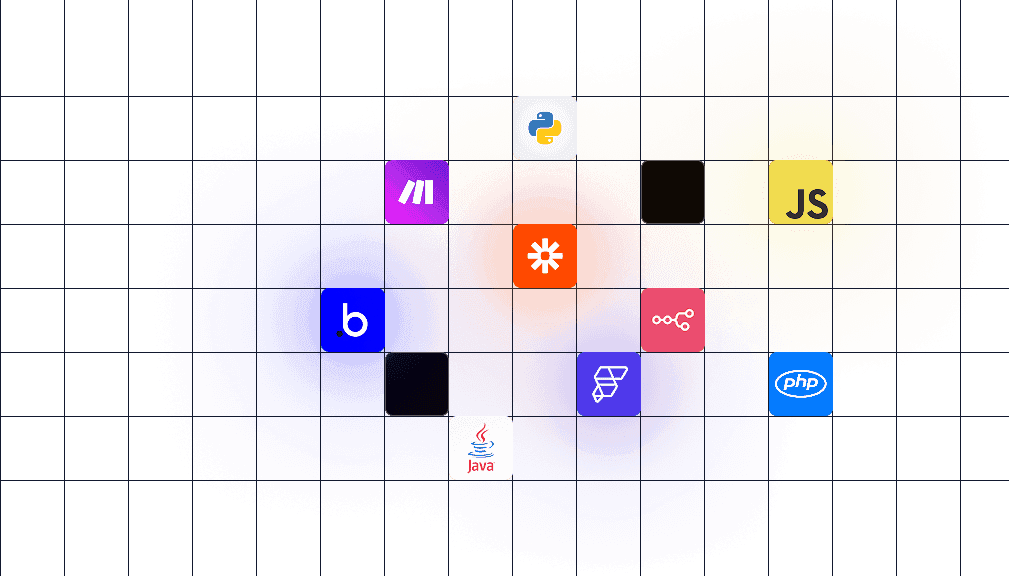
1.5M+ PDFs generated.
Here's what they say.
See why developers choose pdf noodle over managing their own PDF infrastructure.

Ian Schoen
CTO at Baton Leads

“I've been loving using the product. Solves a problem I've had to solve so many times in such an absurdly easy way.”

Carlos Schwabe
Co-founder at Brick

“PDF rendering used to be a major challenge for us. Before pdf noodle, the only way to ensure the PDF aligned with our design patterns was by adding a button to the page as a shortcut for browser printing. Now, that's an issue we no longer have to worry about”

Cirdes Henrique
Founder & CTO at Linkana

“Generating PDFs might seem simple, but at scale, it becomes an extremely labor-intensive process. With pdf noodle, our product team started managing all the PDFs, which made updates easier and allowed our tech team to focus on our company's core business.”

Gabriel Mello
Founder & CEO at Proxpect

“The market PDF Generation tools were outdated, hard to work with, required tons of code, and demanded heavy maintenance. Once we discovered pdf noodle, our development team could finally breathe and our clients are happier with PDFs tailored exactly to their needs.”

Berkan Bubik
Product at Kunduz

“PDF Noodle has revolutionized how we handle offer booklets. What sets it apart is the level of customization; we can create tailored PDFs that adapt to every specific case. It's allowed our sales team to move faster while showing our value more effectively than ever before.”

Bruno Okamoto
Founder at MyGroupMetrics

“Using a no-code integration, we connected pdf noodle to our SaaS and immediately saw incredible value. Our customers feedbacks about the new report were overwhelmingly positive and we've had a significant boost in our user experience.”

Nicolas Cellani
Founder at Metrifiquei

“Using pdf noodle was one of the best decisions we made. Our users wanted custom PDF reports, setup was incredibly simple, we implemented it in a few days and the feedback has been extremely positive.”
Ian Schoen
CTO at Baton Leads
“I've been loving using the product. Solves a problem I've had to solve so many times in such an absurdly easy way.”
Carlos Schwabe
Co-founder at Brick
“PDF rendering used to be a major challenge for us. Before pdf noodle, the only way to ensure the PDF aligned with our design patterns was by adding a button to the page as a shortcut for browser printing. Now, that's an issue we no longer have to worry about”
Cirdes Henrique
Founder & CTO at Linkana
“Generating PDFs might seem simple, but at scale, it becomes an extremely labor-intensive process. With pdf noodle, our product team started managing all the PDFs, which made updates easier and allowed our tech team to focus on our company's core business.”
Gabriel Mello
Founder & CEO at Proxpect
“The market PDF Generation tools were outdated, hard to work with, required tons of code, and demanded heavy maintenance. Once we discovered pdf noodle, our development team could finally breathe and our clients are happier with PDFs tailored exactly to their needs.”
Berkan Bubik
Product at Kunduz
“PDF Noodle has revolutionized how we handle offer booklets. What sets it apart is the level of customization; we can create tailored PDFs that adapt to every specific case. It's allowed our sales team to move faster while showing our value more effectively than ever before.”
Bruno Okamoto
Founder at MyGroupMetrics
“Using a no-code integration, we connected pdf noodle to our SaaS and immediately saw incredible value. Our customers feedbacks about the new report were overwhelmingly positive and we've had a significant boost in our user experience.”
Nicolas Cellani
Founder at Metrifiquei
“Using pdf noodle was one of the best decisions we made. Our users wanted custom PDF reports, setup was incredibly simple, we implemented it in a few days and the feedback has been extremely positive.”
Ian Schoen
CTO at Baton Leads
“I've been loving using the product. Solves a problem I've had to solve so many times in such an absurdly easy way.”
Carlos Schwabe
Co-founder at Brick
“PDF rendering used to be a major challenge for us. Before pdf noodle, the only way to ensure the PDF aligned with our design patterns was by adding a button to the page as a shortcut for browser printing. Now, that's an issue we no longer have to worry about”
Ian Schoen
CTO at Baton Leads
“I've been loving using the product. Solves a problem I've had to solve so many times in such an absurdly easy way.”
Carlos Schwabe
Co-founder at Brick
“PDF rendering used to be a major challenge for us. Before pdf noodle, the only way to ensure the PDF aligned with our design patterns was by adding a button to the page as a shortcut for browser printing. Now, that's an issue we no longer have to worry about”
Cirdes Henrique
Founder & CTO at Linkana
“Generating PDFs might seem simple, but at scale, it becomes an extremely labor-intensive process. With pdf noodle, our product team started managing all the PDFs, which made updates easier and allowed our tech team to focus on our company's core business.”
Gabriel Mello
Founder & CEO at Proxpect
“The market PDF Generation tools were outdated, hard to work with, required tons of code, and demanded heavy maintenance. Once we discovered pdf noodle, our development team could finally breathe and our clients are happier with PDFs tailored exactly to their needs.”
Berkan Bubik
Product at Kunduz
“PDF Noodle has revolutionized how we handle offer booklets. What sets it apart is the level of customization; we can create tailored PDFs that adapt to every specific case. It's allowed our sales team to move faster while showing our value more effectively than ever before.”
Cirdes Henrique
Founder & CTO at Linkana
“Generating PDFs might seem simple, but at scale, it becomes an extremely labor-intensive process. With pdf noodle, our product team started managing all the PDFs, which made updates easier and allowed our tech team to focus on our company's core business.”
Gabriel Mello
Founder & CEO at Proxpect
“The market PDF Generation tools were outdated, hard to work with, required tons of code, and demanded heavy maintenance. Once we discovered pdf noodle, our development team could finally breathe and our clients are happier with PDFs tailored exactly to their needs.”
Berkan Bubik
Product at Kunduz
“PDF Noodle has revolutionized how we handle offer booklets. What sets it apart is the level of customization; we can create tailored PDFs that adapt to every specific case. It's allowed our sales team to move faster while showing our value more effectively than ever before.”
Bruno Okamoto
Founder at MyGroupMetrics
“Using a no-code integration, we connected pdf noodle to our SaaS and immediately saw incredible value. Our customers feedbacks about the new report were overwhelmingly positive and we've had a significant boost in our user experience.”
Nicolas Cellani
Founder at Metrifiquei
“Using pdf noodle was one of the best decisions we made. Our users wanted custom PDF reports, setup was incredibly simple, we implemented it in a few days and the feedback has been extremely positive.”
Bruno Okamoto
Founder at MyGroupMetrics
“Using a no-code integration, we connected pdf noodle to our SaaS and immediately saw incredible value. Our customers feedbacks about the new report were overwhelmingly positive and we've had a significant boost in our user experience.”
Nicolas Cellani
Founder at Metrifiquei
“Using pdf noodle was one of the best decisions we made. Our users wanted custom PDF reports, setup was incredibly simple, we implemented it in a few days and the feedback has been extremely positive.”
Start with the plan that fits today
Go past your included PDFs at a predictable per-PDF rate, add templates 25 at a time, and move to Production when unlimited scale makes sense. Cancel anytime.
Starter
For individuals and small teams getting started
3,000 PDFs/month included
Then $0.02 / additional PDF
5 templates included
+25 templates for $25/mo
Business
For growing businesses automating document workflows
20,000 PDFs/month included
Then $0.01 / additional PDF
100 templates included
+25 templates for $25/mo
Production
For organizations that depend on reliable document generation at scale
Unlimited PDFs
No PDF overage
500 templates included
Enterprise
For organizations with custom security, performance, or support requirements
Unlimited PDFs
Unlimited templates
All plans include unlimited users, AI capabilities, bulk generation, unlimited PDF size, copyright-free images, no-code integrations, 30-day guarantee, and 300s timeout.
Developers are asking…
What is an HTML to PDF API?
A service that accepts your HTML and CSS via an API call and returns a rendered PDF. Instead of running Puppeteer or wkhtmltopdf yourself, you send HTML to the API and get a production-ready PDF back. pdf noodle handles rendering, page breaks, fonts, and CSS support for you.
How do I handle page breaks in HTML-to-PDF conversion?
Use standard CSS print properties like page-break-before, page-break-after, and page-break-inside: avoid. pdf noodle also supports the newer break-before, break-after, and break-inside properties. For table rows in invoices, use page-break-inside: avoid to keep rows together.
What’s the difference between an HTML-to-PDF API and a PDF generation API?
An HTML-to-PDF API converts your existing HTML to PDF. A PDF generation API adds template management, dynamic data merging, and AI-assisted template creation on top of that. pdf noodle does both: use the HTML-to-PDF endpoint when you have HTML ready, or the template endpoint for reusable templates with dynamic data.
How do I migrate from Puppeteer or wkhtmltopdf to pdf noodle?
Replace your rendering code with a single API call. Your HTML templates stay the same. Just swap the Puppeteer or wkhtmltopdf rendering step for pdf noodle’s fromHTML endpoint. Most teams complete the migration in under an hour.
Does pdf noodle support CSS3, Flexbox, and Grid?
Yes. pdf noodle uses a modern browser engine with full CSS3 support: Flexbox, Grid, custom fonts, media queries, gradients, shadows, and @page print rules. If it renders in Chrome, it renders in pdf noodle.
Can I convert a URL to PDF instead of raw HTML?
Yes. Pass a URL to the API and pdf noodle fetches the page, waits for it to fully render (including JavaScript and lazy-loaded content), and converts it to PDF. For authenticated pages, you can pass cookies or headers with the request.
Can I generate unlimited PDFs from HTML?
Yes, on Production: unlimited HTML-to-PDF generation with no PDF overage, for $999/month. Starter ($35/month) includes 3,000 PDFs and Business ($199/month) includes 20,000. Past that, both keep converting at $0.02 or $0.01 per additional PDF, so you don’t need to switch plans for a busy month.
Is my data secure? Are you GDPR and HIPAA compliant?
Yes. We are GDPR and HIPAA compliant. All data is transmitted over SSL. We do not store the HTML payload you send, only the generated PDF output, and you control the retention period. On Business plans and above, you can connect your own AWS S3 bucket so files never persist on our servers.


