


Introduction
Finding an efficient way to automate PDF generation within popular workflow automation platforms like n8n can be challenging. Despite the growing focus on automation, many organizations still struggle to streamline document creation while minimizing manual work and reducing errors.
This guide explores how to automate PDF generation in n8n using pdf noodle, a no-code PDF builder designed to simplify document workflows. You’ll learn how to set up the integration, choose the best method for your needs, and implement real-world use cases to eliminate repetitive tasks and boost efficiency.
Let’s dive into how n8n and pdf noodle can transform your PDF automation workflows.
What is n8n?
n8n is a versatile workflow automation platform that allows users to connect applications and services through an intuitive visual, node-based interface. With over 1,000 pre-built nodes, it supports both simple automations and complex workflows without requiring advanced coding skills. Unlike many automation tools, n8n offers a self-hosted option, providing greater control over data privacy, security, and cost management.
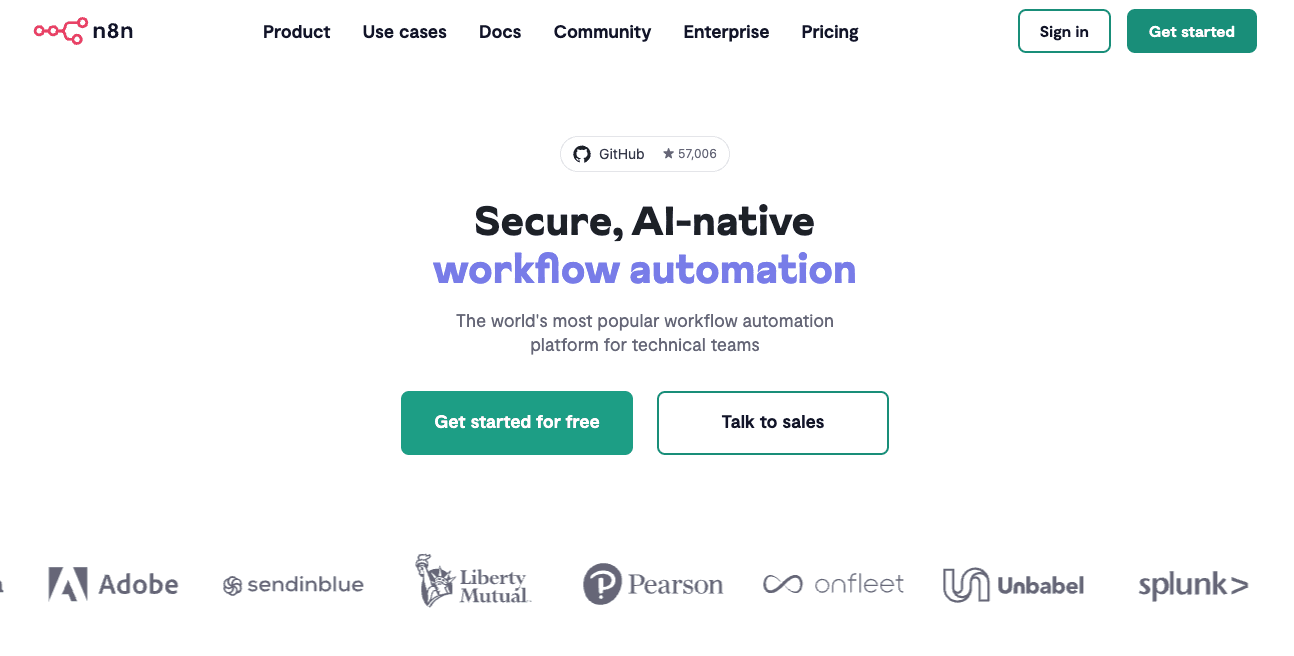
Its modular node system enables seamless integration with APIs, databases, cloud services, and internal applications, making it a powerful tool for automating tasks across various platforms. Whether you’re triggering workflows from webhooks, processing structured data, or orchestrating multi-step automation, n8n ensures scalability and flexibility without vendor lock-in.
By integrating n8n into your internal and external processes, you can eliminate repetitive tasks, save time, and significantly boost productivity, allowing teams to focus on more strategic work.
What is pdf noodle?

pdf noodle is a third-party pdf generation API. Our AI Agent create beautiful custom reusable templates according to your needs, from flexible layouts to complex components. You can fine tune your design using our easy-to-use opinionated no-code builder and generate PDFs at scale within minutes.
With native n8n integration, pdf noodle transforms raw data into structured, professional PDFs—whether it’s invoices, reports, contracts, or lead-generation documents. You can handle high-volume PDF generation from a single backend call or using our native node inside n8n.
Automating PDF Generation with n8n and pdf noodle
To automate PDF generation in n8n, you’ll need access to both pdf noodle and n8n platforms to leverage the PDF Generation API within your workflows.
In this section, we’ll guide you through the step-by-step process of setting up and automating PDF creation seamlessly. Let’s get started!
Creating Your PDF Template with pdf noodle
Here's the simple steps to generate your first pdf template on pdf noodle:
-
Create your account on our sign-up page.
-
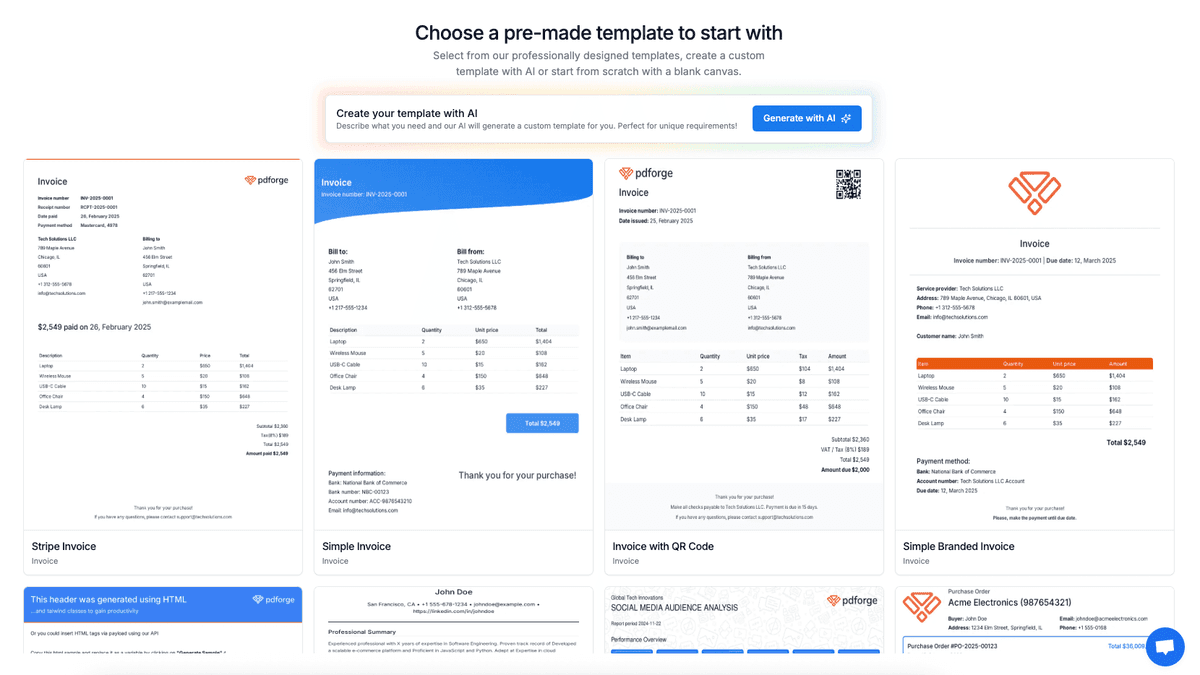
Select one of our pre-made templates or create a custom template using AI.
-
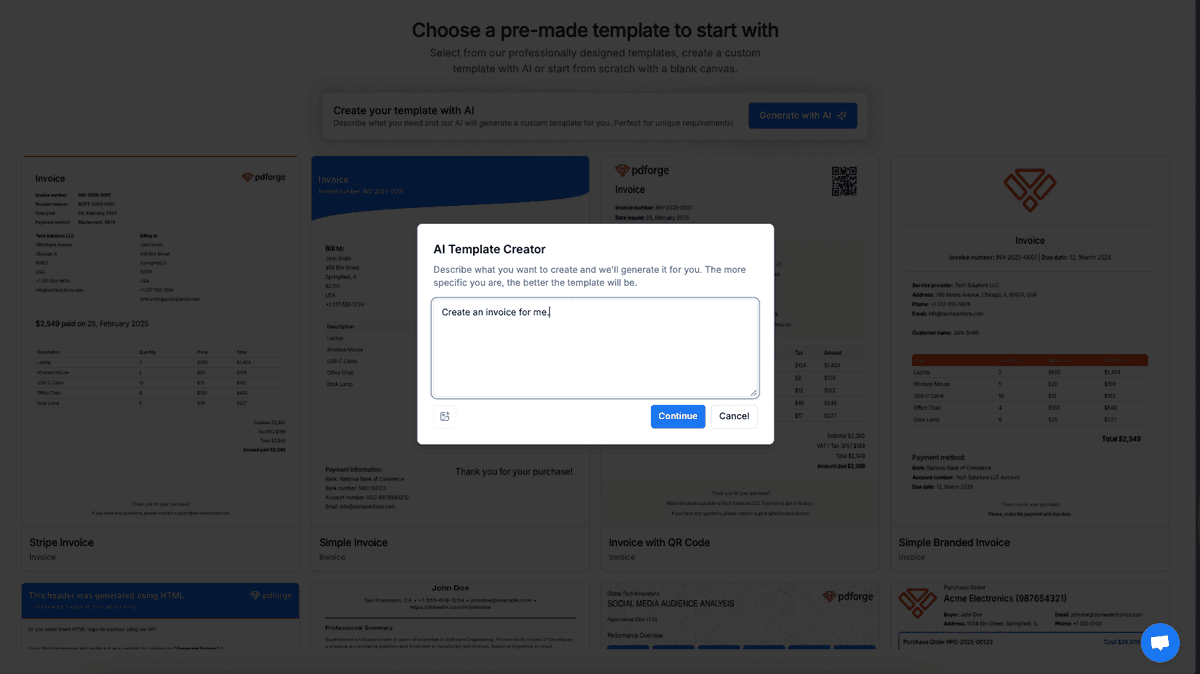
You can use our AI to create that template for you with prompt to PDF or image to PDF.
-
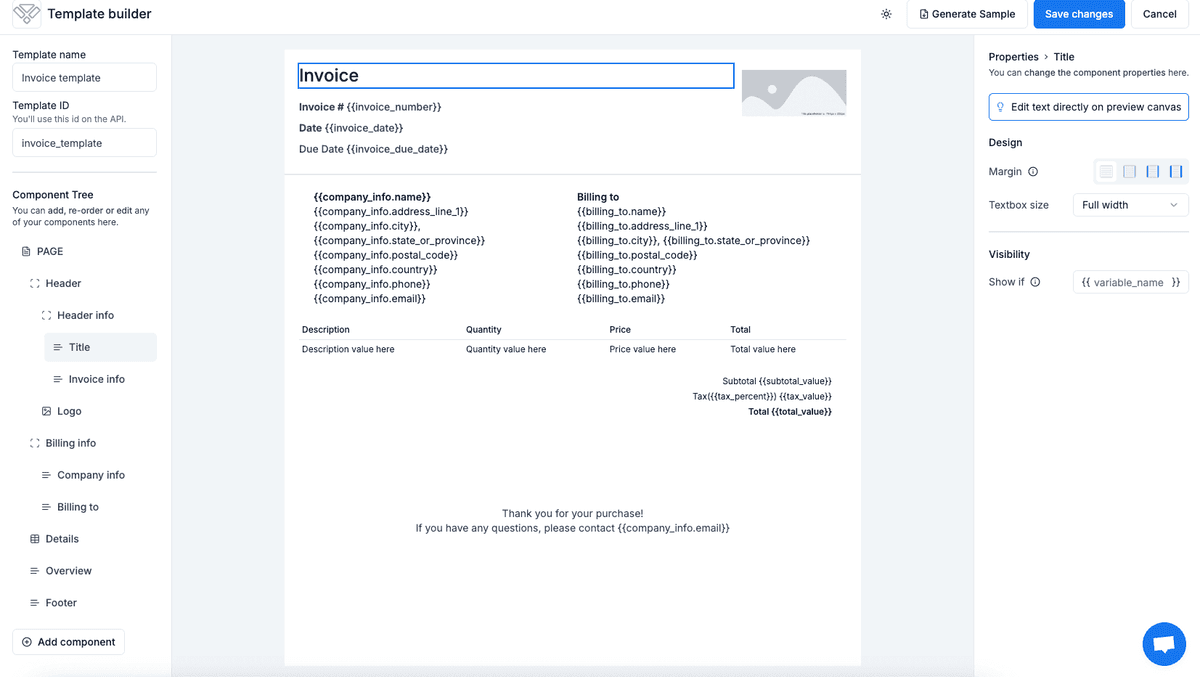
Edit your template on our no-code builder
-
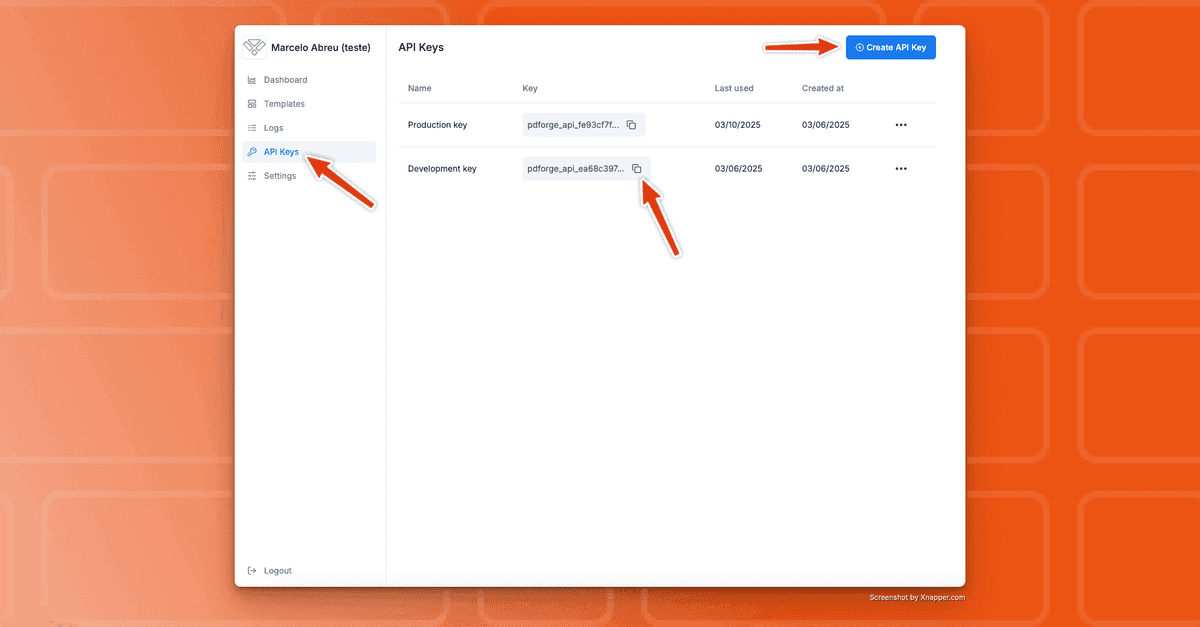
Use our 7-day free trial to access your API KEY on the Dashboard
Method #01: Installing pdf noodle Node in n8n
We recommend you use our native node to make it easier for you to start generating our PDFs. It works either if you're using n8n cloud version or n8n self-hosted version (we have a guide on how to do it here).
The oficial pdf noodle node is the easiest way to integrate pdf noodle with n8n. You can find the node in our [Github repository](https://github.com/pdfnoodle/n8n-nodes-pdf noodle) but it will automatically appear for you in your search bar, inside n8n. All you need to do is click to install the node on your n8n interface, following this steps:
-
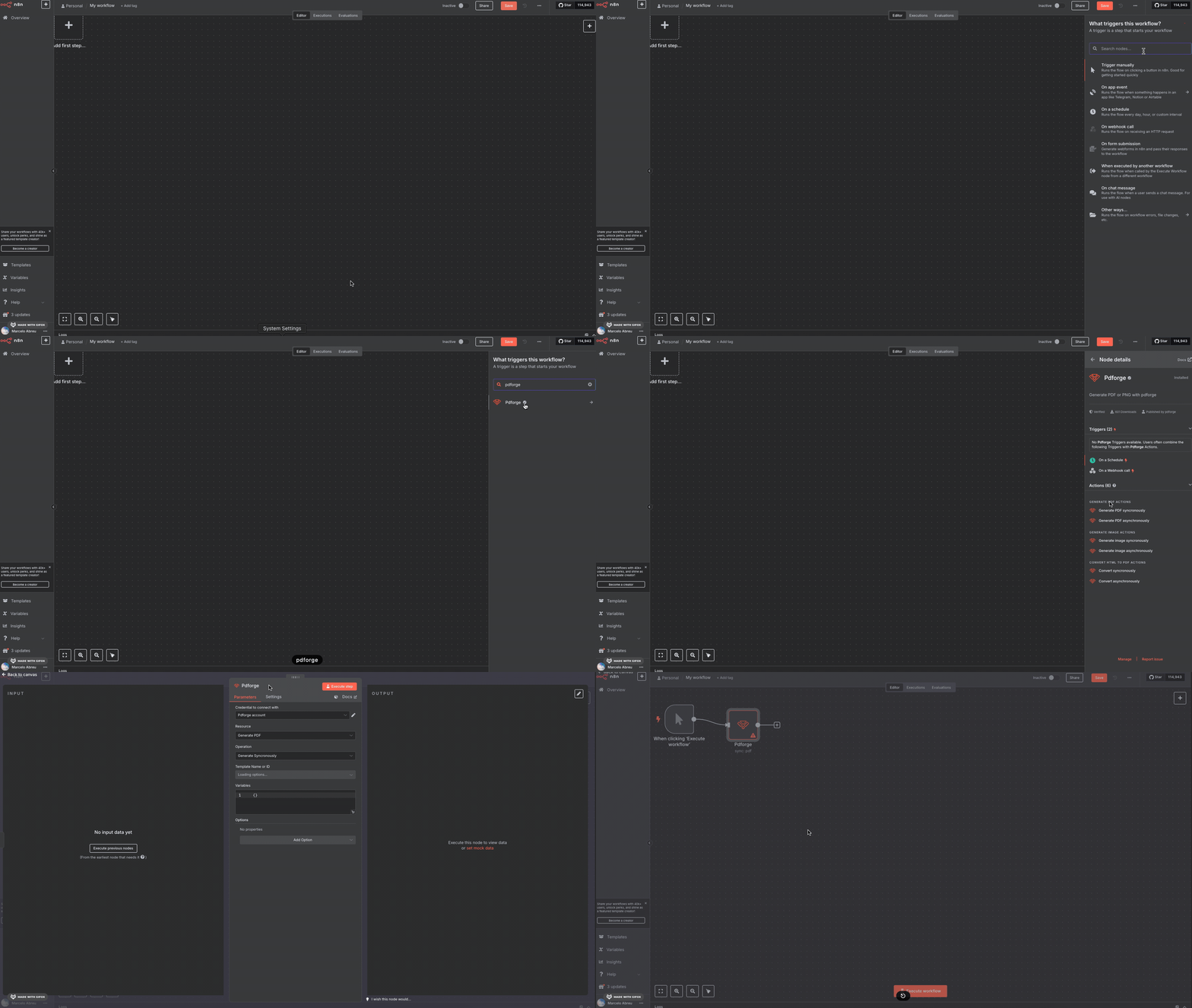
Search "pdf noodle" node inside any n8n workflow and click "Install node".
-
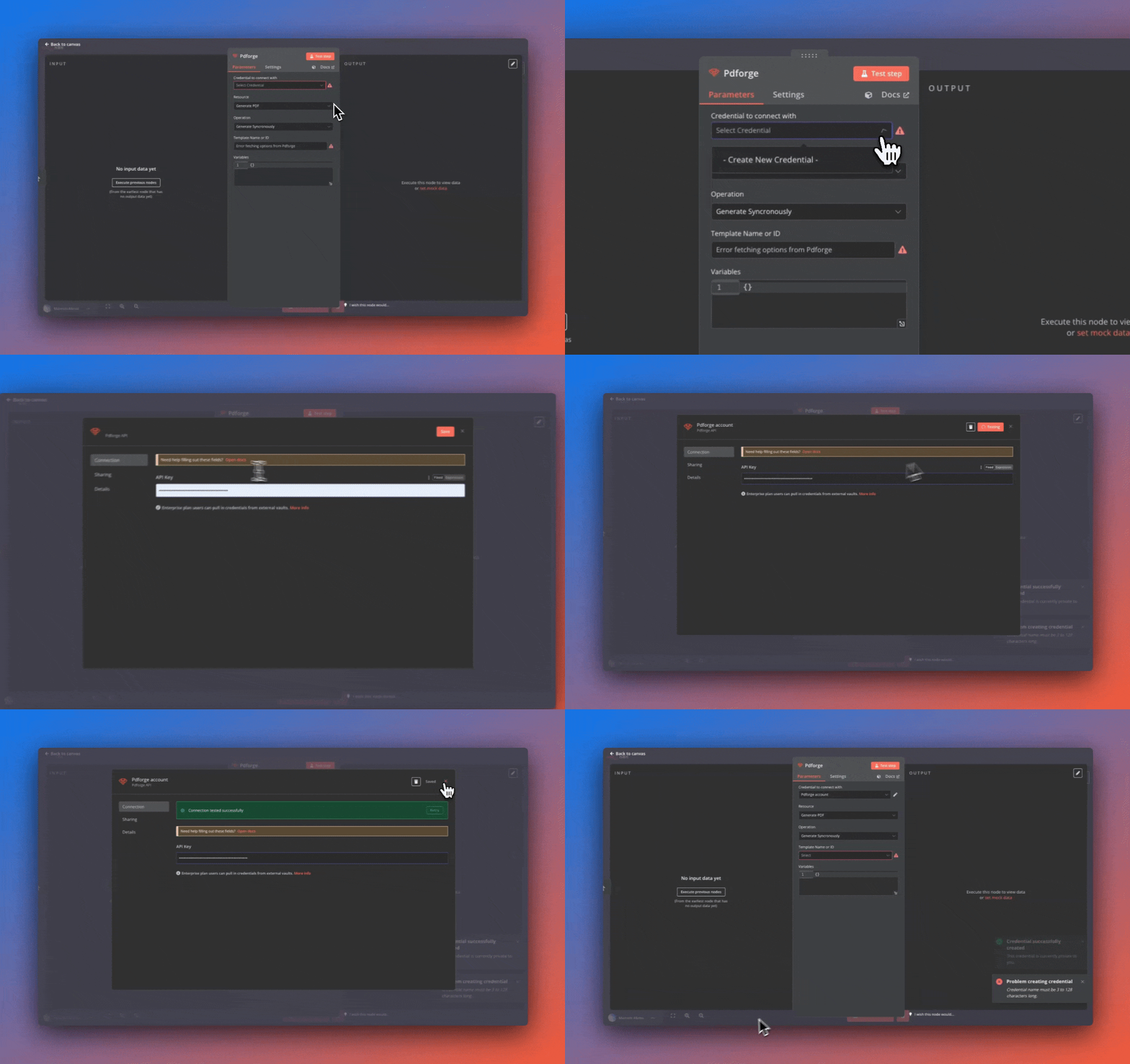
Select the node and enter your **API Key **
-
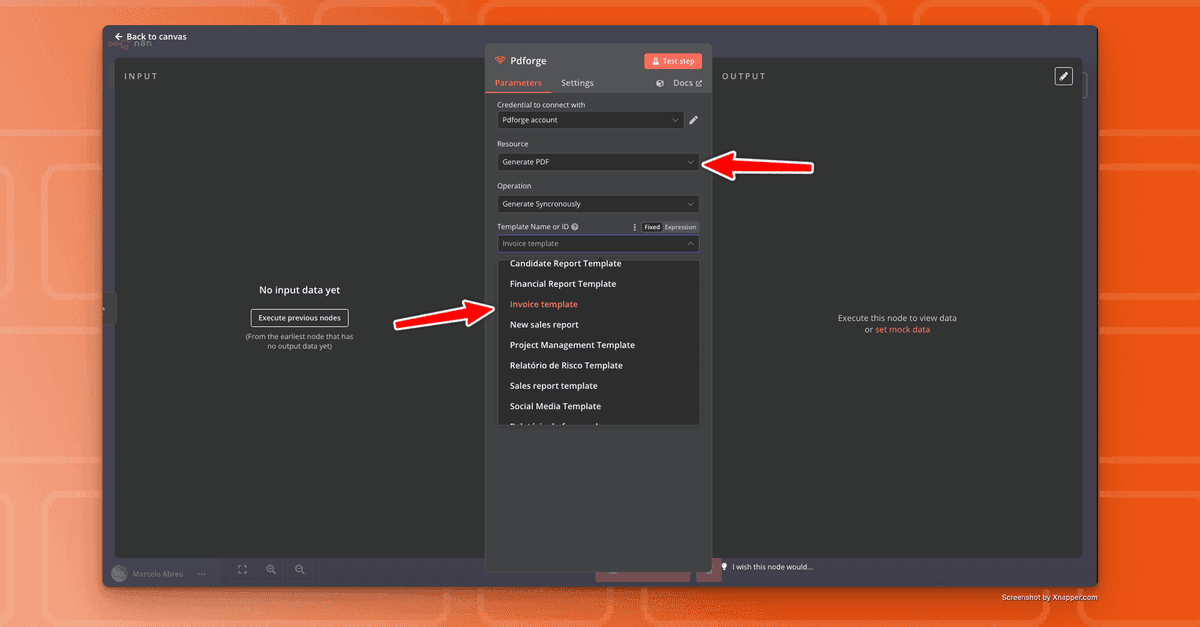
Choose the PDF template you created in pdf noodle and the **output format (PDF/PNG) **
-
Map input variables from previous nodes (e.g., form submissions, API responses).
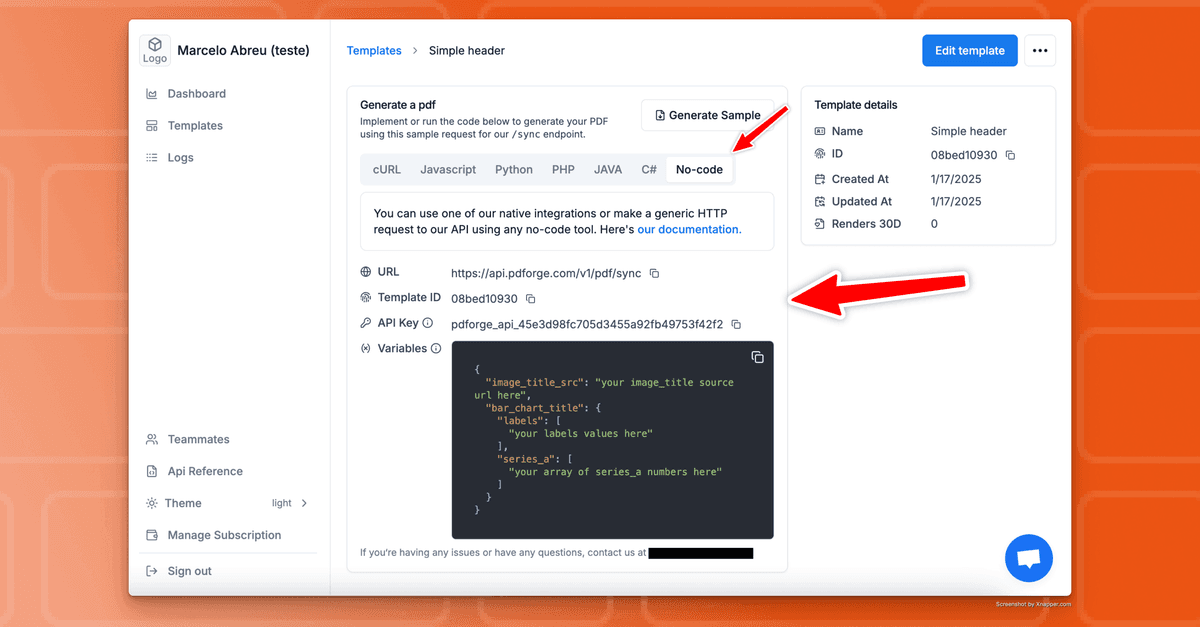
Hint: You can see all the variables you need to fill on your template page
-
Execute the workflow to test the PDF generation.
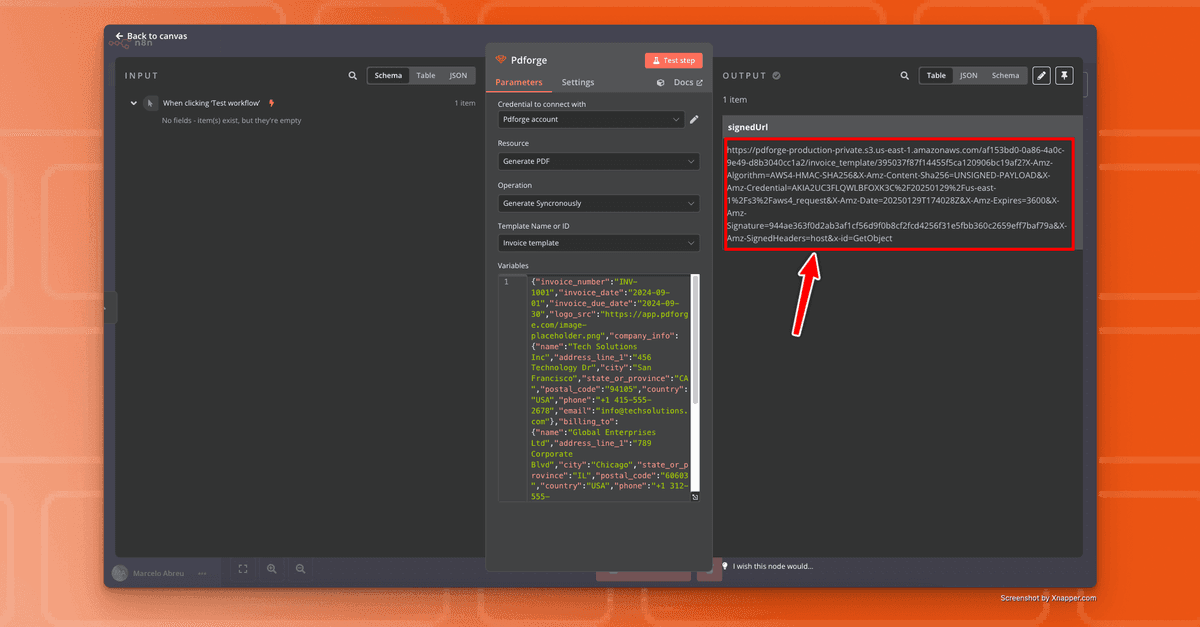
This method ensures a low-code, hassle-free setup with native compatibility.
Method #02: Using HTTP Request Node in n8n (hosted by n8n)
If you want to, you can use our easy to use API (Heres the documentation) to connect n8n or any other software with pdf noodle. To make an API connection with pdf noodle, you'll need to use the HTTP Request node.
Here's the information that you're going to need:
-
Method: POST
-
Authentication: none
-
Send Headers -> Authorization : Bearer
{{your_api_key_here}} -
Send Body -> Body Content Type: JSON:
{
  "template_id": "your_template_id_here", //Template ID here
  "convertToImage": false, //true if you want the output to be PNG
  "data":{} //your_variables_here
}
You can get all these information on the template visualization, on the "No-Code" tab, inside pdf noodle's application:
In case you need to know more about the parameters, you can access the full documentation here.
In a step-by-step process:
- Add an HTTP Request node to your workflow
- Set the method to POST and enter the pdf noodle API URL
- Include the required headers (e.g., authentication token)
- In the body, pass the JSON payload containing template ID, output format (PNG/PDF) and variables data
- Execute the workflow and retrieve the generated PDF URL.
This method is useful for customized API calls, advanced error handling, or integrating pdf noodle with multiple services within n8n.
Connecting Other Nodes to Your n8n Workflow
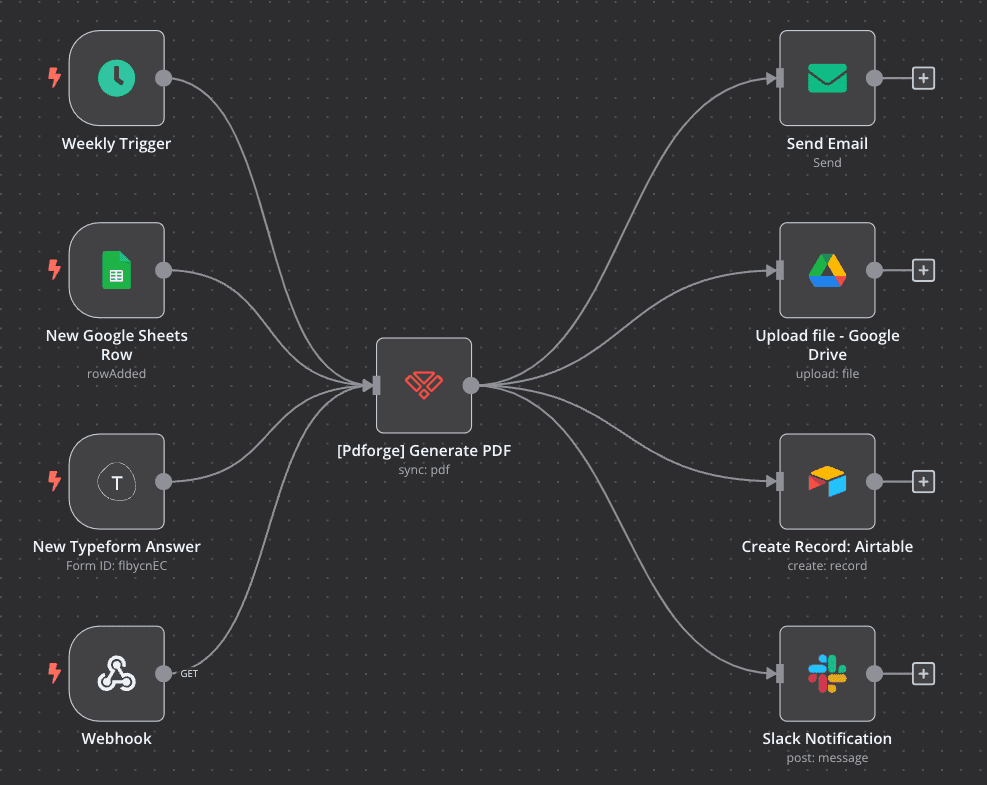
Once the pdf noodle node is configured, additional nodes can be linked to fully automate document workflows:
• Trigger nodes: Start the process when a new form submission, CRM update, or e-commerce transaction occurs.
• Storage nodes: Save the generated PDF to Google Drive, AWS S3, or a local server.
• Email nodes: Automatically send PDFs as email attachments to customers, employees, or leads.
• CRM nodes: Attach generated PDFs to client records in HubSpot, Salesforce, or Airtable.
By combining multiple nodes, complex workflows can be automated with minimal human intervention.
Use Case Examples for PDF Generation in n8n
Generating Invoices
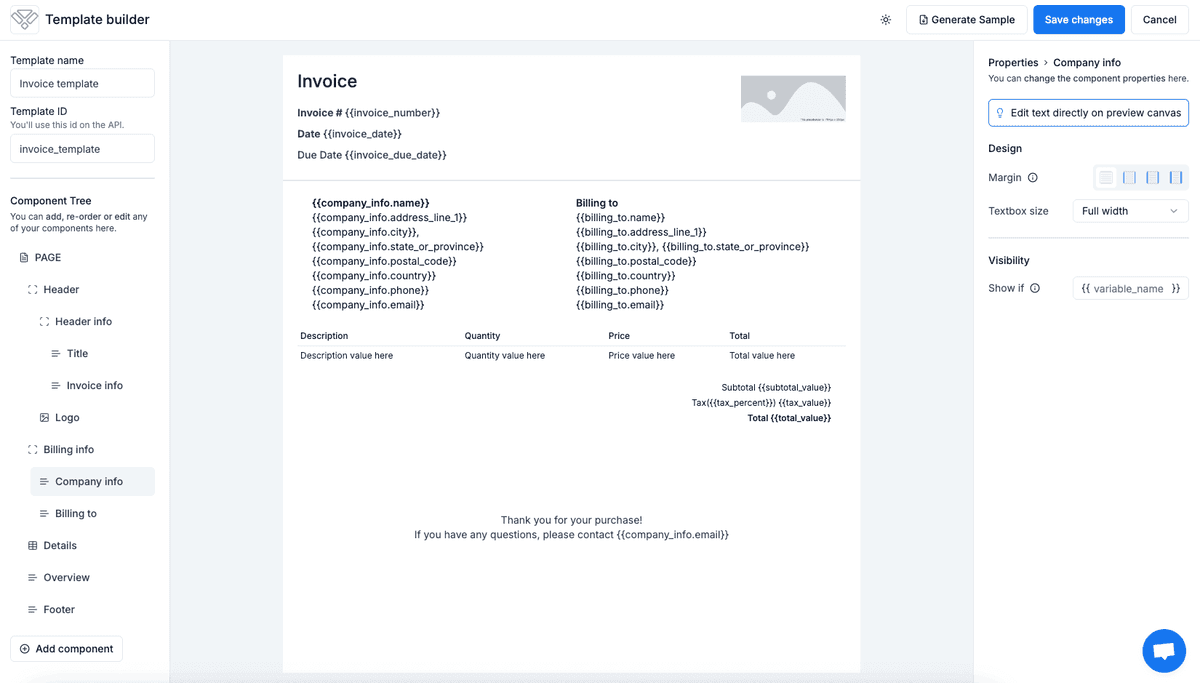
Automating invoice generation eliminates manual processing delays. When an order is placed:
1. n8n extracts order details from Stripe, Shopify, or a database.
2. Data is sent to pdf noodle, generating a branded invoice.
3. The invoice is stored in Google Drive or sent via email to the customer.
This reduces human errors, speeds up invoicing, and ensures compliance with financial reporting standards.
Generating Weekly Reports
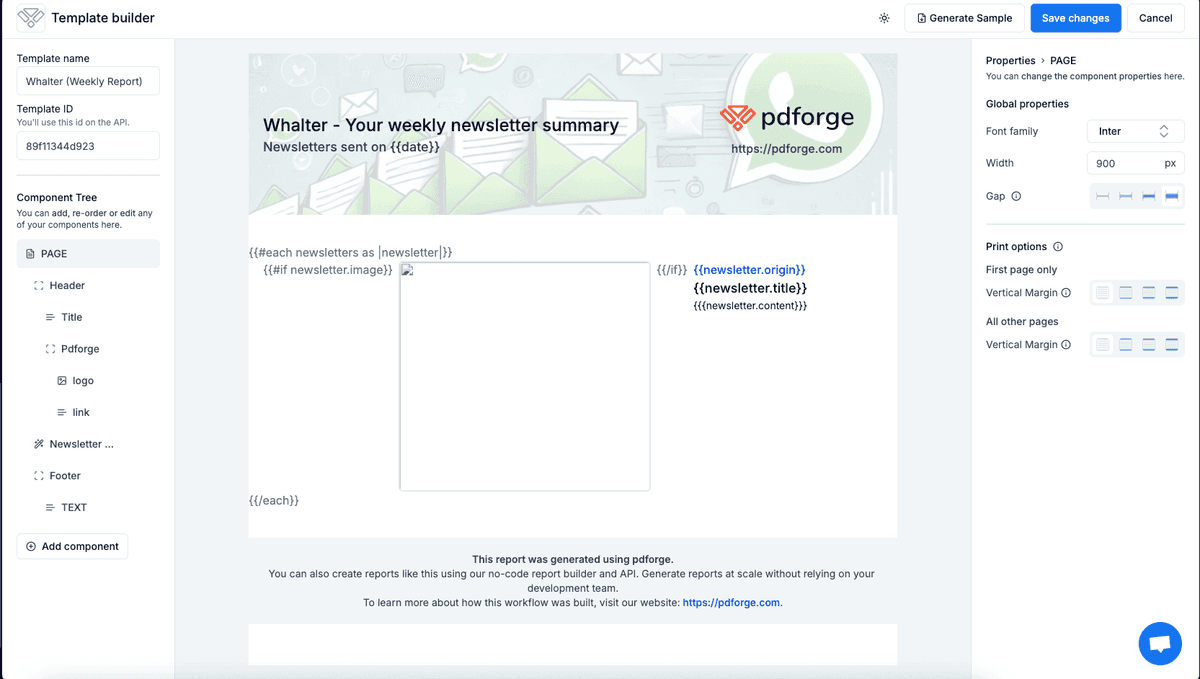
Instead of compiling data manually, n8n can generate automated reports by:
1. Retrieving analytics data from a database or third-party service (Google Analytics, PostgreSQL, etc.).
2. Formatting the data into structured fields for pdf noodle.
3. Generating a PDF report and automatically sending it to stakeholders via email or Slack.
This automation ensures that reports are delivered on time, consistently, and formatted professionally.
We already have guides on how you can create some weekly reports on n8n:
- Automate weekly Meta Ads Reports using pdf noodle and n8n
- Automate weekly SEO Reports using pdf noodle and n8n
Generating Value to Incoming Leads
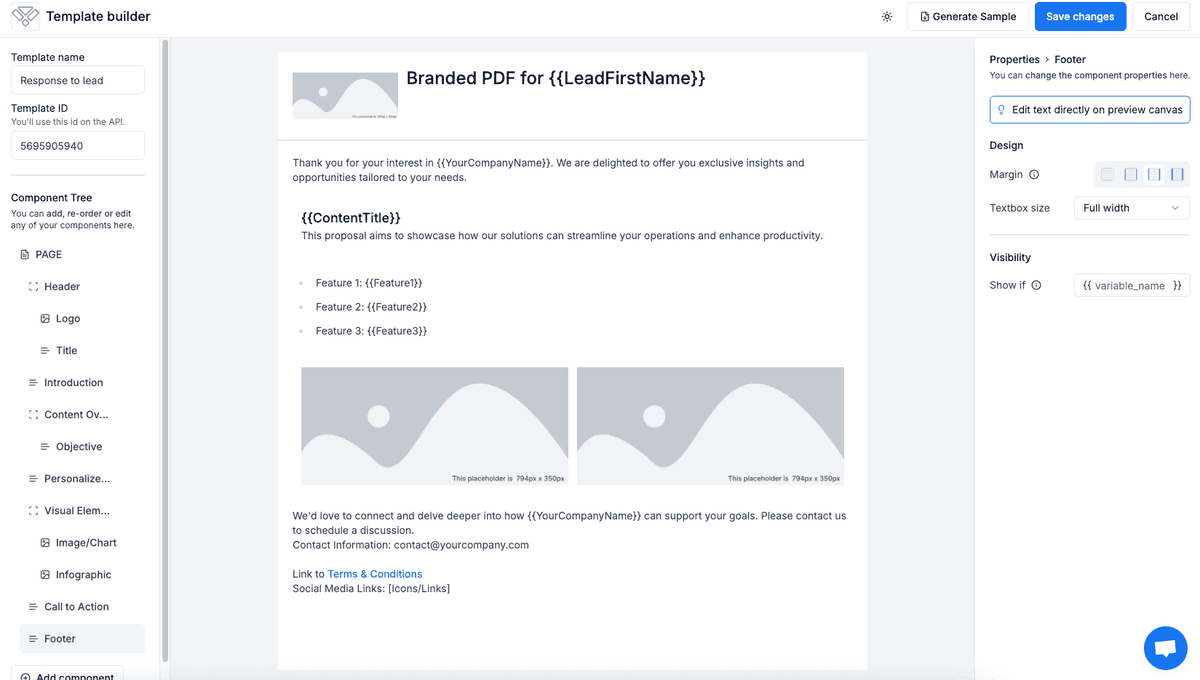
PDF generation can be used as a lead magnet to engage potential customers:
1. A lead submits a form on a website.
2. n8n captures the submission and sends personalized content to pdf noodle.
3. pdf noodle creates a branded PDF (e.g., proposal, eBook, or custom offer).
4. The PDF is emailed to the lead, enhancing engagement and conversion rates.
This automated document delivery helps businesses nurture leads efficiently without manual intervention.
Conclusion
Automating PDF generation in n8n with pdf noodle makes document workflows easier, eliminates manual errors, and significantly enhances efficiency. Whether you’re generating invoices, reports, or lead magnets, automation frees your team from repetitive tasks, allowing them to focus on higher-impact work.
With our n8n native integration, generating PDFs at scale has never been easier. You don’t even need to know how to code! Simply set up your workflow, connect pdf noodle, and watch as professional-quality PDFs are created automatically.
If you haven’t tried n8n and pdf noodle yet, now is the perfect time to revolutionize your document automation and take your efficiency to the next level. Start automating today!


