


Introduction
Finding an efficient way to automate PDF generation within popular workflow automation platforms like Zapier can be challenging. Despite the growing focus on automation, many organizations still struggle to streamline document creation while minimizing manual work and reducing errors.
This guide explores how to automate PDF generation in Zapier using pdf noodle, a no-code PDF builder designed to simplify document workflows. You’ll learn how to set up the integration, choose the best method for your needs, and implement real-world use cases to eliminate repetitive tasks and boost efficiency.
Let’s dive into how Zapier and pdf noodle can transform your PDF automation workflows.

What is Zapier?
Zapier is a nimble automation platform that bridges disparate apps without extensive coding. Its point-and-click interface transforms complex tasks into manageable steps. By orchestrating triggers and actions, it fortifies any process with reliable efficiency.
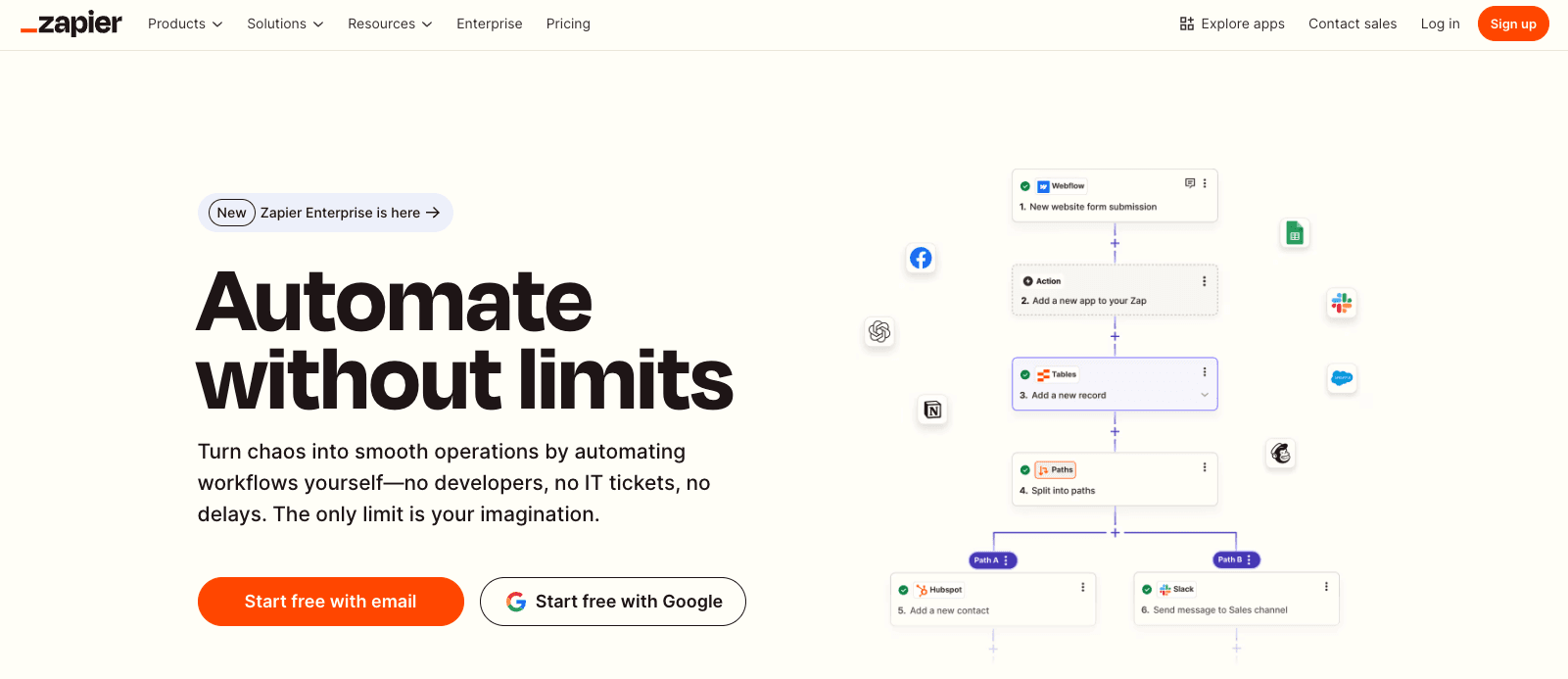
It also has a simpler interface that can be used without any coding knowledge, making it an attractive option for novices on workflow automation. However, this streamlined design means it offers slightly less flexibility compared to more advanced platforms like n8n or Make.
Zapier offers a similarly robust way to automate pdf creation. It coordinates hundreds of services to eliminate redundant tasks, letting businesses devote energy to strategic priorities.
You can check out [pdf noodle's page on Zapier marketplace here](https://zapier.com/apps/pdf noodle/integrations).
What is pdf noodle?

pdf noodle is a third-party pdf generation API. You can create beautiful reports with flexible layouts and complex components with an easy-to-use opinionated no-code builder. Let the AI do the heavy lifting by generating your templates, creating custom components or even filling all the variables for you.
With native n8n integration, pdf noodle transforms raw data into structured, professional PDFs—whether it’s invoices, reports, contracts, or lead-generation documents. You can handle high-volume PDF generation from a single backend call or using our native node inside n8n.
Automating PDF Generation with Zapier and pdf noodle
To automate PDF generation in Zapier, you’ll need access to both pdf noodle and Zapier platforms to leverage the PDF Generation API within your workflows.
In this section, we’ll guide you through the step-by-step process of setting up and automating PDF creation. Let’s get started!
Creating Your PDF Template with pdf noodle
Here's the simple steps to generate your first pdf template on pdf noodle:
-
Create your account on our sign-up page.
-
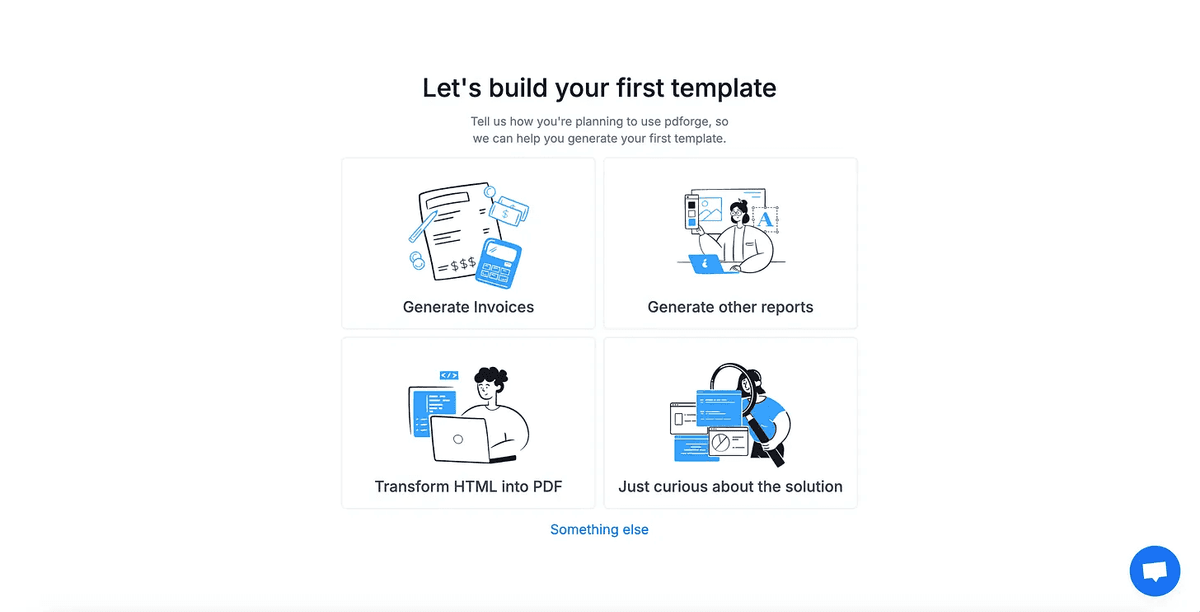
Select the type of template you're trying to create
-
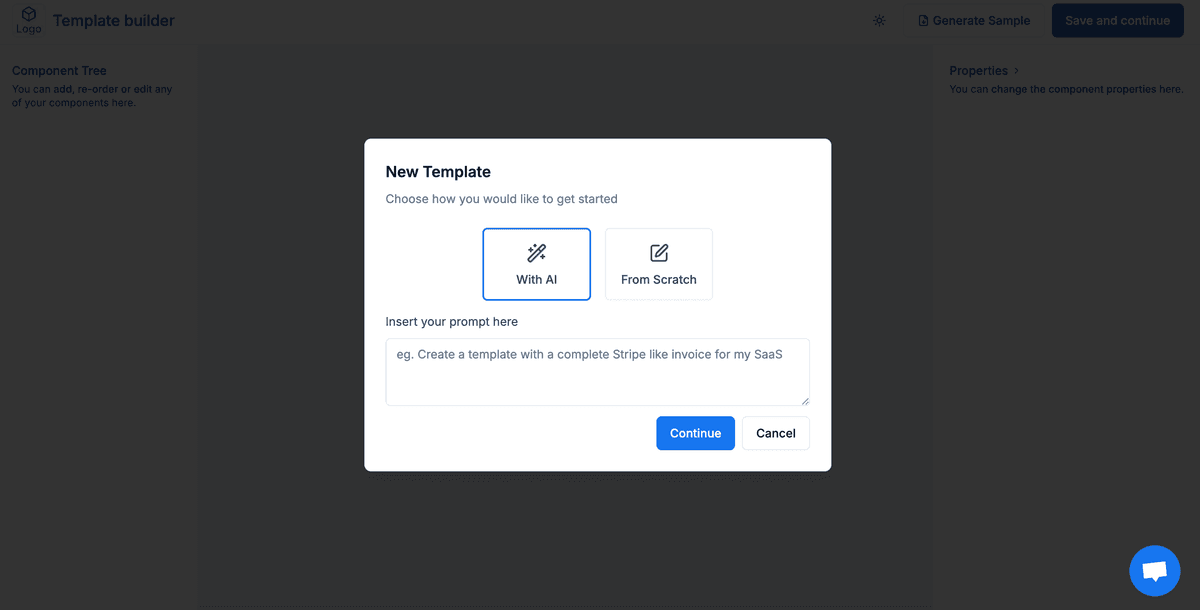
Use our AI Agents to create your first template.
-
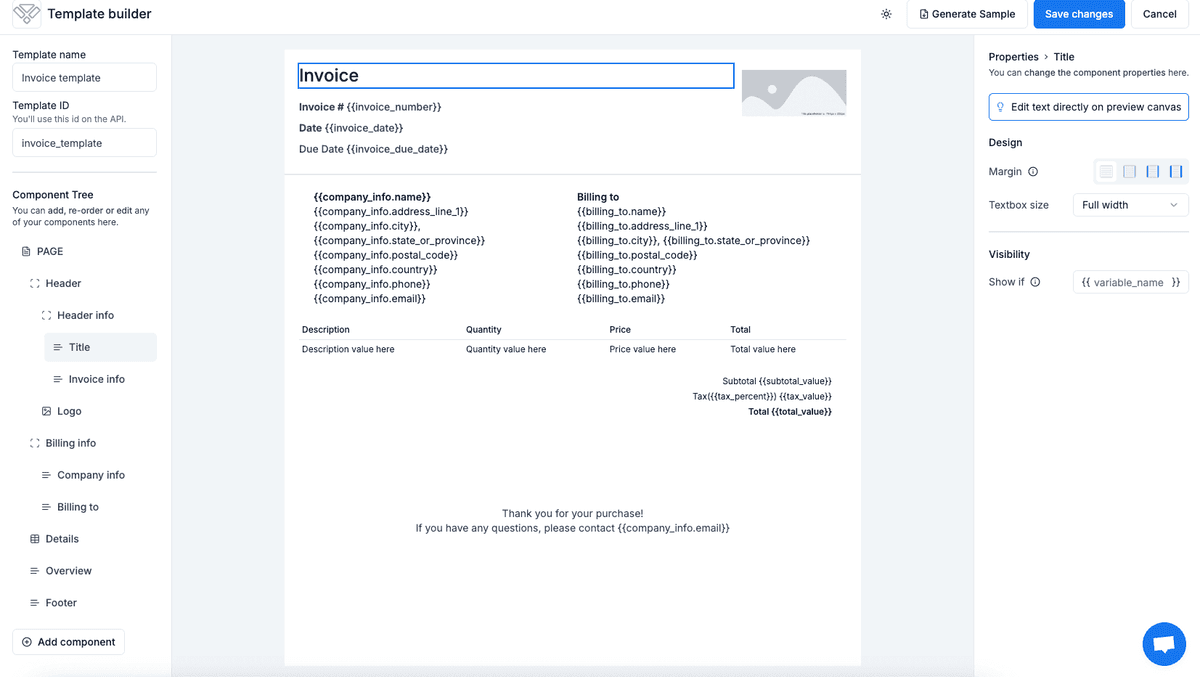
Edit your template on our no-code builder
-
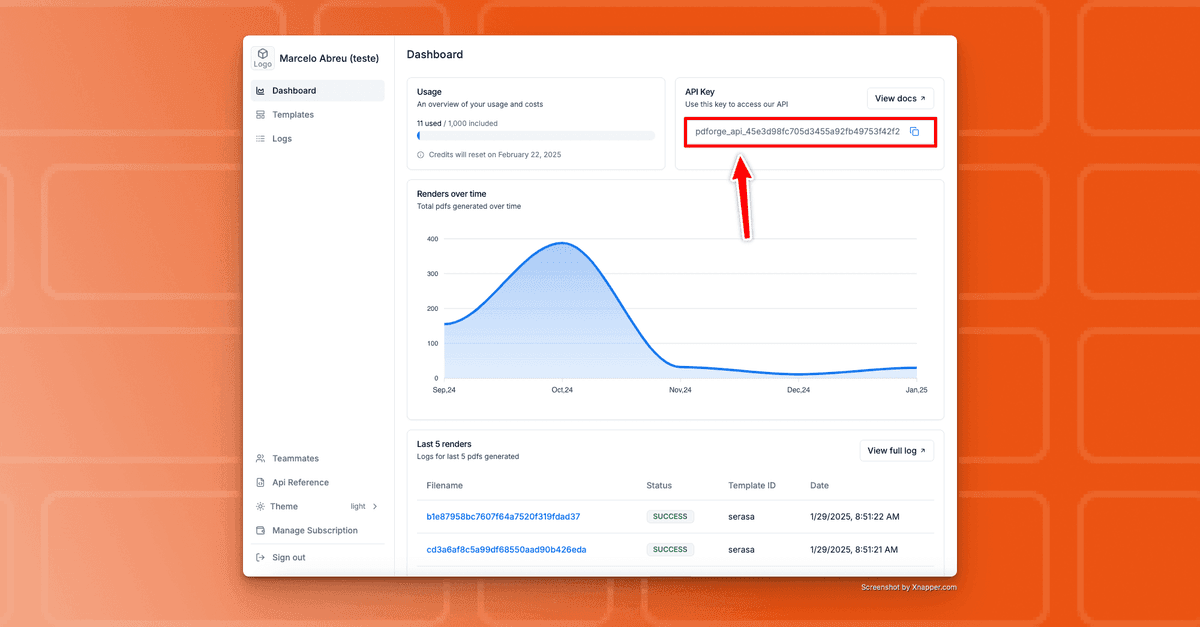
Use our 7-day free trial to access your API KEY on the Dashboard
Using Official pdf noodle Integration in Zapier
The oficial pdf noodle integration is the easiest way to integrate pdf noodle with Zapier. It's easy to use and you can do so following these steps:
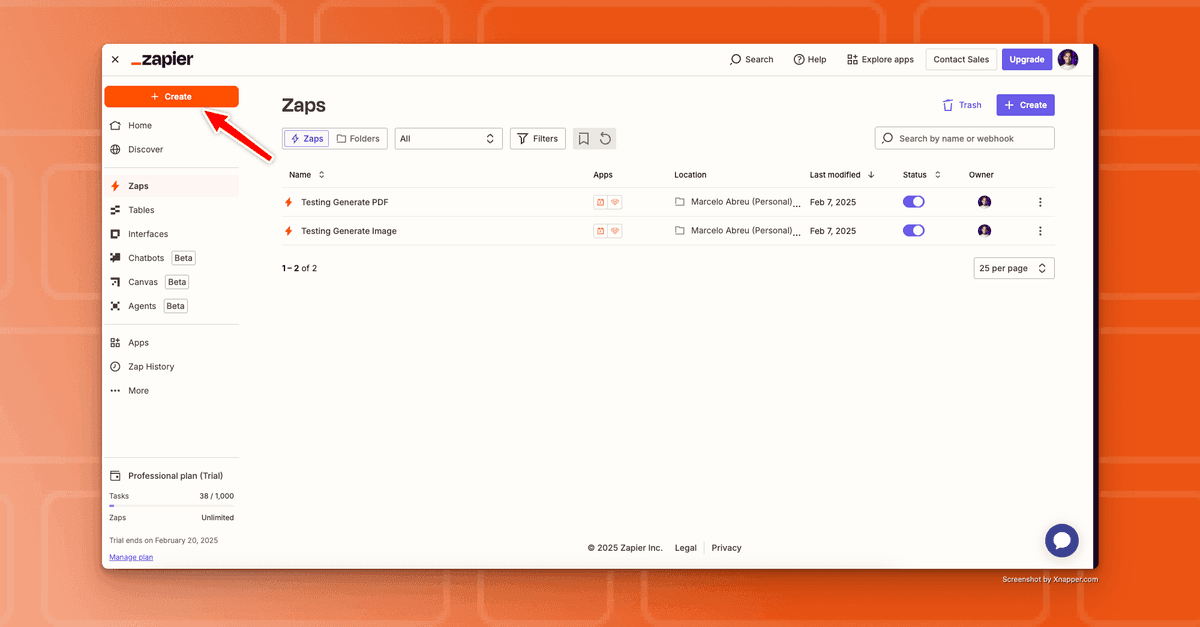
1. Create a new "Zap" from scratch.
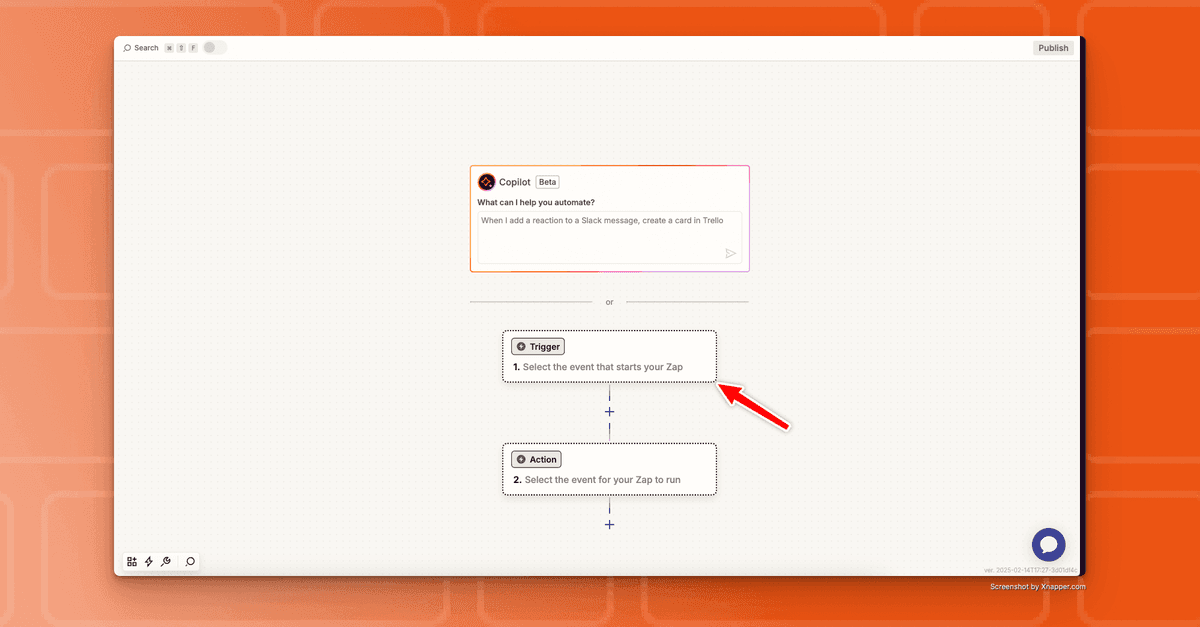
- Choose a trigger (e.g., form submission, new record in a database).
- Search for pdf noodle in the Zapier app directory and add it to your "Zap"
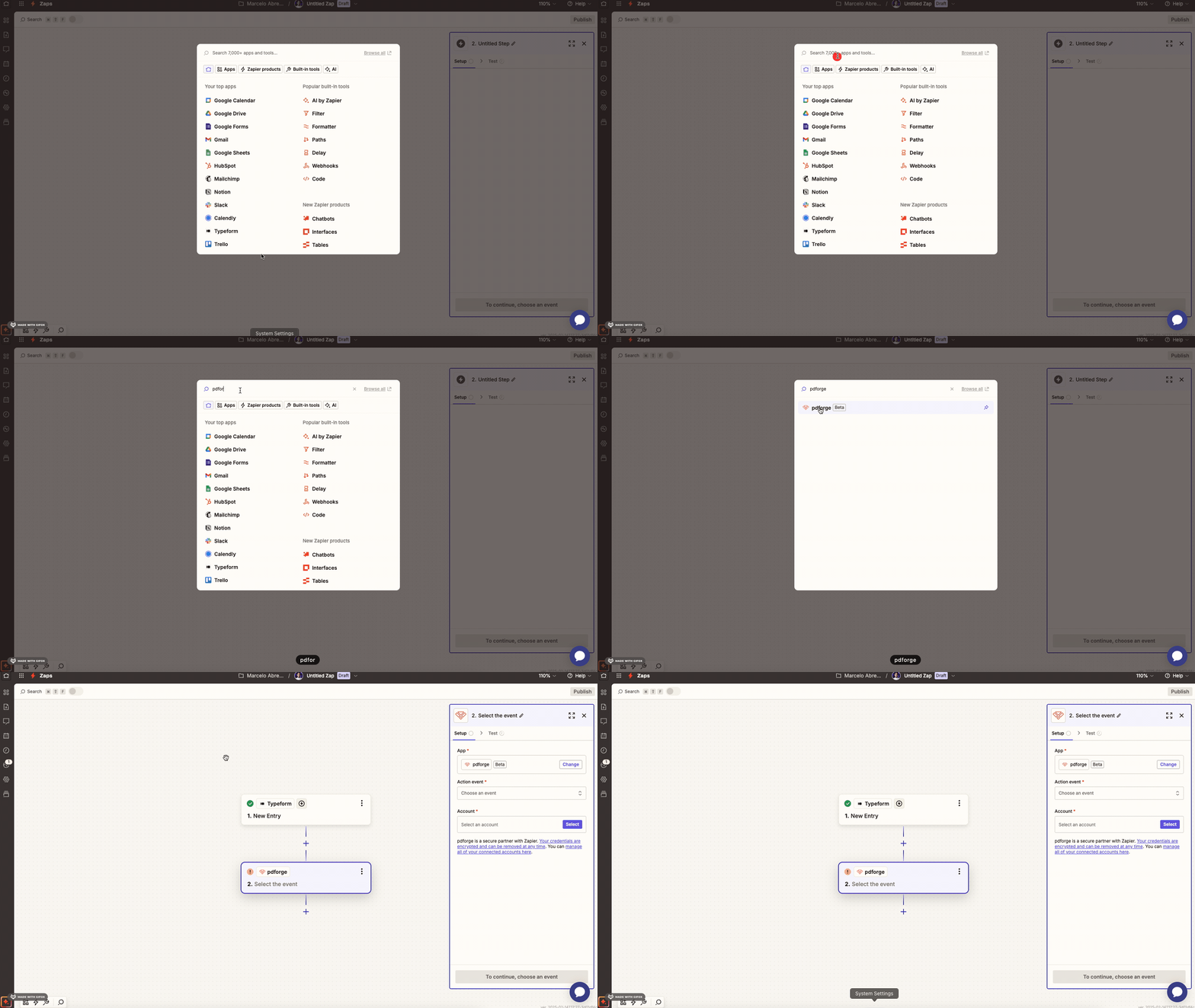
- Connect the pdf noodle account using the provided API key.
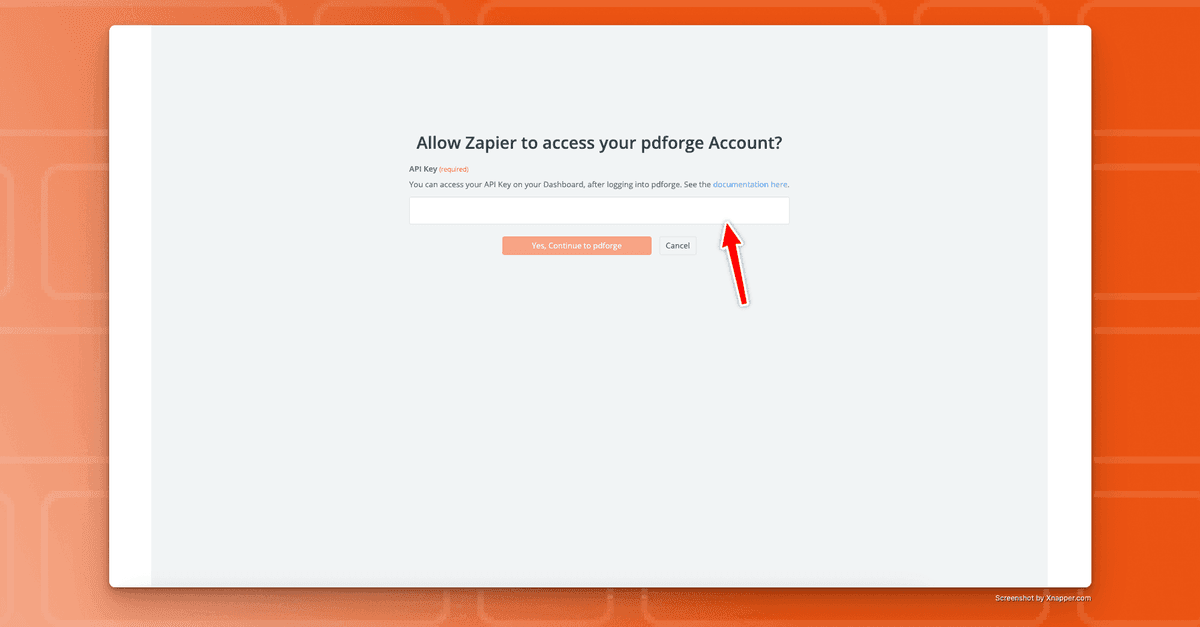
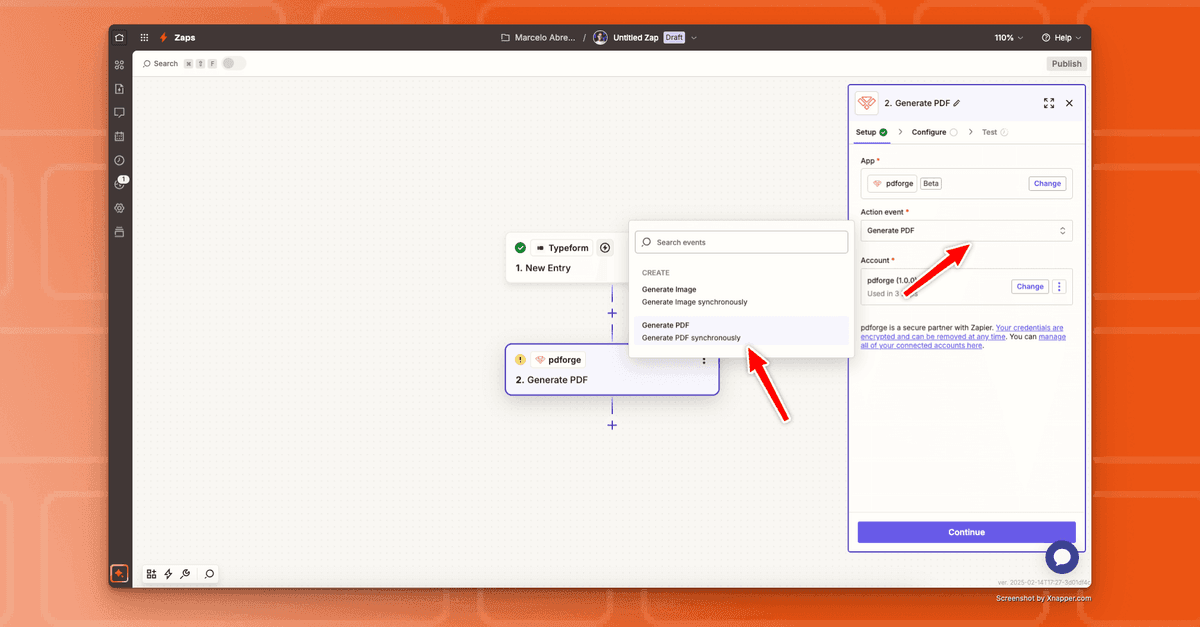
- Select Generate PDF or Image as the action event.
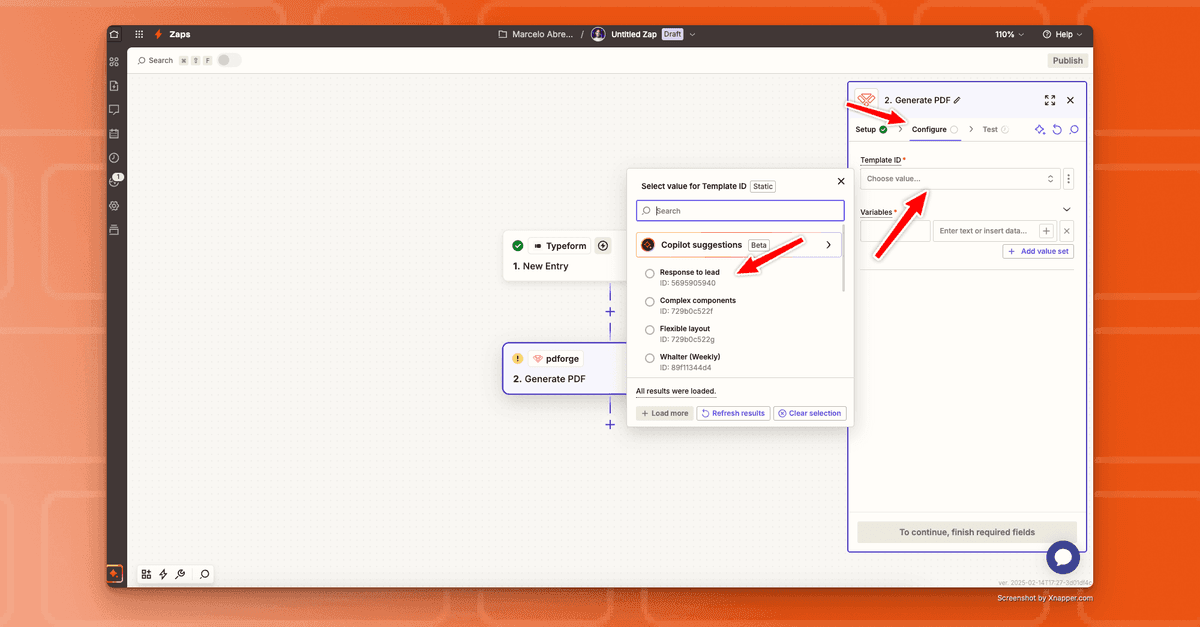
- Pick the template you just created
- Map form fields, database columns, or CRM data to pdf noodle variables.
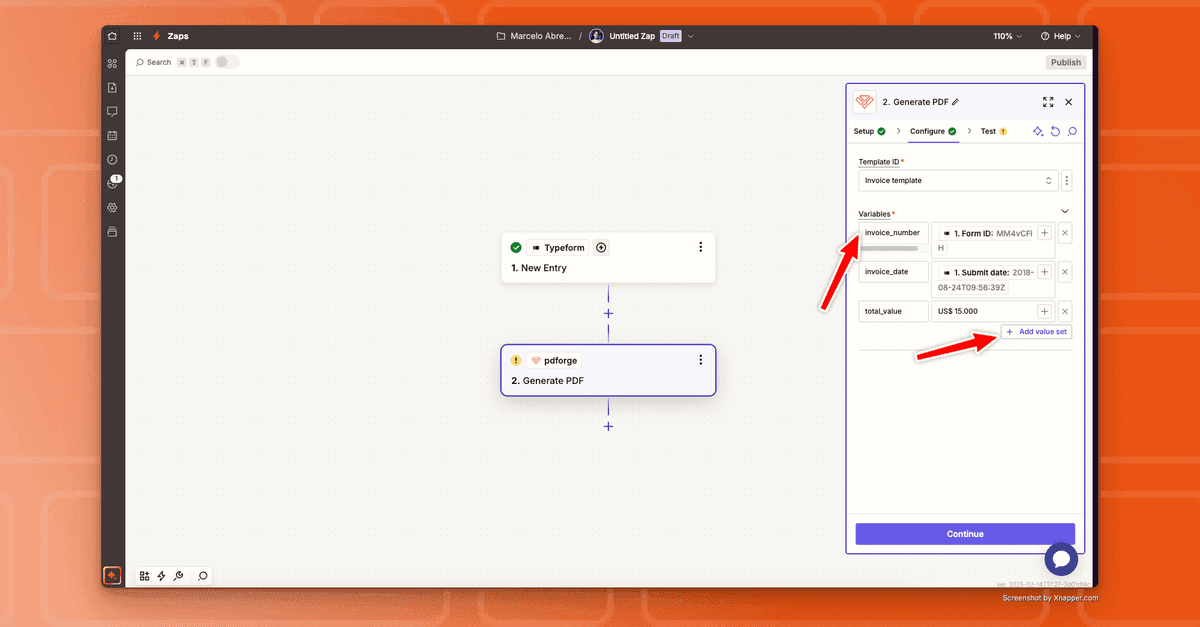
Observation: Use each line to fill out a separate variable
6. Run the Zap, watch the PDF generate, and store or deliver it wherever needed.
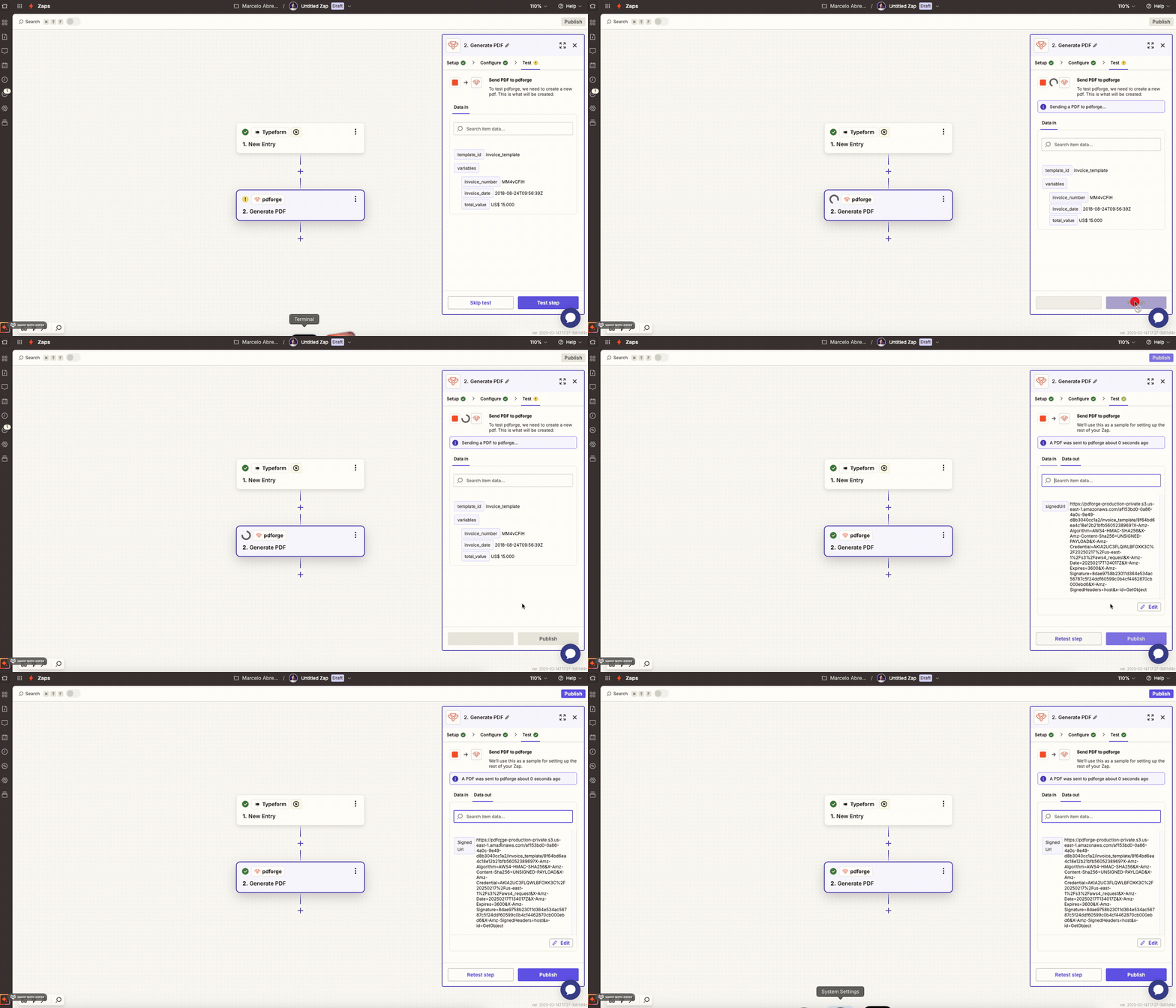
This plug-and-play method simplifies setup and preserves a low-code ethos.
You can get all these information on the template visualization, on the "No-Code" tab, inside pdf noodle application:
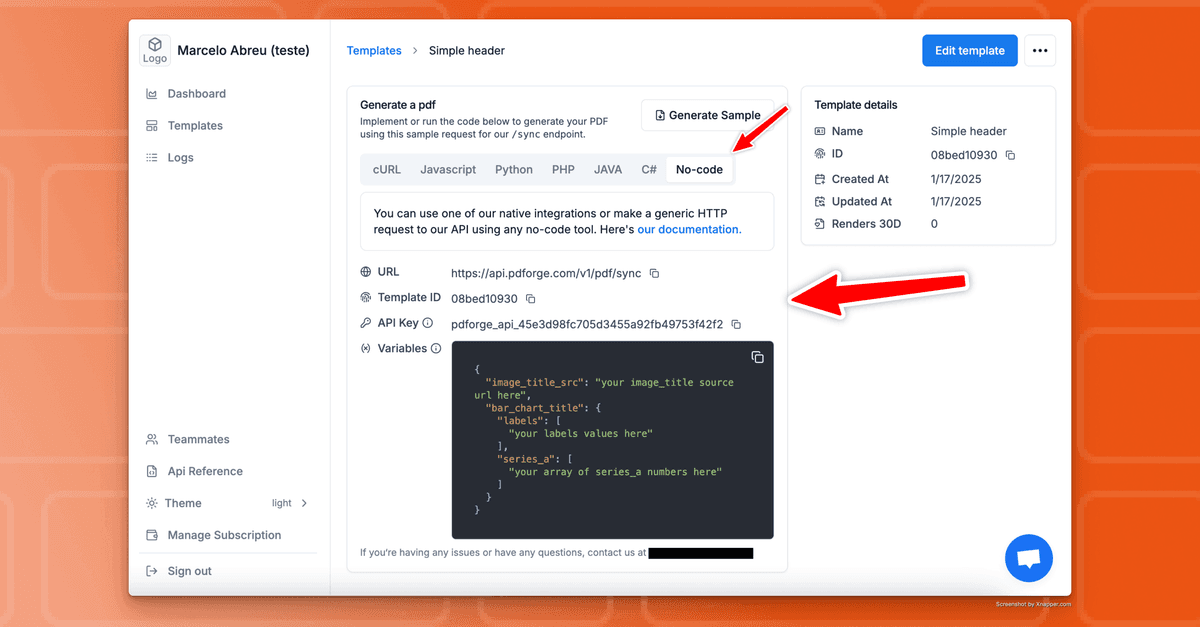
Connecting Other Apps to Your Zapier Workflow
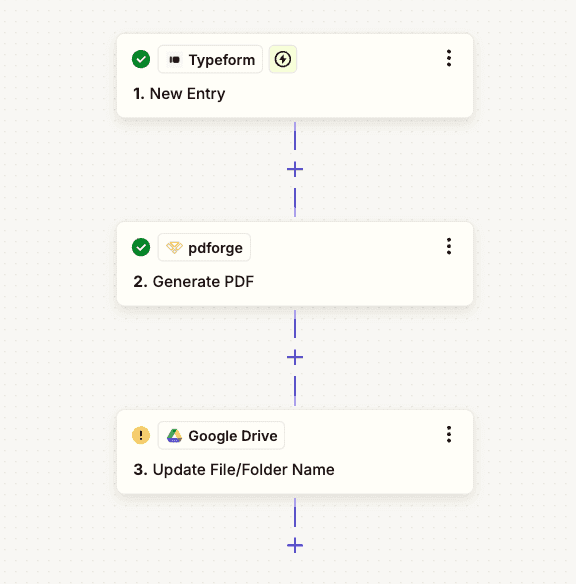
Once the pdf noodle app is configured, additional apps can be linked to fully automate document workflows:
• Trigger nodes: Start the process when a new form submission, CRM update, or e-commerce transaction occurs.
• Storage nodes: Save the generated PDF to Google Drive, AWS S3, or a local server.
• Email nodes: Automatically send PDFs as email attachments to customers, employees, or leads.
• CRM nodes: Attach generated PDFs to client records in HubSpot, Salesforce, or Airtable.
By chaining multiple apps, entire document lifecycles become automated from initial input to final delivery.
Use Case Examples for PDF Generation in Zapier
Generating Invoices with Zapier
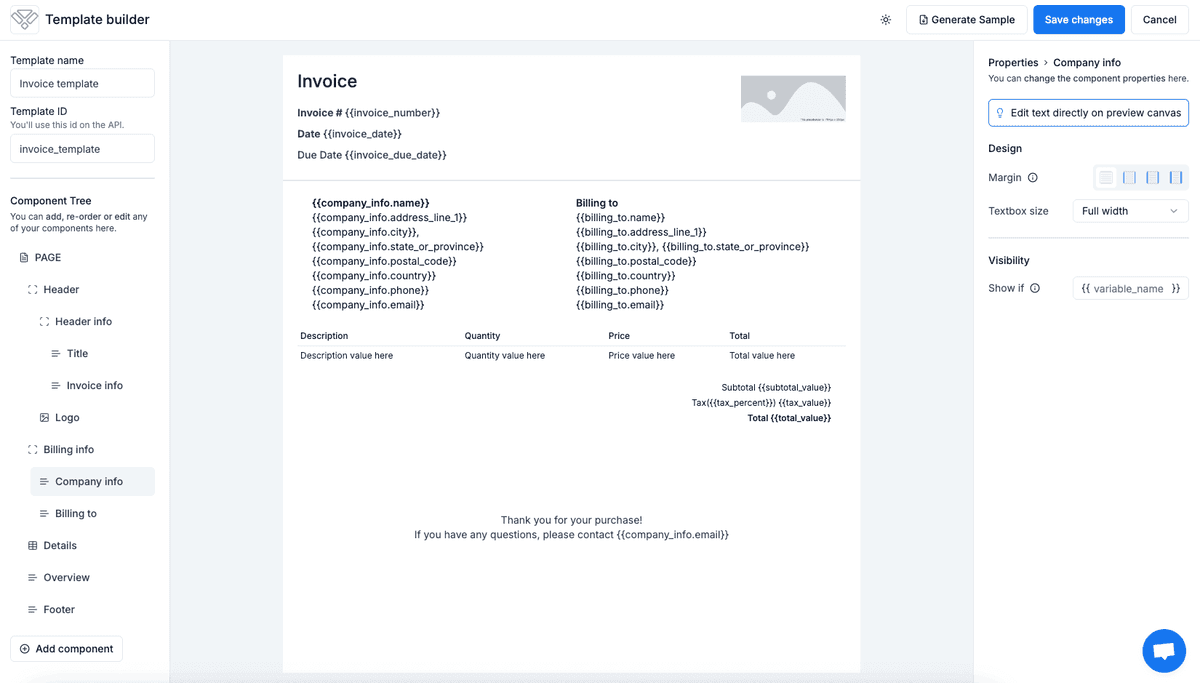
Automating invoice generation eliminates manual processing delays. When an order is placed:
- Zapier grabs new order data from Stripe or Shopify.
- pdf noodle compiles a crisp invoice.
- The invoice is saved or emailed to the client.
This reduces human errors, speeds up invoicing, and ensures compliance with financial reporting standards.
Generating Weekly Reports with Zapier
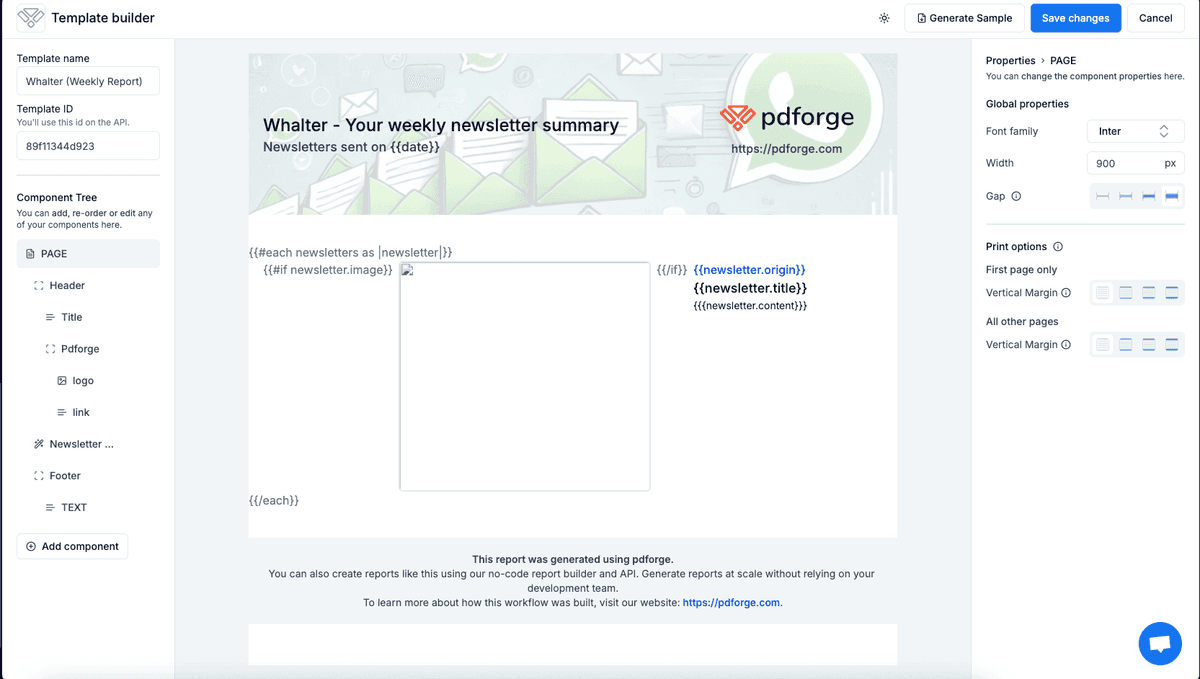
Instead of compiling data manually, Zapier can generate automated reports by:
1. Zapier harvests data from analytics tools or databases. (Google Analytics, PostgreSQL, etc.).
2. pdf noodle arranges the data into a modern PDF format.
3. The document is auto-distributed to stakeholders via email or Slack.
This automation ensures that reports are delivered on time, consistently, and formatted professionally.
Generating Value to Incoming Leads with Zapier
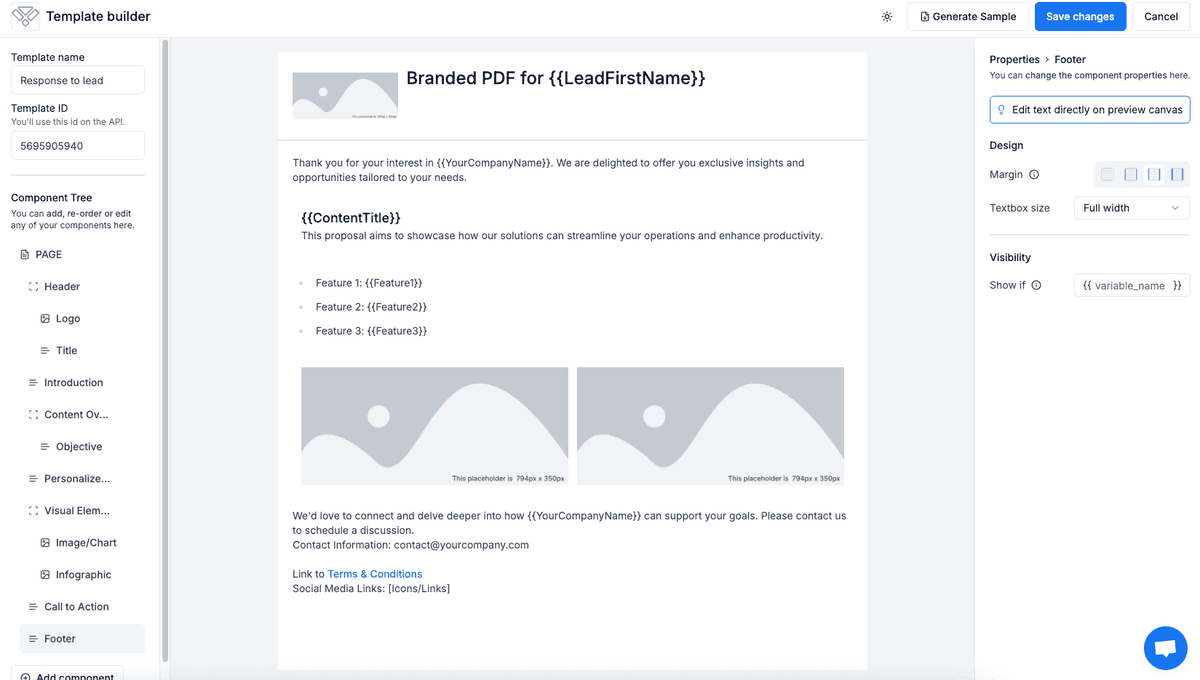
PDF generation can be used as a lead magnet to engage potential customers:
1. A lead submits a form on a website.
2. Zapier detects fresh leads from a marketing form.
3. Data moves to pdf noodle for a personalized PDF offer, proposal or eBook.
4. The PDF is emailed to the lead, enhancing engagement and conversion rates.
Potential clients receive immediate, professional responses that amplify engagement.
Conclusion
Automating PDF generation in Zapier with pdf noodle makes workflows faster, reduces manual work, and prevents errors. Whether you need invoices, reports, or lead magnets, automation saves time and ensures consistency.
Zapier’s no-code setup makes it easy to connect pdf noodle without technical complexity. Just set up your triggers, map the data, and let pdf noodle generate professional PDFs automatically.
If you’re still creating PDFs manually, now is the time to upgrade. Automate your document workflows with Zapier and pdf noodle and focus your energy on what truly matters for your company.


