


Understanding iText for PDF Generation
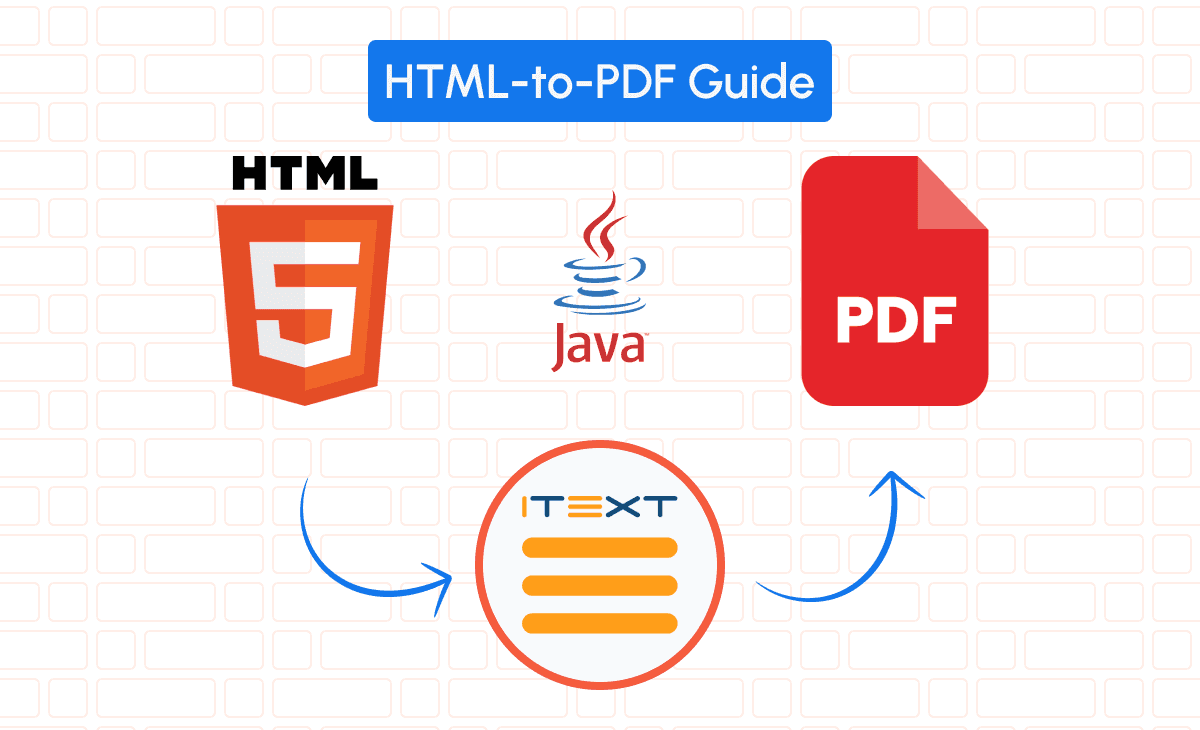
iText is a robust Java PDF library that empowers developers to create, manipulate, and edit PDF documents programmatically. It’s an essential tool for converting HTML content into PDFs, making it invaluable for generating dynamic PDF reports in SaaS applications.
You canm cfull documentation here.
Comparison Between iText and Other Java PDF Libraries
When considering PDF generation in Java, several libraries stand out:
- iText: Offers comprehensive features for PDF creation and manipulation, including support for interactive forms, digital signatures, and complex layouts.
- Flying Saucer: Specializes in rendering XHTML and CSS 2.1 content to PDF but lacks some advanced PDF features.
- OpenPDF: An open-source fork of iText 4, suitable for basic PDF tasks but not as feature-rich as the latest iText versions.
- Apache PDFBox: Provides capabilities for creating and manipulating PDFs but has limited support for HTML to PDF conversion.
- Playwright: Primarily a browser automation tool that can generate PDFs from web pages but isn’t specialized for PDF customization.
If you want to dig deeper on a comparison between OpenPDF and other Java pdf libraries, we also have a detailed article with a full comparison between the best PDF libraries for Java in 2025.
Setting Up iText in Your Java Project
Configuring Your Environment
To ensure seamless PDF generation, set up your development environment properly:
• Java Development Kit (JDK): Install JDK 8 or higher.
• Build Tools: Use Maven or Gradle for dependency management.
• Integrated Development Environment (IDE): Opt for IntelliJ IDEA, Eclipse, or NetBeans for efficient coding.
Installing iText: Step-by-Step Guide for Java
Add iText to your project by including it as a dependency.
For Maven projects:
<dependencies>

  <dependency>
            <groupId>com.itextpdf</groupId>
    <artifactId>html2pdf</artifactId>         <version>4.0.0</version>
  </dependency>
</dependencies>
For Gradle projects:
dependencies {
    implementation 'com.itextpdf:html2pdf:4.0.0'
}Converting HTML to PDF Using iText
The Essentials of HTML to PDF Conversion
Converting HTML to PDF involves parsing HTML content and rendering it into a PDF format. iText simplifies this process with its html2pdf module, which handles HTML and CSS rendering seamlessly.
Creating a Complete Invoice HTML/CSS File as Example
To demonstrate dynamic data handling, we’ll create an invoice template using a template engine like Thymeleaf. The template engine allows you to inject dynamic data into your HTML before conversion.
invoice.html:
<!DOCTYPE html>
<html xmlns:th="http://www.thymeleaf.org">
  <head>

    <style>
              body { font-family: 'DejaVu Sans', sans-serif; margin: 0; padding: 0; }
              .invoice-box { max-width: 800px; margin: auto; padding: 30px; }
              .invoice-header { text-align: center; font-size: 36px; margin-bottom: 20px; }
              .invoice-details { margin-bottom: 40px; }
              .invoice-details table { width: 100%; border-collapse: collapse; }
              .invoice-details th, .invoice-details td { border: 1px solid #ddd; padding: 8px; }
              .invoice-details th { background-color: #f9f9f9; }
              .total { font-weight: bold; }

    </style>
  </head>
  <body>

    <div class="invoice-box">

      <div class="invoice-header">Invoice</div>

      <div class="invoice-details">

        <table>

          <tr>

            <th>Description</th>

            <th>Quantity</th>

            <th>Unit Price</th>

            <th>Amount</th>

          </tr>

          <tr th:each="item : ${items}">

            <td th:text="${item.description}">Item Description</td>

            <td th:text="${item.quantity}">0</td>

            <td th:text="${item.unitPrice}">$0.00</td>

            <td th:text="${item.amount}">$0.00</td>

          </tr>

          <tr class="total">

            <td colspan="3" align="right">Total</td>

            <td th:text="${total}">$0.00</td>

          </tr>

        </table>

      </div>

    </div>
  </body>
</html>
Using Template Engines for Dynamic Content
Template engines like Thymeleaf, Freemarker, or Velocity allow you to inject dynamic data into your HTML templates. Here’s how to use Thymeleaf to populate the invoice with dynamic data.
Writing Java Code for HTML to PDF Conversion
First, process the HTML template with the template engine to generate the final HTML.
Setting up Thymeleaf:
import org.thymeleaf.TemplateEngine;
import org.thymeleaf.context.Context;
import org.thymeleaf.templateresolver.ClassLoaderTemplateResolver;

public class TemplateProcessor {
    public static String processTemplate(Map<String, Object> data, String templateName) {
        ClassLoaderTemplateResolver resolver = new ClassLoaderTemplateResolver();
        resolver.setSuffix(".html");
        resolver.setTemplateMode("HTML");
        TemplateEngine templateEngine = new TemplateEngine();
        templateEngine.setTemplateResolver(resolver);
        Context context = new Context();
        context.setVariables(data);
        return templateEngine.process(templateName, context);
    }
}
Generating the PDF:
import com.itextpdf.html2pdf.HtmlConverter;
import java.io.ByteArrayInputStream;
import java.io.FileOutputStream;
import java.util.*;

public class HtmlToPdfExample {
    public static void main(String[] args) throws Exception {
        Map<String, Object> data = new HashMap<>();
        List<Map<String, Object>> items = new ArrayList<>();
        items.add(createItem("Widget A", 10, 15.00));
        items.add(createItem("Widget B", 5, 20.00));
        data.put("items", items);
        data.put("total", "$250.00");
        String htmlContent = TemplateProcessor.processTemplate(data, "invoice");
        HtmlConverter.convertToPdf(new ByteArrayInputStream(htmlContent.getBytes()), new FileOutputStream("generated_invoice.pdf"));
    }

private static Map<String, Object> createItem(String description, int quantity, double unitPrice) {
        Map<String, Object> item = new HashMap<>();
        item.put("description", description);
        item.put("quantity", quantity);
        item.put("unitPrice", String.format("$%.2f", unitPrice));
        item.put("amount", String.format("$%.2f", quantity * unitPrice));
        return item;
    }
}
Handling CSS, Images, and Fonts in Your PDFs
To correctly render CSS, images, and custom fonts, make sure to:
• Set Base URI: Define the base URI if your template references external resources.
• Embed Fonts: Use FontProvider to include custom fonts.
• Include Images: Ensure image paths are accessible and relative to the base URI.
Example with ConverterProperties:
import com.itextpdf.html2pdf.ConverterProperties;
import com.itextpdf.io.font.FontConstants;
import com.itextpdf.layout.font.FontProvider;

ConverterProperties properties = new ConverterProperties();
FontProvider fontProvider = new FontProvider();
fontProvider.addStandardPdfFonts();
fontProvider.addDirectory("path/to/fonts/");
properties.setFontProvider(fontProvider);
HtmlConverter.convertToPdf(
    new ByteArrayInputStream(htmlContent.getBytes()),
    new FileOutputStream("generated_invoice.pdf"),
    properties
);
Troubleshooting Common Issues in Conversion
- Dynamic Data Not Displaying: Ensure the template engine correctly processes the data and that the variables in the template match those in your data model.
- CSS Styles Missing: Confirm that styles are included inline or properly linked and that the base URI is set if needed.
- Fonts Not Rendering: Embed the fonts using FontProvider to prevent font substitution.
Customizing PDFs with iText’s API
Enhance your PDFs by adding interactive elements or further customizing the layout.
Adding a Watermark:
import com.itextpdf.kernel.pdf.*;
import com.itextpdf.layout.Document;
import com.itextpdf.layout.element.Paragraph;

public class WatermarkAdder {
    public static void addWatermark(String src, String dest) throws Exception {
        PdfDocument pdfDoc = new PdfDocument(new PdfReader(src), new PdfWriter(dest));
        Document document = new Document(pdfDoc);
        int n = pdfDoc.getNumberOfPages();
        for (int i = 1; i <= n; i++) {
            PdfPage page = pdfDoc.getPage(i);
            PdfCanvas canvas = new PdfCanvas(page);
            canvas.saveState();
            canvas.beginText();
            canvas.setFontAndSize(PdfFontFactory.createFont(FontConstants.HELVETICA), 60);
            canvas.setColor(ColorConstants.LIGHT_GRAY, true);
            canvas.showTextAligned(new Paragraph("CONFIDENTIAL"), 298, 421, pdfDoc.getPageNumber(page), TextAlignment.CENTER, VerticalAlignment.MIDDLE, 45);
            canvas.endText();
            canvas.restoreState();
        }
        document.close();
    }
}
Alternative: Convert HTML to PDF Using pdf noodle

Managing HTML-to-PDF conversion at scale can quickly become a nightmare!
Especially in serverless environments where cold starts, memory limits, and headless browser quirks love to break at the worst possible time (we even wrote a full article about it). Add constant template iterations, version control headaches, and the need to support non-technical contributors, and suddenly your “simple PDF library” turns into an ongoing engineering project.
pdf noodle eliminates all of that.
Instead of maintaining brittle infrastructure or wrestling with outdated pdf libraries, pdf noodle gives you a battle-tested PDF generation API that just works!
Fast, scalable, and designed for both developers and non-developers. You send raw HTML or use our AI-powered template builder, and pdf noodle handles the rendering, scaling, optimization, and delivery so your team doesn’t have to.
Here's an example of a simple API request to generate your pixel-perfect PDF with just a few lines of code:
import java.io.OutputStreamWriter;
import java.net.HttpURLConnection;
import java.net.URL;

public class PdfForgeExample {
    public static void main(String[] args) {
        try {
            URL url = new URL("https://api.pdfnoodle.com/v1/html-to-pdf/sync");
            HttpURLConnection conn = (HttpURLConnection) url.openConnection();
            conn.setRequestMethod("POST");
            conn.setRequestProperty("Authorization", "Bearer your-api-key");
            conn.setRequestProperty("Content-Type", "application/json");
            conn.setDoOutput(true);

            String jsonInputString = " { \"html\": \"your-html\" }";

            try(OutputStreamWriter writer = new OutputStreamWriter(conn.getOutputStream())) {
                writer.write(jsonInputString);
                writer.flush();
            }

            int responseCode = conn.getResponseCode();
            if (responseCode == HttpURLConnection.HTTP_OK) {
                // Read the response and process the PDF
            } else {
                // Handle errors
            }
        } catch (Exception e) {
            e.printStackTrace();
        }
    }
}
pdf noodle also includes a powerful AI Agent that can generate PDF templates instantly, along with a modern editor for refining the design, also using AI, to match your brand. You don't need developing or design experience to quickly update layouts, adjust styling, and manage template versions.
Here’s a quick demo showing how it works:
You can create your account and design your first template without any upfront payment.
Conclusion
When generating PDFs that require dynamic data and complex layouts, using iText in combination with a template engine like Thymeleaf is highly effective. This approach allows you to create flexible HTML templates that can be populated with data at runtime, making it ideal for SaaS applications needing customized reports.
If your requirements are simple and don’t necessitate advanced PDF features or dynamic content, libraries like OpenPDF, Flying Saucer or Playwright might be sufficient. They offer basic PDF generation capabilities without the overhead of more complex libraries.
If you don't want to waste time maintaining pdfs layouts and their infrastructure or if you don't want to keep track of best practices to generate PDFs at scale, third-party PDF APIs like pdf noodle will save you hours of work and deliver a high quality pdf layout.
Try it yourself: Need a quick conversion without writing code? Use our HTML to PDF converter online — no signup required.


