


PdfSharp: The Go-To Lightweight .NET PDF Library
PdfSharp is an open-source .NET PDF library designed for developers to create, read, and modify PDF documents programmatically with minimal overhead.
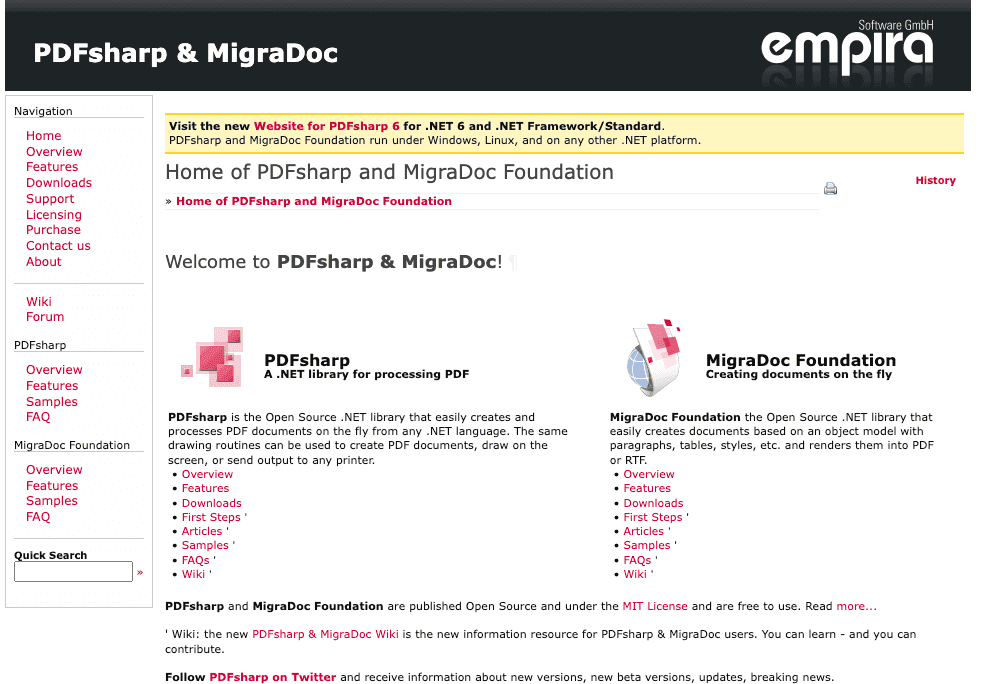
Whether you’re building a small internal tool or a robust SaaS application, PdfSharp stands out for its simplicity, flexibility, and ease of integration—especially if you need basic PDF generation from HTML content.
You can check out the full documentation here.
Comparison Between PdfSharp and Other C# PDF Libraries
When selecting a PDF library for C#, it’s important to understand the strengths and weaknesses of each option:
PdfSharp
- Lightweight and easy to use.
- Open-source (MIT license) with an active community.
- Ideal for basic PDF creation, manipulation, and simple HTML-to-PDF use cases (when paired with HtmlRenderer).
- Limited advanced features (e.g., complex HTML/CSS rendering might require other tools).
- Powerful and feature-rich.
- Supports advanced PDF functionalities.
- Dual-licensed; free under AGPL, which may require open-sourcing your application, or paid commercial license.
- Steeper learning curve due to its extensive capabilities.
- Headless Chrome .NET API.
- Excellent for rendering complex HTML/CSS/JS to PDF.
- Larger in size due to Chromium dependency.
- Ideal for generating PDFs that require full browser rendering.
- Similar to PuppeteerSharp but supports multiple browsers.
- Provides high-fidelity rendering of web pages to PDF.
- Also larger in size with more dependencies.
- Suitable for cross-browser PDF generation needs.
We also have a full comparison between C# PDF generation libraries, that you can check out here.
Setting Up PdfSharp in Your C# Project
Quick Start: Installing PdfSharp and Dependencies
Install PdfSharp via the NuGet Package Manager:
Install-Package PdfSharpAlternatively, use the Package Manager Console:
PM> Install-Package PdfSharpConfiguring Your .NET Environment for Seamless PDF Generation
Add the necessary namespaces to your project:
using PdfSharp.Pdf;
using PdfSharp.Drawing;
Ensure your project targets a compatible .NET framework version, such as .NET Framework 4.6.1 or later.
Below is an additional section you can include in your blog post to compare creating an invoice PDF using PdfSharp’s native methods versus using HTML-to-PDF with HtmlRenderer.PdfSharp. This allows readers to see both approaches side by side.
Creating a Basic PDF with PdfSharp
While generating PDFs from HTML templates can be very convenient, PdfSharp also offers native functionality for drawing text, shapes, and images directly onto a PDF page. Below is a simple example replicating the same invoice structure without relying on any HTML rendering libraries.
Sample Invoice Layout Using Only PdfSharp
using System;
using PdfSharp.Pdf;
using PdfSharp.Drawing;

namespace InvoiceWithPdfSharp
{
    public class PdfSharpInvoice
    {
        public void CreateInvoice()
        {
            // 1. Create a new PDF document
            PdfDocument document = new PdfDocument();
            document.Info.Title = "Invoice PDF - PdfSharp Native";

            // 2. Add a page
            PdfPage page = document.AddPage();

            // 3. Create graphics object for drawing
            XGraphics gfx = XGraphics.FromPdfPage(page);

            // 4. Define fonts and positions
            XFont headerFont = new XFont("Segoe UI", 24, XFontStyle.Bold);
            XFont labelFont = new XFont("Segoe UI", 12, XFontStyle.Regular);
            XFont valueFont = new XFont("Segoe UI", 12, XFontStyle.Bold);

            double leftMargin = 50;
            double topMargin = 50;
            double lineHeight = 20;

            // 5. Draw a title
            gfx.DrawString("Invoice", headerFont, XBrushes.Black,
                new XPoint(page.Width / 2, topMargin),
                XStringFormats.TopCenter);

            // 6. Draw invoice details (Date, Invoice #, Client)
            double detailsY = topMargin + 60;
            gfx.DrawString("Date:", labelFont, XBrushes.Black,
                new XRect(leftMargin, detailsY, 70, lineHeight), XStringFormats.TopLeft);
            gfx.DrawString(DateTime.Now.ToString("MMMM dd, yyyy"), valueFont, XBrushes.Black,
                new XRect(leftMargin + 70, detailsY, 200, lineHeight), XStringFormats.TopLeft);

            detailsY += lineHeight;
            gfx.DrawString("Invoice #:", labelFont, XBrushes.Black,
                new XRect(leftMargin, detailsY, 70, lineHeight), XStringFormats.TopLeft);
            gfx.DrawString("INV-1001", valueFont, XBrushes.Black,
                new XRect(leftMargin + 70, detailsY, 200, lineHeight), XStringFormats.TopLeft);

            detailsY += lineHeight;
            gfx.DrawString("Client:", labelFont, XBrushes.Black,
                new XRect(leftMargin, detailsY, 70, lineHeight), XStringFormats.TopLeft);
            gfx.DrawString("Acme Corporation", valueFont, XBrushes.Black,
                new XRect(leftMargin + 70, detailsY, 200, lineHeight), XStringFormats.TopLeft);

            // 7. Draw table headers (Description, Qty, Price, Total)
            double tableY = detailsY + 40;
            gfx.DrawString("Description", labelFont, XBrushes.Black,
                new XPoint(leftMargin, tableY), XStringFormats.TopLeft);
            gfx.DrawString("Quantity", labelFont, XBrushes.Black,
                new XPoint(leftMargin + 200, tableY), XStringFormats.TopLeft);
            gfx.DrawString("Price", labelFont, XBrushes.Black,
                new XPoint(leftMargin + 300, tableY), XStringFormats.TopLeft);
            gfx.DrawString("Total", labelFont, XBrushes.Black,
                new XPoint(leftMargin + 400, tableY), XStringFormats.TopLeft);

            // 8. Draw sample line items
            tableY += lineHeight;
            gfx.DrawString("Consulting Services", valueFont, XBrushes.Black,
                new XPoint(leftMargin, tableY), XStringFormats.TopLeft);
            gfx.DrawString("10", valueFont, XBrushes.Black,
                new XPoint(leftMargin + 200, tableY), XStringFormats.TopLeft);
            gfx.DrawString("$150", valueFont, XBrushes.Black,
                new XPoint(leftMargin + 300, tableY), XStringFormats.TopLeft);
            gfx.DrawString("$1,500", valueFont, XBrushes.Black,
                new XPoint(leftMargin + 400, tableY), XStringFormats.TopLeft);

            tableY += lineHeight;
            gfx.DrawString("Software License", valueFont, XBrushes.Black,
                new XPoint(leftMargin, tableY), XStringFormats.TopLeft);
            gfx.DrawString("5", valueFont, XBrushes.Black,
                new XPoint(leftMargin + 200, tableY), XStringFormats.TopLeft);
            gfx.DrawString("$200", valueFont, XBrushes.Black,
                new XPoint(leftMargin + 300, tableY), XStringFormats.TopLeft);
            gfx.DrawString("$1,000", valueFont, XBrushes.Black,
                new XPoint(leftMargin + 400, tableY), XStringFormats.TopLeft);

            // 9. Draw total
            tableY += 40;
            gfx.DrawString("Grand Total: $2,500", headerFont, XBrushes.Black,
                new XPoint(leftMargin, tableY), XStringFormats.TopLeft);

            // 10. Add notes
            tableY += 40;
            gfx.DrawString("Notes: Thank you for your business.", labelFont, XBrushes.Black,
                new XPoint(leftMargin, tableY), XStringFormats.TopLeft);

            // 11. Save the document
            document.Save("Invoice_PdfSharp_Native.pdf");
            document.Close();
        }
    }
}
Key Differences from HTML Rendering
• No HTML file: Instead of converting an HTML template, we directly draw text and shapes on a PDF page using XGraphics.
• Manual Layout: You have full control over the positioning (X and Y coordinates). While flexible, it also requires more effort for complex designs.
• No CSS Handling: Styles need to be manually applied by specifying fonts, sizes, and colors. There’s no automatic support for CSS.
When to Use PdfSharp Natively
• You only need simple PDFs with custom layouts.
• HTML/CSS complexity is unnecessary or overkill.
• You want fine-grained control over every text element and shape in your PDF.
For large-scale or more intricate designs, HTML templates often save time. For precise and custom drawing, PdfSharp’s native APIs give you the most direct control.
Implementing HTML to PDF Conversion with PdfSharp
Creating a Complete Invoice HTML/CSS File for Example
Here’s a more comprehensive HTML template for an invoice:
<!DOCTYPE html>
<html>
  <head>

    <style>
              body { font-family: 'Segoe UI', Tahoma, Geneva, Verdana, sans-serif; margin: 0; padding: 0; }
              .invoice-box { max-width: 800px; margin: auto; padding: 30px; border: 1px solid #eee; }
              .header { text-align: center; font-size: 36px; color: #333; }
              .details { margin-top: 20px; }
              .details th { text-align: left; padding: 5px; background: #f5f5f5; }
              .details td { padding: 5px; }
              .total { text-align: right; margin-top: 20px; font-size: 24px; }
              .notes { margin-top: 30px; font-size: 14px; color: #555; }

    </style>
  </head>
  <body>

    <div class="invoice-box">

      <div class="header">Invoice</div>

      <table class="details">

        <tr>

          <th>Date:</th>

          <td>{{InvoiceDate}}</td>

        </tr>

        <tr>

          <th>Invoice #:</th>

          <td>{{InvoiceNumber}}</td>

        </tr>

        <tr>

          <th>Client:</th>

          <td>{{ClientName}}</td>

        </tr>

      </table>

      <table class="details" style="width:100%; margin-top:20px;">

        <tr>

          <th>Description</th>

          <th>Quantity</th>

          <th>Price</th>

          <th>Total</th>

        </tr>
                    {{#each Items}}
        <tr>

          <td>{{Description}}</td>

          <td>{{Quantity}}</td>

          <td>{{Price}}</td>

          <td>{{LineTotal}}</td>

        </tr>
                    {{/each}}
      </table>

      <div class="total">            Grand Total: {{GrandTotal}}        </div>

      <div class="notes">            Notes: {{Notes}}        </div>

    </div>
  </body>
</html>
HTML Template Engines
To inject dynamic data into the HTML template, use a template engine like Scriban.
Using Scriban to Populate the Template
Install Scriban via NuGet:
Install-Package ScribanHere’s how to use Scriban to fill the variables:
using Scriban;
using System;
using System.Collections.Generic;
var htmlTemplate = /* Your HTML template string */;
var template = Template.Parse(htmlTemplate);
var model = new {
    InvoiceDate = DateTime.Now.ToString("MMMM dd, yyyy"),
    InvoiceNumber = "INV-1001",
    ClientName = "Acme Corporation",
    Items = new List<dynamic> {
        new { Description = "Consulting Services", Quantity = 10, Price = 150, LineTotal = 1500 },
        new { Description = "Software License", Quantity = 5, Price = 200, LineTotal = 1000 }
    },
    GrandTotal = 2500,
    Notes = "Thank you for your business."
};
var result = template.Render(model);
Using HtmlRenderer for HTML to PDF Conversion
Although PdfSharp does not natively support HTML-to-PDF conversion, it becomes straightforward when paired with HtmlRenderer.PdfSharp. This combination allows you to render HTML (including basic CSS and inline styles) into a PDF document, all within the .NET ecosystem.
Installing HtmlRenderer.PdfSharp
Install-Package HtmlRenderer.PdfSharpRendering HTML to PDF
using TheArtOfDev.HtmlRenderer.PdfSharp;
using PdfSharp.Pdf;

// Render the HTML to PDF
PdfDocument pdf = PdfGenerator.GeneratePdf(result, PdfSharp.PageSize.A4);

// Save the PDF to a file
pdf.Save("invoice.pdf");
Alternative: Convert HTML to PDF Using pdf noodle

Managing HTML-to-PDF conversion at scale can quickly become a nightmare!
Especially in serverless environments where cold starts, memory limits, and headless browser quirks love to break at the worst possible time (we even wrote a full article about it). Add constant template iterations, version control headaches, and the need to support non-technical contributors, and suddenly your “simple PDF library” turns into an ongoing engineering project.
pdf noodle eliminates all of that.
Instead of maintaining brittle infrastructure or wrestling with outdated pdf libraries, pdf noodle gives you a battle-tested PDF generation API that just works!
Fast, scalable, and designed for both developers and non-developers. You send raw HTML or use our AI-powered template builder, and pdf noodle handles the rendering, scaling, optimization, and delivery so your team doesn’t have to.
Here's an example of a simple API request to generate your pixel-perfect PDF with just a few lines of code:
using System;
using System.Net.Http;
using System.Text;
using System.Threading.Tasks;

namespace PdfApiIntegration
{
    class Program
    {
        static async Task Main(string[] args)
        {
            var client = new HttpClient();
            client.DefaultRequestHeaders.Add("Authorization", "Bearer your-api-key");
            var requestBody = new
            {
                html = "<html>your-html...",
            };
            var content = new StringContent(
                Newtonsoft.Json.JsonConvert.SerializeObject(requestBody),
                Encoding.UTF8,
                "application/json"
            );
            var response = await client.PostAsync("https://api.pdfnoodle.com/v1/html-to-pdf/sync", content);
            if (response.IsSuccessStatusCode)
            {
                var pdfBytes = await response.Content.ReadAsByteArrayAsync();
                File.WriteAllBytes("invoice.pdf", pdfBytes);
                Console.WriteLine("PDF generated using PDFForge API.");
            }
            else
            {
                Console.WriteLine("Error generating PDF: " + response.ReasonPhrase);
            }
        }
    }
}
pdf noodle also includes a powerful AI Agent that can generate PDF templates instantly, along with a modern editor for refining the design, also using AI, to match your brand. You don't need developing or design experience to quickly update layouts, adjust styling, and manage template versions.
Here’s a quick demo showing how it works:
You can create your account and design your first template without any upfront payment.
Conclusion
PdfSharp offers a straightforward, lightweight approach to generating PDFs in C#. When combined with HtmlRenderer.PdfSharp, you can effectively handle HTML-to-PDF conversion, making it ideal for projects requiring a free, open-source solution.
If your needs involve advanced features or large-scale rendering of complex web pages, consider exploring iTextSharp, PuppeteerSharp, Playwright.
If you don't want to waste time maintaining pdfs layouts and their infrastructure or if you don't want to keep track of best practices to generate PDFs at scale, third-party PDF APIs like pdf noodle will save you hours of work and deliver a high quality pdf layout.
Updated for 2025 to reflect the latest iTextSharp features and best practices.
Try it yourself: Need a quick conversion without writing code? Use our free HTML to PDF tool — no signup required.


