

Introduction to Dompdf
Dompdf is a powerful, open-source library that converts HTML and CSS directly into PDF documents, making it easy for PHP developers to create professional-looking PDFs without manually constructing layouts. In this guide, you’ll learn:
- How to install Dompdf using Composer
- Step-by-step instructions for rendering static and dynamic HTML
- Advanced tips for styling, images, and pagination
- Best practices for SaaS environments and large-scale PDF generation
You can access the full documentation for dompdf here.
Comparison Between Dompdf and Other PHP PDF Libraries
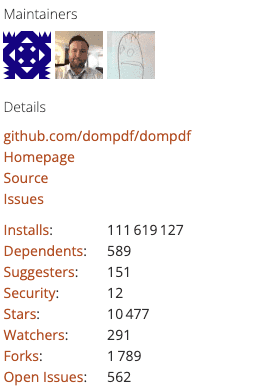
When choosing a PHP library for PDF generation, three names often arise: Dompdf, TCPDF, and MPDF. Here’s a quick feature comparison:
| Feature                  | Dompdf                 | TCPDF                           | mPDF                                         |
|--------------------------|------------------------|---------------------------------|----------------------------------------------|
| Install Base (Packagist) | ~111.6 million         | ~69.2 million                   | ~53 million                                  |
| Approach                 | HTML/CSS rendering     | Manually build PDFs             | HTML/CSS rendering                           |
| CSS Support              | CSS2.1 + partial 3     | Basic inline styles             | Advanced CSS3 in some cases                  |
| Ease of Use              | Very beginner-friendly | Steep learning curve            | Moderate learning curve                      |
| Performance              | Good for moderate docs | Highly optimized for large PDFs | Similar to Dompdf, can handle moderate loads |
Dompdf excels in simplicity—perfect for projects that rely heavily on existing HTML. If you need more robust performance for extremely large PDFs, TCPDF may offer speed advantages but requires more low-level PDF structuring. mPDF falls somewhere in between, balancing HTML support with decent performance.
If you want to deep dive on a full comparison between the best PHP PDF libraries, check out this guide.
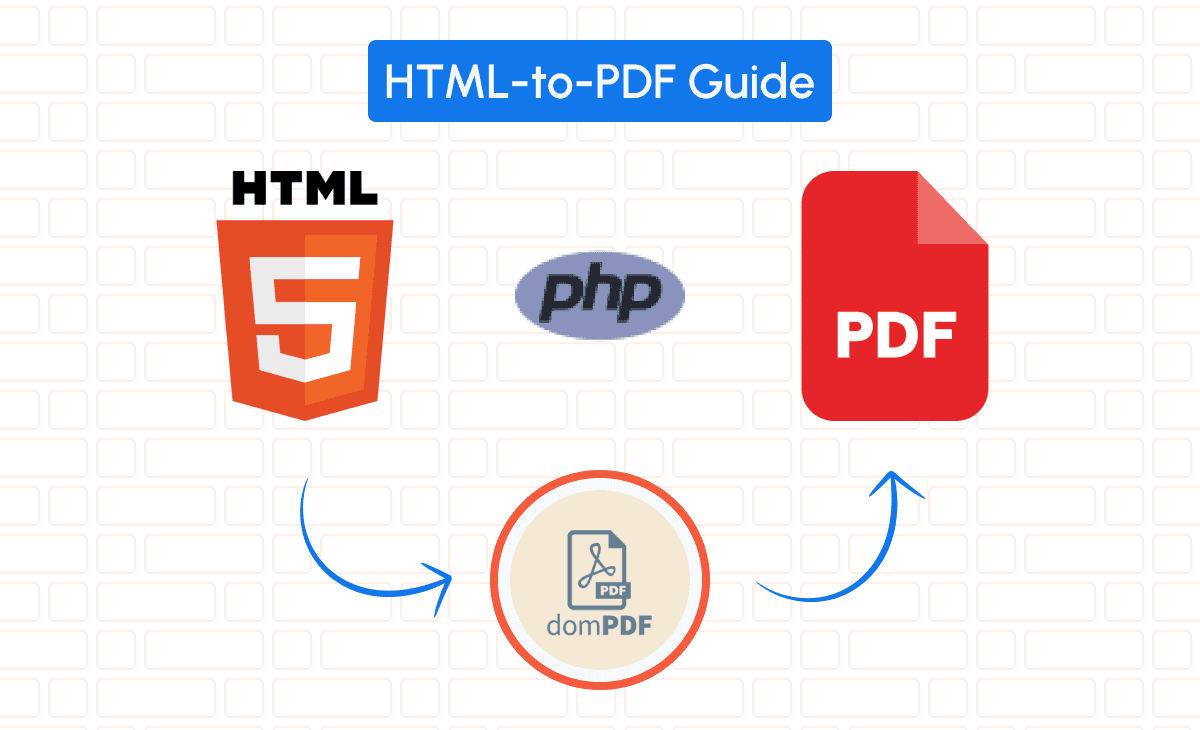
Setting Up Dompdf in Your PHP Project
Integrating Dompdf into your project is straightforward, especially when using Composer for dependency management.
Installing Dompdf via Composer
1. Install Composer: If you haven’t already, download and install Composer from getcomposer.org.
2. Require Dompdf: In your project directory, run the following command:
composer require dompdf/dompdf3. Include the Autoloader: Add the Composer autoloader to your PHP script:
require 'vendor/autoload.php';Now, you’re ready to start generating PDFs from any HTML or CSS content!
Configuring Dompdf
Initialize Dompdf in your script:
use Dompdf\Dompdf;
$dompdf = new Dompdf();
Set the paper size and orientation (optional):
$dompdf->setPaper('A4', 'portrait');Exploring the Dompdf basic usage
Load your HTML content:
$html = '<h1>Invoice</h1><p>This is your invoice.</p>';
$dompdf->loadHtml($html);
Render the PDF:
$dompdf->render();Output the generated PDF to the browser:
$dompdf->stream('invoice.pdf');Generating Dynamic PDFs with Dompdf
Creating visually appealing PDFs requires well-structured HTML and CSS. Below is a simplified invoice template showing how you can embed dynamic data (like customer details, items, and totals) within HTML.
1. Invoice Template (invoice_template.php)
<!DOCTYPE html>
<html>
<head>
    <meta charset="UTF-8">
    <title>Invoice</title>
    <style>
        /* Minimal styling for clarity */
        body { font-family: Arial, sans-serif; margin: 20px; }
        h1 { margin-bottom: 10px; }
        .company-details, .customer-details {
            display: inline-block;
            width: 45%;
            vertical-align: top;
        }
        .customer-details { text-align: right; }
        table { width: 100%; border-collapse: collapse; margin-top: 20px; }
        th, td { border: 1px solid #ddd; padding: 8px; text-align: left; }
        .total { text-align: right; margin-top: 10px; }
    </style>
</head>
<body>
    <h1>Invoice</h1>

    <div class="company-details">
        <strong>Company Name</strong><br>
        12345 Sunny Road<br>
        Sunnyville, TX 12345
    </div>

    <div class="customer-details">
        <strong><?= htmlspecialchars($customerName) ?></strong><br>
        <?= htmlspecialchars($customerAddress) ?><br>
        <?= htmlspecialchars($customerCity) ?>
    </div>
    <br style="clear: both;">

    <p>Date: <?= htmlspecialchars($invoiceDate) ?></p>

    <table>
        <tr>
            <th>Item</th>
            <th>Description</th>
            <th>Quantity</th>
            <th>Price</th>
            <th>Line Total</th>
        </tr>
        <?php foreach($items as $item): ?>
            <tr>
                <td><?= htmlspecialchars($item['item']) ?></td>
                <td><?= htmlspecialchars($item['description']) ?></td>
                <td><?= htmlspecialchars($item['quantity']) ?></td>
                <td>$<?= number_format($item['price'], 2) ?></td>
                <td>$<?= number_format($item['quantity'] * $item['price'], 2) ?></td>
            </tr>
        <?php endforeach; ?>
    </table>

    <div class="total">
        <strong>Total Due: $<?= number_format($totalDue, 2) ?></strong>
    </div>
</body>
</html>
2. Sample PHP Variables (invoices.php or similar)
<?php
$customerName    = 'John Doe';
$customerAddress = '54321 Cloudy Road';
$customerCity    = 'Cloudsville, CA 54321';
$invoiceDate     = date('F d, Y');
$items = [
    [
        'item'        => '001',
        'description' => 'Web Design Services',
        'quantity'    => 1,
        'price'       => 1500.00
    ],
    [
        'item'        => '002',
        'description' => 'Hosting (12 months)',
        'quantity'    => 1,
        'price'       => 240.00
    ],
    // Add more items as needed
];
$totalDue = array_reduce($items, function($sum, $item) {
    return $sum + ($item['quantity'] * $item['price']);
}, 0);
?>
3. Rendering the Invoice with Dompdf
<?php
use Dompdf\Dompdf;
use Dompdf\Options;

// 1. Load Dompdf & Set Options
$options = new Options();
$options->set('isRemoteEnabled', true);  // Enable remote image loading if needed

$dompdf = new Dompdf($options);

// 2. Capture the Invoice Template Output
ob_start();
include 'invoice_template.php'; // This file uses the variables from above
$html = ob_get_clean();

// 3. Load and Render the HTML
$dompdf->loadHtml($html);
$dompdf->setPaper('A4', 'portrait');
$dompdf->render();

// 4. Stream or Save the PDF
$dompdf->stream('invoice.pdf', ['Attachment' => false]);
// Or to force download: $dompdf->stream('invoice.pdf');
How It Works
1. Prepare Data: Define $customerName, $items, etc. in a PHP file.
2. Include Template: Use ob_start() and include 'invoice_template.php' to capture the rendered HTML (with dynamic data) into a variable.
3. Render: Load the HTML into Dompdf, set paper size/orientation, and call $dompdf->render().
4. Output: Finally, output the PDF to the browser with $dompdf->stream(), or save it to the server with $dompdf->output().
This approach keeps your invoice layout cleanly separated in invoice_template.php and allows for any dynamic data you need. Feel free to add additional styling, headers, footers, or images to suit your design requirements.
Handling Images, Pagination, Headers, and Footers
1. Embedding Images in the PDF
To include images (e.g., a company logo) in your generated PDFs, you can use an absolute URL or base64-encoded data. Make sure remote loading is enabled if you’re using external URLs.
use Dompdf\Dompdf;
use Dompdf\Options;

$options = new Options();
$options->set('isRemoteEnabled', true);  // Allows loading of remote images

$dompdf = new Dompdf($options);

// Sample HTML with an embedded image
$html = '
<!DOCTYPE html>
<html>
<head><title>Invoice with Logo</title></head>
<body>
    <img src="https://your-domain.com/path/to/logo.png" alt="Company Logo" width="120"/>
    <h1>Invoice Title</h1>
    <p>Some invoice content here...</p>
</body>
</html>
';

$dompdf->loadHtml($html);
$dompdf->render();
$dompdf->stream('invoice_with_logo.pdf');
If your images are local or behind authentication, consider converting them to base64 to ensure they render correctly.
$logoData = base64_encode(file_get_contents('path/to/logo.png'));
$imgTag = '<img src="data:image/png;base64,' . $logoData . '" alt="Company Logo" width="120" />';
2. Adding Pagination (Headers and Footers)
Dompdf can automatically paginate lengthy content, and you can inject headers/footers (including page numbers) by using fixed positions in your HTML/CSS. Below is an example of how to create a header with a logo and a footer that displays page numbers.
CSS for Fixed Header and Footer
@page {
    margin: 100px 25px; /* top margin for header, bottom margin for footer */
}

header {
    position: fixed;
    top: -60px;       /* negative value moves it into the margin */
    left: 0;
    right: 0;
    height: 50px;
    background-color: #f9f9f9;
    text-align: center;
    line-height: 50px; /* vertically center text/logo */
}

footer {
    position: fixed;
    bottom: -40px;    /* negative value moves it into the margin */
    left: 0;
    right: 0;
    height: 40px;
    background-color: #f9f9f9;
    text-align: center;
    line-height: 40px;
}

.page-number:before {
    content: "Page " counter(page) " of " counter(pages);
}
HTML Structure with Header & Footer
<!DOCTYPE html>
<html>
<head>
    <meta charset="UTF-8">
    <title>PDF with Header and Footer</title>
    <style>
        @page {
            margin: 100px 25px;
        }
        header {
            position: fixed;
            top: -60px;
            left: 0;
            right: 0;
            height: 50px;
            background-color: #f9f9f9;
            text-align: center;
            line-height: 50px;
        }
        footer {
            position: fixed;
            bottom: -40px;
            left: 0;
            right: 0;
            height: 40px;
            background-color: #f9f9f9;
            text-align: center;
            line-height: 40px;
        }
        .page-number:before {
            content: "Page " counter(page) " of " counter(pages);
        }
    </style>
</head>
<body>
    <header>
        <img src="https://your-domain.com/path/to/logo.png" alt="Company Logo" width="120"/>
    </header>

    <footer>
        <span class="page-number"></span>
    </footer>

    <!-- Main content goes here -->
    <h1>Your Document Title</h1>
    <p>Lots of text or tables that might span multiple pages...</p>
    <!-- Add more content to force additional pages for testing -->
</body>
</html>
PHP Integration
After preparing the above HTML/CSS, integrate it with Dompdf in your PHP script:
use Dompdf\Dompdf;
use Dompdf\Options;

$options = new Options();
$options->set('isRemoteEnabled', true);

$dompdf = new Dompdf($options);
$dompdf->loadHtml($htmlContentWithHeaderFooter);  // Replace with your full HTML string
$dompdf->setPaper('A4', 'portrait');
$dompdf->render();
$dompdf->stream('document_with_header_footer.pdf');Note: Make sure the <header> and <footer> elements are positioned with negative margins so they occupy the space you configured in the @page { margin: ... } settings, but don’t overlap your main content.
Alternative: Convert HTML to PDF Using pdf noodle

Managing HTML-to-PDF conversion at scale can quickly become a nightmare!
Especially in serverless environments where cold starts, memory limits, and headless browser quirks love to break at the worst possible time (we even wrote a full article about it). Add constant template iterations, version control headaches, and the need to support non-technical contributors, and suddenly your “simple PDF library” turns into an ongoing engineering project.
pdf noodle eliminates all of that.
Instead of maintaining brittle infrastructure or wrestling with outdated pdf libraries, pdf noodle gives you a battle-tested PDF generation API that just works!
Fast, scalable, and designed for both developers and non-developers. You send raw HTML or use our AI-powered template builder, and pdf noodle handles the rendering, scaling, optimization, and delivery so your team doesn’t have to.
Here's an example of a simple API request to generate your pixel-perfect PDF with just a few lines of code:
$ch = curl_init('https://api.pdfnoodle.com/v1/html-to-pdf/sync');
$data = [
   'html' => $htmlContent
];
$payload = json_encode($data);
curl_setopt($ch, CURLOPT_POST, true);
curl_setopt($ch, CURLOPT_POSTFIELDS, $payload);
curl_setopt($ch, CURLOPT_HTTPHEADER, [
    'Content-Type: application/json',
    'Authorization: Bearer your-api-key'
]);
curl_setopt($ch, CURLOPT_RETURNTRANSFER, true);
$response = curl_exec($ch);
curl_close($ch);
file_put_contents('invoice.pdf', $response);
pdf noodle also includes a powerful AI Agent that can generate PDF templates instantly, along with a modern editor for refining the design, also using AI, to match your brand. You don't need developing or design experience to quickly update layouts, adjust styling, and manage template versions.
Here’s a quick demo showing how it works:
You can create your account and design your first template without any upfront payment.
Conclusion
Dompdf offers a developer-friendly way to convert HTML and CSS into polished PDF files, ideal for invoices, reports, or any document-heavy SaaS feature. Its ease of use and strong community support make it a go-to for small to medium-sized projects. However, if you anticipate rapid growth or have strict performance requirements, explore TCPDF or mPDF for more granular control.
If you don't want to waste time maintaining pdfs layouts and their infrastructure or if you don't want to keep track of best practices to generate PDFs at scale, third-party PDF APIs like pdf noodle will save you hours of work and deliver a high quality pdf layout.
Try it yourself: Need a quick conversion without writing code? Use our convert HTML to PDF online for free — no signup required.


