


Introduction to TCPDF: Converting HTML to PDF in PHP
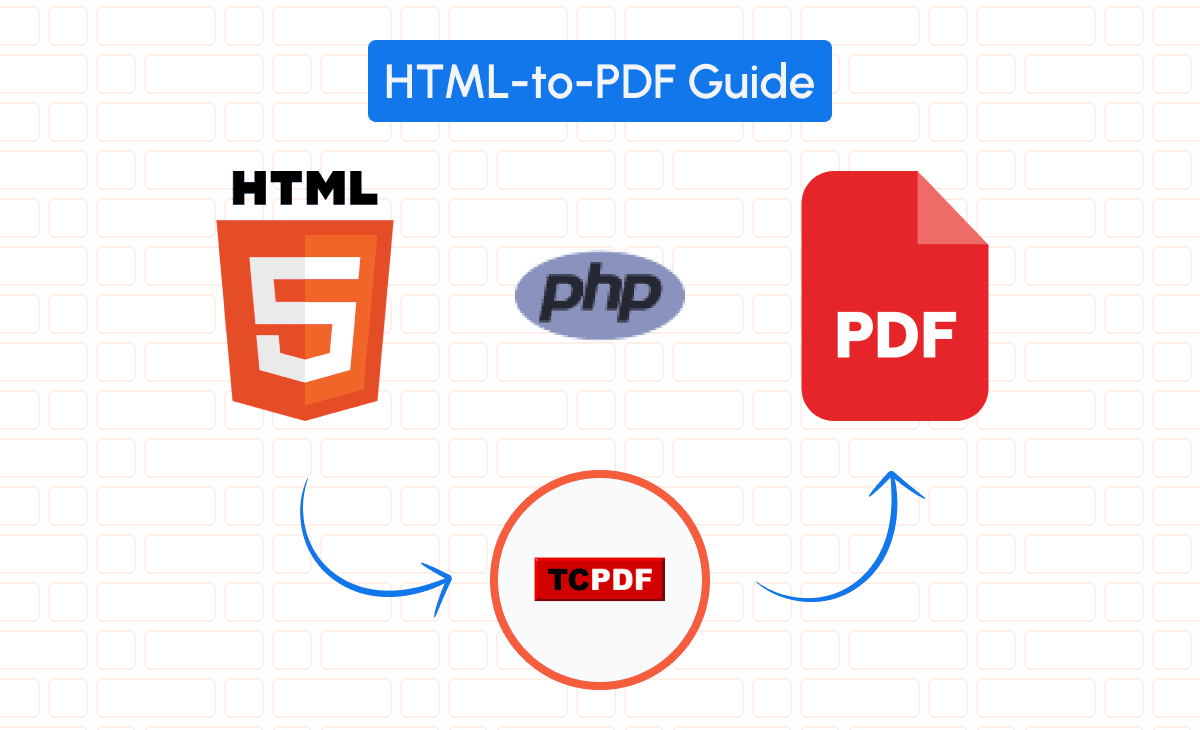
Generating PDFs from HTML content is a common requirement in SaaS applications, particularly for creating invoices, reports, or any downloadable documents. In this guide, we’ll explore how to leverage TCPDF, a powerful PHP library, to convert HTML into PDFs seamlessly.
You can check out the full documentation here.
Comparison Between TCPDF and Other PHP PDF Libraries
When it comes to PHP PDF libraries, several options are available, including Dompdf, mPDF and FPDF.
Here’s how TCPDF stands out:
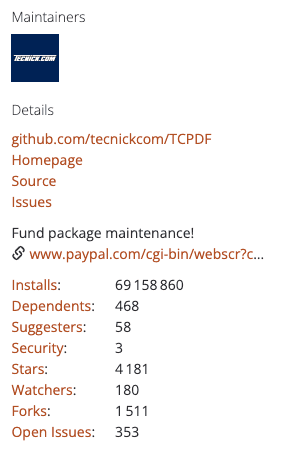
• TCPDF (69.2 million installs): Offers extensive features, including support for complex scripts, right-to-left languages, and barcodes. It’s entirely written in PHP and doesn’t require any external libraries.
• FPDF (1.6 million installs): Lightweight and easy to use but lacks advanced features like HTML to PDF conversion.
• Dompdf (111.6 million installs): Focuses on converting HTML and CSS to PDF but can be slower and consume more memory.
• mPDF (53 million installs): Similar to TCPDF with good HTML support but can have performance issues with large documents.
Choosing TCPDF provides a balance of performance and advanced capabilities, making it suitable for robust applications. If you want to dig deeper on a comparison between TCPDF and other PHP pdf libraries, we also have a detailed article with a full comparison between the best PDF libraries for PHP in 2025.
Setting Up TCPDF in Your Project
Installing TCPDF: Step-by-Step Guide for PHP Environments
To integrate TCPDF into your project, follow these steps:
1. Install via Composer (recommended):
composer require tecnickcom/tcpdf2. Include TCPDF in your script:
require_once('vendor/tecnickcom/tcpdf/tcpdf.php');3. Create an instance of TCPDF:
$pdf = new TCPDF();Configuring TCPDF for Optimal HTML to PDF Conversion
Set up your PDF document’s properties:
$pdf->SetCreator(PDF_CREATOR);
$pdf->SetAuthor('Your Company');
$pdf->SetTitle('Invoice');
$pdf->SetMargins(15, 15, 15);
$pdf->AddPage();
Adjusting these settings ensures your PDF displays correctly with appropriate metadata.
Exploring the TCPDF API Essentials
Key methods in the TCPDF API include:
• AddPage(): Adds a new page.
• writeHTML(): Converts HTML content to PDF.
• Output(): Outputs the PDF document.
Understanding these methods is crucial for effective PDF generation.
Generating PDFs from HTML Using TCPDF
Preparing Your HTML for Accurate PDF Rendering
Creating a well-structured HTML template is essential. Below is a full HTML example for an invoice:
<!DOCTYPE html>
<html>
<head>
    <style>
        body { font-family: 'Helvetica', sans-serif; color: #333; }
        h1 { font-size: 24px; margin-bottom: 20px; }
        .invoice-box { max-width: 800px; margin: auto; padding: 30px; }
        .invoice-table { width: 100%; border-collapse: collapse; margin-top: 20px; }
        .invoice-table td, .invoice-table th { border: 1px solid #ddd; padding: 8px; }
        .invoice-table th { background-color: #f2f2f2; text-align: left; }
        .total { font-weight: bold; }
        .logo { width: 150px; }
        .header-table { width: 100%; }
        .header-table td { vertical-align: top; }
    </style>
</head>
<body>
    <div class="invoice-box">
        <table class="header-table">
            <tr>
                <td>
                    <img src="images/logo.png" class="logo" alt="Company Logo">
                </td>
                <td style="text-align:right;">
                    <h1>Invoice</h1>
                    <p>Date: <?php echo date('F d, Y'); ?></p>
                    <p>Invoice #: <?php echo $invoice_number; ?></p>
                </td>
            </tr>
        </table>
        <table class="header-table" style="margin-top: 20px;">
            <tr>
                <td>
                    <strong>Billed To:</strong><br>
                    <?php echo $customer_name; ?><br>
                    <?php echo $customer_address; ?>
                </td>
                <td style="text-align:right;">
                    <strong>From:</strong><br>
                    Your Company Name<br>
                    Your Company Address
                </td>
            </tr>
        </table>
        <table class="invoice-table">
            <tr>
                <th>Description</th>
                <th>Quantity</th>
                <th>Price</th>
                <th>Amount</th>
            </tr>
            <?php foreach ($items as $item): ?>
            <tr>
                <td><?php echo $item['description']; ?></td>
                <td><?php echo $item['quantity']; ?></td>
                <td><?php echo number_format($item['price'], 2); ?></td>
                <td><?php echo number_format($item['amount'], 2); ?></td>
            </tr>
            <?php endforeach; ?>
            <tr>
                <td colspan="3" class="total">Subtotal</td>
                <td class="total"><?php echo number_format($subtotal, 2); ?></td>
            </tr>
            <tr>
                <td colspan="3" class="total">Tax</td>
                <td class="total"><?php echo number_format($tax, 2); ?></td>
            </tr>
            <tr>
                <td colspan="3" class="total">Total</td>
                <td class="total"><?php echo number_format($total_amount, 2); ?></td>
            </tr>
        </table>
    </div>
</body>
</html>
This template includes placeholders for dynamic data such as customer details and invoice items, with explicit tags and CSS for styling.
Implementing HTML to PDF Conversion with TCPDF Code Examples
Load your HTML content and convert it to PDF:
// Start output buffering
ob_start();
include 'invoice_template.php';
$html = ob_get_clean();

// Convert the HTML to PDF
$pdf->writeHTML($html, true, false, true, false, '');

// Output the PDF
$pdf->Output('invoice.pdf', 'I');
In the writeHTML() method, the parameters are:
• $html: The HTML content to convert.
• $ln (true): Adds a new line after the text.
• $fill (false): Indicates whether to fill the background.
• $reseth (true): Resets the last cell height.
• $cell (false): If true, treats the text as a cell.
• $align (''): Alignment of the text; empty string means default alignment.
Understanding these parameters allows fine-tuning of the PDF output.
Styling and Customizing PDFs: Tips and Tricks
Enhance the appearance of your PDFs by:
• Using CSS in the <style> tag to style elements.
• Applying custom fonts for branding.
• Adjusting layout to improve readability.
Example of adding a custom font:
$fontname = TCPDF_FONTS::addTTFfont('fonts/CustomFont.ttf', 'TrueTypeUnicode', '', 96);
$pdf->SetFont($fontname, '', 12);
Dynamic Data Integration: Generating PDFs from Database Content
Populate the invoice with dynamic content:
// Fetch data from the database
$invoice_number = 1001;
$customer_name = 'John Doe';
$customer_address = '123 Main St, Anytown';
$items = [
    [
        'description' => 'Product 1',
        'quantity' => 2,
        'price' => 50.00,
        'amount' => 100.00
    ],
    [
        'description' => 'Product 2',
        'quantity' => 1,
        'price' => 75.00,
        'amount' => 75.00
    ],
];
$subtotal = 175.00;
$tax = 17.50;
$total_amount = 192.50;
Assign these variables before including the HTML template so they render within the PDF.
Additional examples of dynamic content:
• Conditional Formatting: Apply different styles based on conditions.
foreach ($items as &$item) {
    if ($item['quantity'] > 1) {
        $item['description'] .= ' (Bulk Purchase)';
    }
}
• Dynamic Calculations: Calculate totals and taxes dynamically.
$subtotal = array_sum(array_column($items, 'amount'));
$tax_rate = 0.10;
$tax = $subtotal * $tax_rate;
$total_amount = $subtotal + $tax;
• Custom Messages: Add personalized notes.
$custom_message = ($total_amount > 200) ? 'Thank you for your significant purchase!' : 'We appreciate your business.';Enhancing PDFs with Images, Fonts, and Graphics
Incorporate images into your PDF:
// Add a logo to the PDF
$pdf->Image('images/logo.png', 15, 10, 50, '', 'PNG', '', 'T', false, 300, '', false, false, 0, false, false, false);
Parameters explained:
• $file ('images/logo.png'): Path to the image file.
• $x (15): X-coordinate position in millimeters.
• $y (10): Y-coordinate position in millimeters.
• $w (50): Width of the image in millimeters.
• $h (''): Height of the image; if empty, it maintains aspect ratio.
• $type ('PNG'): Image file type.
• $link (''): URL to link the image to.
• $align ('T'): Vertical alignment (‘T’ for top).
• $resize (false): Whether to resize the image.
• $dpi (300): Image resolution in dots per inch.
• $palign (''): Alignment of the image.
• $ismask (false): Whether the image is a mask.
• $imgmask (false): Image object returned by another call to Image().
• $border (0): Whether to draw a border around the image.
• $fitbox (false): How to fit the image into the bounding box.
• $hidden (false): If true, the image is not displayed.
Understanding these parameters allows precise placement and scaling of images.
Alternative: Convert HTML to PDF Using pdf noodle

Managing HTML-to-PDF conversion at scale can quickly become a nightmare!
Especially in serverless environments where cold starts, memory limits, and headless browser quirks love to break at the worst possible time (we even wrote a full article about it). Add constant template iterations, version control headaches, and the need to support non-technical contributors, and suddenly your “simple PDF library” turns into an ongoing engineering project.
pdf noodle eliminates all of that.
Instead of maintaining brittle infrastructure or wrestling with outdated pdf libraries, pdf noodle gives you a battle-tested PDF generation API that just works!
Fast, scalable, and designed for both developers and non-developers. You send raw HTML or use our AI-powered template builder, and pdf noodle handles the rendering, scaling, optimization, and delivery so your team doesn’t have to.
Here's an example of a simple API request to generate your pixel-perfect PDF with just a few lines of code:
$ch = curl_init('https://api.pdfnoodle.com/v1/html-to-pdf/sync');
$data = [
   'html' => $htmlContent
];
$payload = json_encode($data);
curl_setopt($ch, CURLOPT_POST, true);
curl_setopt($ch, CURLOPT_POSTFIELDS, $payload);
curl_setopt($ch, CURLOPT_HTTPHEADER, [
    'Content-Type: application/json',
    'Authorization: Bearer your-api-key'
]);
curl_setopt($ch, CURLOPT_RETURNTRANSFER, true);
$response = curl_exec($ch);
curl_close($ch);
file_put_contents('invoice.pdf', $response);
pdf noodle also includes a powerful AI Agent that can generate PDF templates instantly, along with a modern editor for refining the design, also using AI, to match your brand. You don't need developing or design experience to quickly update layouts, adjust styling, and manage template versions.
Here’s a quick demo showing how it works:
You can create your account and design your first template without any upfront payment.
Conclusion
TCPDF is a robust solution for generating PDFs from HTML in PHP, offering extensive customization and control. It’s ideal for applications requiring intricate designs and dynamic data integration. However, for simpler needs or when dealing with high traffic, other libraries like Dompdf.
If you don't want to waste time maintaining pdfs layouts and their infrastructure or if you don't want to keep track of best practices to generate PDFs at scale, third-party PDF APIs like pdf noodle will save you hours of work and deliver a high quality pdf layout.
Try it yourself: Need a quick conversion without writing code? Use our convert HTML to PDF online — no signup required.


