


Introduction to mPDF: Converting HTML to PDF in PHP
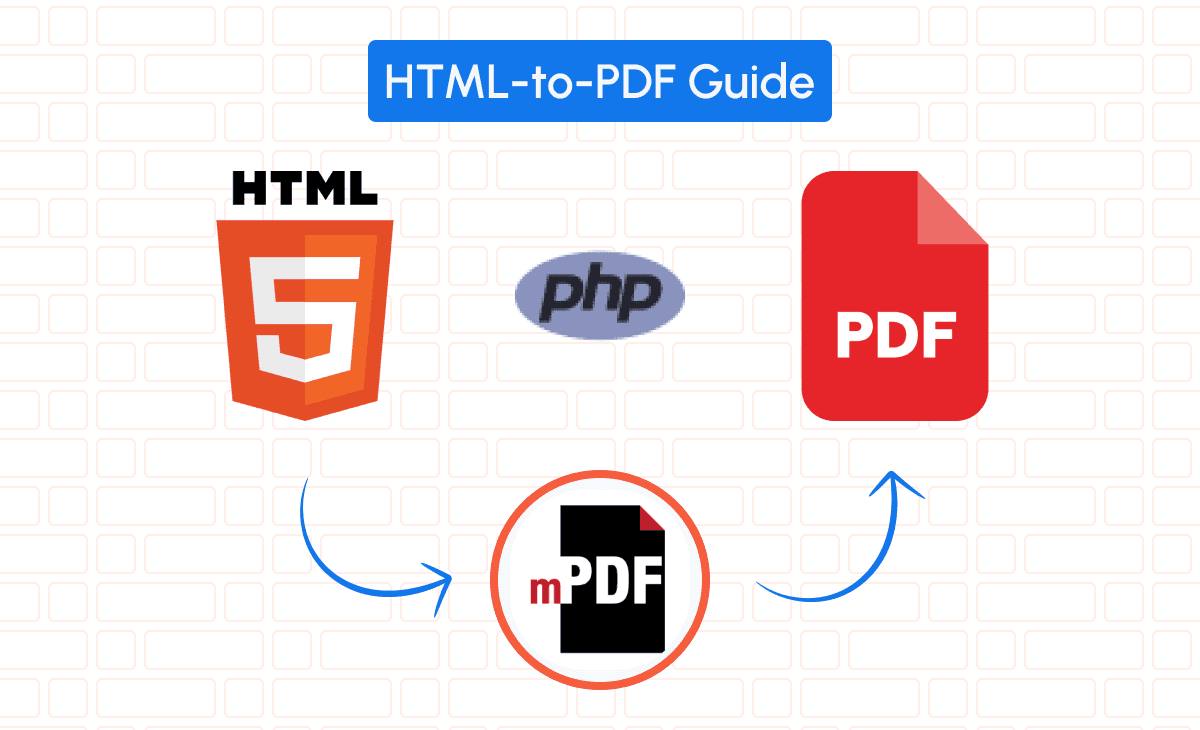
You can generate PDF from HTML using mPDF, an open-source PHP library that interprets HTML code and stylesheets to render PDFs closely mirroring your original web content. Converting HTML content into PDF format is a common requirement for many SaaS applications, especially when generating reports, invoices, or documentation. In this article, we’ll delve into how you can seamlessly transform HTML to PDF using mPDF, a powerful tool designed for this exact purpose.
You can check out the full documentation here.
Comparison Between TCPDF and Other PHP PDF Libraries
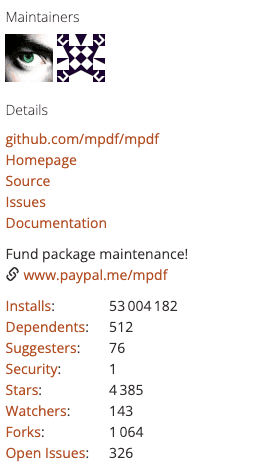
When it comes to PHP PDF libraries, options like TCPDF (69.2 million installs), Dompdf (111.6 million installs) and FPDF (1.6 million installs) often come to mind. Here’s how mPDF stands out:
• Ease of Use: mPDF simplifies the conversion process by directly using HTML and CSS, reducing the learning curve.
• Feature-Rich: Supports advanced CSS styling, including floats, positioned elements, and even CSS3 properties.
• Unicode Support: Excellent support for Unicode languages, making it ideal for multilingual applications.
If you want to dig deeper on a comparison between TCPDF and other PHP pdf libraries, we also have a detailed article with a full comparison between the best PDF libraries for PHP in 2025.
Setting Up mPDF in Your PHP Environment
Installing mPDF: Quick Start Guide for Developers
To get started with mPDF, install it via Composer:
composer require mpdf/mpdfAlternatively, download it directly from the mPDF GitHub repository.
Configuring mPDF for Seamless HTML to PDF Transformation
After installation, include the mPDF autoloader in your PHP script:
require_once __DIR__ . '/vendor/autoload.php';
$mpdf = new \Mpdf\Mpdf();
Configure options during initialization, such as page size, orientation, and margins:
$mpdf = new \Mpdf\Mpdf([
    'format' => 'A4',
    'orientation' => 'P',
    'margin_left' => 15,
    'margin_right' => 15,
    'margin_top' => 16,
    'margin_bottom' => 16,
]);
Converting HTML to PDF Using mPDF
Preparing Your HTML Content for mPDF Conversion
Let’s create a full invoice example. First, design your HTML template (invoice_template.php):
<!DOCTYPE html>
<html>
<head>
    <style>
        body { font-family: sans-serif; }
        h1 { color: #333; }
        table { width: 100%; border-collapse: collapse; margin-top: 20px; }
        th, td { padding: 8px 12px; border: 1px solid #ddd; }
        th { background-color: #f4f4f4; text-align: left; }
        .total { font-weight: bold; }
        .right { text-align: right; }
    </style>
</head>
<body>
    <h1>Invoice #<?php echo $invoiceNumber; ?></h1>
    <p>Date: <?php echo date('Y-m-d'); ?></p>
    <table>
        <thead>
            <tr>
                <th>Description</th>
                <th class="right">Quantity</th>
                <th class="right">Price</th>
                <th class="right">Total</th>
            </tr>
        </thead>
        <tbody>
            <?php foreach($items as $item): ?>
            <tr>
                <td><?php echo htmlspecialchars($item['description']); ?></td>
                <td class="right"><?php echo intval($item['quantity']); ?></td>
                <td class="right"><?php echo number_format($item['price'], 2); ?></td>
                <td class="right"><?php echo number_format($item['quantity'] * $item['price'], 2); ?></td>
            </tr>
            <?php endforeach; ?>
            <tr>
                <td colspan="3" class="right total">Total Amount:</td>
                <td class="right total"><?php echo number_format($totalAmount, 2); ?></td>
            </tr>
        </tbody>
    </table>
</body>
</html>
Next, in your PHP script, populate the variables and render the HTML:
require_once __DIR__ . '/vendor/autoload.php';
$invoiceNumber = '12345';
$items = [
    ['description' => 'Product A', 'quantity' => 2, 'price' => 50.00],
    ['description' => 'Product B', 'quantity' => 1, 'price' => 80.00],
];
$totalAmount = array_reduce($items, function($sum, $item) {
    return $sum + ($item['quantity'] * $item['price']);
}, 0);
ob_start();
include 'invoice_template.php';
$html = ob_get_clean();
$mpdf = new \Mpdf\Mpdf();
$mpdf->WriteHTML($html);
$mpdf->Output('invoice.pdf', 'D');
This script generates a PDF invoice based on the HTML template, complete with styling and dynamic content.
Styling PDFs: How mPDF Handles CSS and Media Files
mPDF supports inline CSS and external stylesheets. You can link external CSS files if needed:
<link rel="stylesheet" href="styles.css">For media files like images, ensure paths are correct or use absolute URLs. mPDF can embed images from local files or URLs:
<img src="logo.png" alt="Company Logo" style="width:150px;">Ensure images are accessible to the script and consider using base64 encoding for embedding images directly.
Leveraging mPDF’s PDF API for Custom Functionality
Utilize mPDF’s API to add custom features:
• Watermarks:
$mpdf->SetWatermarkText('PAID');
$mpdf->showWatermarkText = true;
$mpdf->watermark_font = 'DejaVuSansCondensed';
$mpdf->watermarkTextAlpha = 0.1;
• Headers and Footers:
$mpdf->SetHTMLHeader('<div style="text-align: right;">Invoice #'.$invoiceNumber.'</div>');
$mpdf->SetHTMLFooter('<div style="text-align: center;">{PAGENO}</div>');
• Password Protection:
$mpdf->SetProtection(['copy', 'print'], 'user_password', 'owner_password');Implementing Security: Encrypting and Protecting PDFs
Secure your PDFs by setting permissions and passwords:
$mpdf->SetProtection(['print']);
$mpdf->SetUserPassword('userpass123');
$mpdf->SetOwnerPassword('ownerpass456');
This ensures only authorized users can view or modify the PDF.
Troubleshooting Common mPDF Issues in PHP Projects
• Memory Limit Errors: Increase PHP’s memory limit or optimize your HTML content.
ini_set('memory_limit', '256M');• Missing Fonts: Ensure required fonts are installed and accessible to mPDF. You can specify a font directory:
$mpdf = new \Mpdf\Mpdf([
    'fontDir' => array_merge($fontDirs, [
        __DIR__ . '/custom/fonts',
    ]),
    'fontdata' => $fontData + [
        'customfont' => [
            'R' => 'CustomFont-Regular.ttf',
        ]
    ],
]);
• Incorrect Image Paths: Use absolute paths or adjust img_dpi setting if images appear distorted.
$mpdf->img_dpi = 96;Alternative: Convert HTML to PDF Using pdf noodle

Managing HTML-to-PDF conversion at scale can quickly become a nightmare!
Especially in serverless environments where cold starts, memory limits, and headless browser quirks love to break at the worst possible time (we even wrote a full article about it). Add constant template iterations, version control headaches, and the need to support non-technical contributors, and suddenly your “simple PDF library” turns into an ongoing engineering project.
pdf noodle eliminates all of that.
Instead of maintaining brittle infrastructure or wrestling with outdated pdf libraries, pdf noodle gives you a battle-tested PDF generation API that just works!
Fast, scalable, and designed for both developers and non-developers. You send raw HTML or use our AI-powered template builder, and pdf noodle handles the rendering, scaling, optimization, and delivery so your team doesn’t have to.
Here's an example of a simple API request to generate your pixel-perfect PDF with just a few lines of code:
$ch = curl_init('https://api.pdfnoodle.com/v1/html-to-pdf/sync');
$data = [
   'html' => $htmlContent
];
$payload = json_encode($data);
curl_setopt($ch, CURLOPT_POST, true);
curl_setopt($ch, CURLOPT_POSTFIELDS, $payload);
curl_setopt($ch, CURLOPT_HTTPHEADER, [
    'Content-Type: application/json',
    'Authorization: Bearer your-api-key'
]);
curl_setopt($ch, CURLOPT_RETURNTRANSFER, true);
$response = curl_exec($ch);
curl_close($ch);
file_put_contents('invoice.pdf', $response);
pdf noodle also includes a powerful AI Agent that can generate PDF templates instantly, along with a modern editor for refining the design, also using AI, to match your brand. You don't need developing or design experience to quickly update layouts, adjust styling, and manage template versions.
Here’s a quick demo showing how it works:
You can create your account and design your first template without any upfront payment.
Conclusion
mPDF is an excellent choice for generating PDFs from HTML in PHP applications, offering a balance of simplicity and powerful features. It’s ideal for small to medium-scale projects where server resources are sufficient. However, for large-scale applications requiring high concurrency and additional features, consider using third-party PDF APIs like pdf noodle.
When choosing between mPDF and other alternatives:
• Use mPDF when you need tight integration with PHP and control over the PDF generation process.
• Consider Other Libraries like TCPDF or Dompdf if they better suit your project’s requirements.
If you don't want to waste time maintaining pdfs layouts and their infrastructure or if you don't want to keep track of best practices to generate PDFs at scale, third-party PDF APIs like pdf noodle will save you hours of work and deliver a high quality pdf layout.
Try it yourself: Need a quick conversion without writing code? Use our convert HTML to PDF online tool — no signup required.


