


Overview of Grover as a PDF Library and PDF API
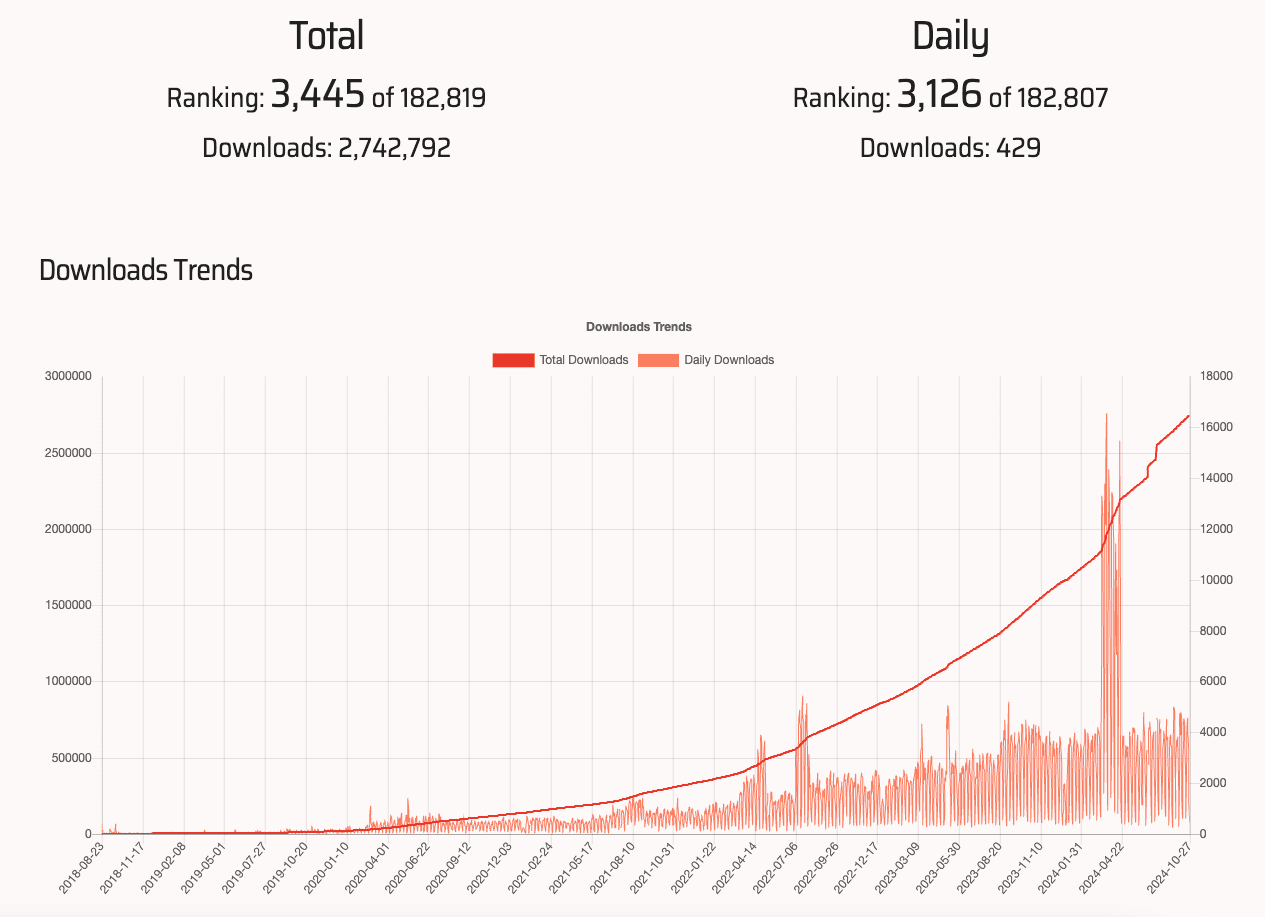
Grover is a PDF library in the Ruby ecosystem, leveraging the capabilities of Puppeteer, a Node.js-based tool for automating browser actions.
Unlike other Ruby PDF libraries, Grover excels in translating HTML and CSS directly into visually precise PDF documents. It offers a unique blend of control, allowing for advanced PDF customization through Puppeteer’s API while maintaining a Rails-friendly syntax.
You can check out the documentation here.
Comparison Between Grover and Other Ruby PDF Libraries
Ruby offers a range of PDF generation libraries, each with unique features:
• WickedPDF and PDFKit: Both use wkhtmltopdf, which is reliable but lacks modern CSS support. Grover, using a headless browser, has far superior handling of complex CSS.
• HexaPDF and Prawn: Designed primarily for programmatic PDF creation rather than HTML-to-PDF conversion, offering more granular control but demanding extensive setup for custom layouts.
• Puppeteer-Ruby: While it uses Puppeteer directly, integrating it with Rails requires additional boilerplate code, where Grover simplifies these processes by streamlining the setup for Rails environments.
Grover stands out by offering a direct route from HTML templates to professional-grade PDF documents, making it ideal for developers looking to implement dynamic, aesthetically refined PDF reports on their SaaS applications. If you want to dig deeper on a comparison between Grover and other Ruby pdf gems, we also have a detailed article with a full comparison between the best PDF gems for Ruby on rails in 2025.
Setting Up Grover in a Rails Environment
Installing Grover: Required Dependencies and Setup
To use Grover, start by adding it to your Rails project’s Gemfile:
gem 'grover'After adding the gem, run bundle install. Grover relies on Puppeteer, which needs a Node.js environment. If Node.js is not installed, use a package manager like Homebrew:
brew install nodeYou’ll also need to install Puppeteer to ensure compatibility:
yarn add puppeteerProject Folder Structure
For a clean project, consider setting up folders for organization:
app/
  views/
    pdf_templates/
      invoice.html.erb
      receipt.html.erb
config/
  initializers/
    grover.rb
Storing HTML templates in app/views/pdf_templates keeps your code organized and helps in separating PDF-specific HTML from other views.
Configuring Grover in Rails for HTML to PDF Conversion
In config/initializers/grover.rb, set up basic Grover configuration options:
Grover.configure do |config|
  config.options = {
    format: 'A4',
    margin: { top: '1cm', bottom: '1cm' },
    display_url: 'http://localhost:3000'
  }
end
These settings ensure your PDFs are in A4 format with standard margins, suitable for most SaaS report requirements.
Common Configuration Options and Settings for Grover
Grover provides multiple options to refine PDF output:
- Viewport size: Control page dimensions.
- Emulate media type: Allows PDFs to use specific CSS (e.g., screen or print).
- JavaScript execution: Allows JavaScript to be run within the HTML before rendering, which is useful for dynamic data updates.
Example:
config.options[:viewport] = { width: 1024, height: 768 }
config.options[:emulate_media] = 'screen'
config.options[:wait_until] = 'networkidle0'
Integrating Grover with Rails Controllers and Views
Within the controller, use Grover to convert an HTML view into a PDF:
class ReportsController < ApplicationController
  def show
    html_content = render_to_string(template: 'pdf_templates/invoice')
    pdf = Grover.new(html_content).to_pdf
    send_data pdf, filename: "invoice.pdf", type: 'application/pdf'
  end
end
This example pulls an HTML template, converts it to PDF, and streams it as a downloadable file.
Creating HTML Templates for PDF Reports
Designing Responsive HTML Templates for PDF Output
The HTML structure plays a key role in PDF appearance. Here’s an example for an invoice template:
<!DOCTYPE html>
<html lang="en">
  <head>

    <meta charset="UTF-8" />

    <title>Invoice</title>

    <style>
          body { font-family: Arial, sans-serif; margin: 0; padding: 20px; }
          .invoice { width: 100%; max-width: 800px; margin: auto; }
          .header { font-size: 24px; font-weight: bold; text-align: center; }
          .details { display: flex; justify-content: space-between; margin-top: 20px; }
          .footer { text-align: right; font-size: 14px; }

    </style>
  </head>
  <body>

    <div class="invoice">

      <div class="header">Invoice</div>

      <div class="details">

        <div>Customer Name: <%= @customer.name %></div>

        <div>Date: <%= Date.today %></div>

      </div>

      <table>

        <!-- Add table rows for items and prices -->

      </table>

      <div class="footer">Thank you for your business!</div>

    </div>
  </body>
</html>
Adding Dynamic Data to PDF Reports from Rails Models
Fetch data from Rails models to enrich the PDF report:
<% @invoice.items.each do |item| %>
  <tr>
    <td><%= item.name %></td>
    <td><%= item.price %></td>
  </tr>
<% end %>
This example loops over invoice items, inserting each into the PDF as a table row.
Error Handling and Debugging Common Issues in PDF Generation
Troubleshooting Grover issues can involve:
- Checking network connectivity: Ensure images and external resources are accessible.
- JavaScript execution issues: Certain JavaScript code may not render; test separately and simplify as needed.
- CSS quirks: Some CSS properties behave differently in PDF; adjust with print-specific CSS if necessary.
Example debugging solution:
begin
  pdf = Grover.new(html_content).to_pdf
rescue StandardError => e
  Rails.logger.error("PDF generation error: #{e.message}")
end
Advanced PDF Customization Options with Grover
Grover supports numerous customization options, like header and footer elements, for branding:
config.options[:display_header_footer] = true
config.options[:header_template] = "<div class='header'>Company Invoice</div>"
config.options[:footer_template] = "<div class='footer'>Page <span class='pageNumber'></span></div>"
Alternative: Convert HTML to PDF Using pdf noodle

Managing HTML-to-PDF conversion at scale can quickly become a nightmare!
Especially in serverless environments where cold starts, memory limits, and headless browser quirks love to break at the worst possible time (we even wrote a full article about it). Add constant template iterations, version control headaches, and the need to support non-technical contributors, and suddenly your “simple PDF library” turns into an ongoing engineering project.
pdf noodle eliminates all of that.
Instead of maintaining brittle infrastructure or wrestling with outdated pdf libraries, pdf noodle gives you a battle-tested PDF generation API that just works!
Fast, scalable, and designed for both developers and non-developers. You send raw HTML or use our AI-powered template builder, and pdf noodle handles the rendering, scaling, optimization, and delivery so your team doesn’t have to.
Here's an example of a simple API request to generate your pixel-perfect PDF with just a few lines of code:
require 'net/http'
require 'json'
require 'uri'

class PdfApiService
  def self.generate_pdf(html_content)
    uri = URI("https://api.pdfnoodle.com/v1/html-to-pdf/sync")
    http = Net::HTTP.new(uri.host, uri.port)
    http.use_ssl = true
    request = Net::HTTP::Post.new(uri.path, {
      'Content-Type' => 'application/json',
      'Authorization' => "Bearer your-api-key"
    })
    request.body = {
      html: html_content
    }.to_json
    response = http.request(request)
    response.body if response.is_a?(Net::HTTPSuccess)
  end
end
pdf noodle also includes a powerful AI Agent that can generate PDF templates instantly, along with a modern editor for refining the design, also using AI, to match your brand. You don't need developing or design experience to quickly update layouts, adjust styling, and manage template versions.
Here’s a quick demo showing how it works:
You can create your account and design your first template without any upfront payment.
Conclusion
Grover is an ideal choice for Ruby on Rails applications needing flexible, high-quality PDF generation directly from HTML. With Grover, it’s possible to maintain brand-consistent, dynamic reports without sacrificing the visual precision that CSS provides.
Other libraries like WickedPDF or HexaPDF may suit simpler tasks, while Prawn is better for highly structured, custom layouts.
If you don't want to waste time maintaining pdfs layouts and their infrastructure or if you don't want to keep track of best practices to generate PDFs at scale, third-party PDF APIs like pdf noodle will save you hours of work and deliver a high quality pdf layout.
Try it yourself: Need a quick conversion without writing code? Use our free HTML to PDF tool — no signup required.


