


Introduction to FPDF: Converting HTML to PDF in PHP
Generating dynamic PDF reports is a common requirement for SaaS applications. Converting HTML to PDF simplifies this process by allowing developers to design reports using familiar HTML and CSS. In this article, we’ll explore how to leverage the FPDF library in PHP to transform HTML content into polished PDF documents, streamlining report generation in your application.
You can check out the full documentation here.
Comparing FPDF with Other PDF Libraries
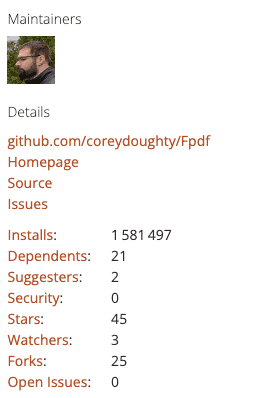
While numerous PDF libraries are available for PHP, FPDF stands out due to its simplicity and flexibility. Unlike other options that may require extensions or paid licenses, FPDF (1.6 million installs) is free, pure PHP, and doesn’t depend on additional modules. Libraries like TCPDF (69.2 million installs) and Dompdf (111.6 million installs) offer more features but can be heavier and more complex to implement. FPDF provides a lightweight alternative ideal for developers seeking a straightforward solution.
If you want to dig deeper on a comparison between TCPDF and other PHP pdf libraries, we also have a detailed article with a full comparison between the best PDF libraries for PHP in 2025.
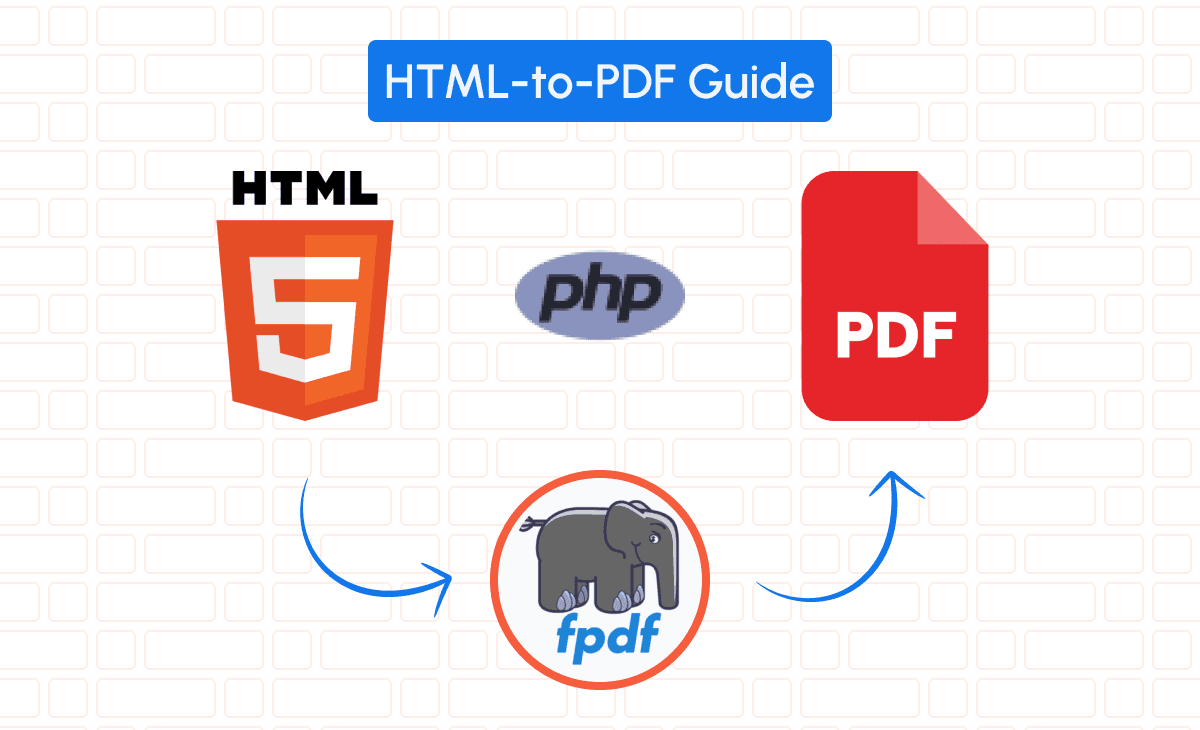
Setting Up FPDF in Your SaaS Application
Installing the FPDF Library in PHP Projects
To begin using FPDF, install it into your PHP project. You can download the library from the official FPDF website or install it via Composer:
composer require setasign/fpdfInitial Configuration and Setup Steps
After installing FPDF, include it in your script:
require('vendor/autoload.php');
use Fpdf\Fpdf;
$pdf = new Fpdf();
$pdf->AddPage();
$pdf->SetFont('Arial', 'B', 16);
$pdf->Cell(40, 10, 'Hello World!');
$pdf->Output();
Troubleshooting Common Installation Issues
If you encounter errors like “Class ‘Fpdf\Fpdf’ not found,” ensure that your autoloader is correctly configured and that the namespace matches the installed library. Verify that all required files are accessible and that there are no permission issues on your server.
Converting HTML to PDF Using FPDF
Parsing HTML Content for PDF Generation (Full Invoice Example)
Suppose you have an HTML template for an invoice:
<!-- invoice_template.html -->
<!DOCTYPE html>
<html>
<head>
    <style>
        body { font-family: Arial, sans-serif; }
        h1 { color: #333; }
        table { width: 100%; border-collapse: collapse; }
        th, td { padding: 8px 12px; border: 1px solid #ccc; }
        th { background-color: #f4f4f4; }
    </style>
</head>
<body>
    <h1>Invoice #{{invoice_number}}</h1>
    <p>Date: {{date}}</p>
    <table>
        <tr>
            <th>Description</th>
            <th>Amount</th>
        </tr>
        {{items}}
    </table>
    <p>Total: {{total}}</p>
</body>
</html>
You’ll need to parse this HTML and replace placeholders with actual data.
Step-by-Step Guide to Implementing HTML to PDF Conversion
1. Load and Prepare the HTML Content
$html = file_get_contents('invoice_template.html');

// Sample data
$data = [
    '{{invoice_number}}' => 'INV-1001',
    '{{date}}' => date('Y-m-d'),
    '{{items}}' => '
        <tr>
            <td>Product A</td>
            <td>$50.00</td>
        </tr>
        <tr>
            <td>Product B</td>
            <td>$75.00</td>
        </tr>',
    '{{total}}' => '$125.00'
];

// Replace placeholders with actual data
foreach ($data as $key => $value) {
    $html = str_replace($key, $value, $html);
}
2. Extend FPDF to Handle HTML Content
FPDF doesn’t natively support HTML parsing, so we’ll extend it:
class PDF extends Fpdf
{
    function WriteHTML($html)
    {
        // HTML parser (simplified)
        $lines = explode("\n", strip_tags($html, "<b><i><u><a><img><p><br><strong><em>"));
        foreach ($lines as $line) {
            $this->Write(5, $line);
            $this->Ln();
        }
    }
}
3. Generate the PDF
$pdf = new PDF();
$pdf->AddPage();
$pdf->SetFont('Arial', '', 12);
$pdf->WriteHTML($html);
$pdf->Output('I', 'invoice.pdf');
Integrating Images, Fonts, and Styles in PDFs
Adding Images
$pdf->Image('logo.png', 10, 10, 50); // (file, x, y, width)Custom Fonts
$pdf->AddFont('DejaVu','','DejaVuSans.ttf',true);
$pdf->SetFont('DejaVu','',14);
Styles
Since FPDF doesn’t support CSS files, apply styles directly within your HTML or through FPDF methods.
Alternative: Convert HTML to PDF Using pdf noodle

Managing HTML-to-PDF conversion at scale can quickly become a nightmare!
Especially in serverless environments where cold starts, memory limits, and headless browser quirks love to break at the worst possible time (we even wrote a full article about it). Add constant template iterations, version control headaches, and the need to support non-technical contributors, and suddenly your “simple PDF library” turns into an ongoing engineering project.
pdf noodle eliminates all of that.
Instead of maintaining brittle infrastructure or wrestling with outdated pdf libraries, pdf noodle gives you a battle-tested HTML to PDF API that just works!
Fast, scalable, and designed for both developers and non-developers. You send raw HTML or use our AI-powered template builder, and pdf noodle handles the rendering, scaling, optimization, and delivery so your team doesn’t have to.
Here's an example of a simple API request to generate your pixel-perfect PDF with just a few lines of code:
$ch = curl_init('https://api.pdfnoodle.com/v1/html-to-pdf/sync');
$data = [
   'html' => $htmlContent
];
$payload = json_encode($data);
curl_setopt($ch, CURLOPT_POST, true);
curl_setopt($ch, CURLOPT_POSTFIELDS, $payload);
curl_setopt($ch, CURLOPT_HTTPHEADER, [
    'Content-Type: application/json',
    'Authorization: Bearer your-api-key'
]);
curl_setopt($ch, CURLOPT_RETURNTRANSFER, true);
$response = curl_exec($ch);
curl_close($ch);
file_put_contents('invoice.pdf', $response);
pdf noodle also includes a powerful AI Agent that can generate PDF templates instantly, along with a modern editor for refining the design, also using AI, to match your brand. You don't need developing or design experience to quickly update layouts, adjust styling, and manage template versions.
Here’s a quick demo showing how it works:
You can create your account and design your first template without any upfront payment.
Conclusion
FPDF provides a pragmatic lightweight solution for generating PDFs from HTML in PHP applications, offering simplicity and control. It’s ideal for straightforward reports and documents.
However, for more complex HTML rendering or high-load environments, consider alternatives like TCPDF or DOMPDF, which offer more robust HTML and CSS support.
If you don't want to waste time maintaining pdfs layouts and their infrastructure or if you don't want to keep track of best practices to generate PDFs at scale, third-party PDF APIs like pdf noodle will save you hours of work and deliver a high quality pdf layout.
Try it yourself: Need a quick conversion without writing code? Use our free HTML to PDF converter — no signup required.


