


Overview: top pdf python libraries
This article covers top pdf libraries in python to help developers improve pdf generation workflows. It introduces how html to pdf transforms static or dynamic content into portable documents. It also outlines best libraries, from browser-driven conversions to third-party APIs, helping you find a tailored solution for your SaaS needs.
Browser-based PDF libraries convert web pages into pdf documents by leveraging a headless browser’s print API.
Non-browser-based methods rely on native Python systems like wkhtmltopdf or a drawing canvas.
Third-party pdf generation API can lighten operational load while delivering advanced features, including collaborative editing.
Browser-based PDF libraries
Browser-based tools operate by rendering your HTML in a headless environment, then invoking a print-like method to create a final pdf. This ensures high-fidelity layouts consistent with real-world browser behavior.
Playwright and Pyppeteer dominate this category, each depending on browser engines to capture complex CSS or JavaScript. They excel in scenarios like form creation or interactive UI where visual accuracy is paramount.
Non-browser-based PDF libraries
Non-browser-based solutions can operate without launching a headless browser. They either leverage a command-line utility like wkhtmltopdf or rely on native Python drawing APIs. This approach typically consumes fewer system resources.
PDFKit and pypdf2 sit in this realm. PDFKit seamlessly transforms HTML to PDF with minimal setup, while pypdf2 focuses on merging, splitting, or watermarking existing files. Meanwhile, ReportLab uses a canvas model for entirely custom design, allowing you to position text, images, or shapes with absolute precision.
Third party pdf generation API
Third-party APIs such as pdf noodle integrate easily with existing code bases and scale to large volume pdf generation. They reduce infrastructural strain and provide easy ways to embed dynamic data into HTML or no-code templates, making them ideal for projects requiring robust collaboration or custom branding.
In-depth look at top pdf libraries python
Generation PDF with Playwright
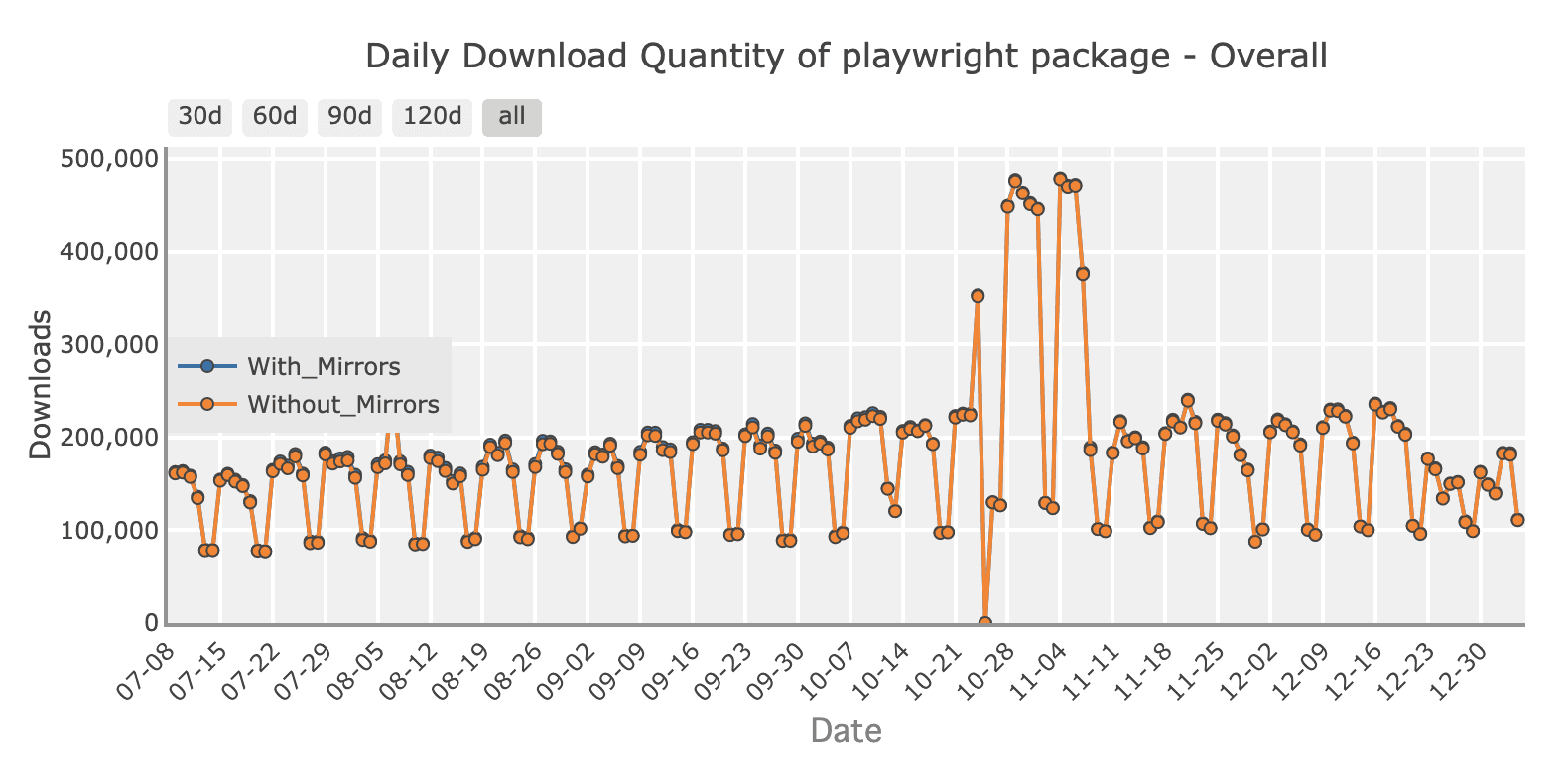
Playwright is a cross-browser automation library from Microsoft. Install with:
pip install playwright
playwright install
It supports Chromium, Firefox, and WebKit. Suppose you have an invoice.html describing client details and itemized charges:
import asyncio
from playwright.async_api import async_playwright

async def generate_invoice():
    async with async_playwright() as p:
        browser = await p.chromium.launch()
        page = await browser.new_page()
        await page.goto("file:///path_to/invoice.html")
        await page.pdf(
            path="invoice_playwright.pdf",
            format="A4",
            print_background=True
        )
        await browser.close()

asyncio.run(generate_invoice())
Playwright is ideal for dynamic html to pdf tasks. For deeper details, see our full guide on how to transform html into pdf with playwright in Python.
Generation PDF with Pyppeteer
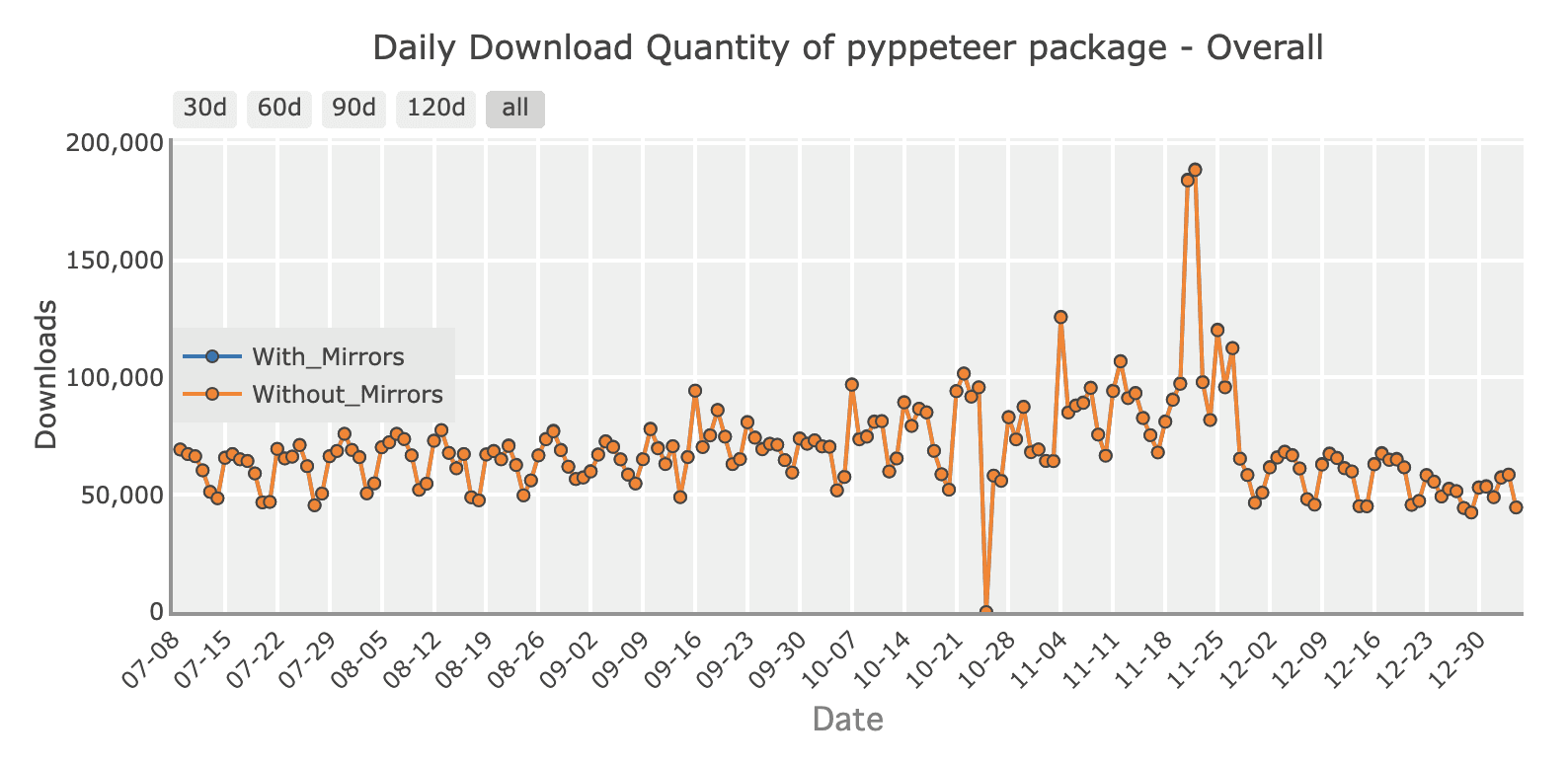
Pyppeteer, an unofficial port of Puppeteer, offers browser-based pdf generation in Python. Install with:
pip install pyppeteerSame invoice.html example:
import asyncio
from pyppeteer import launch

async def generate_invoice():
    browser = await launch()
    page = await browser.newPage()
    await page.goto("file:///path_to/invoice.html")
    await page.pdf(path="invoice_pyppeteer.pdf", format="A4")
    await browser.close()

asyncio.get_event_loop().run_until_complete(generate_invoice())
It accurately reflects any JavaScript or styling on the page. You can check out our guide for HTML into PDF transformation using pyppeteer.
Generation PDF with PDFKit
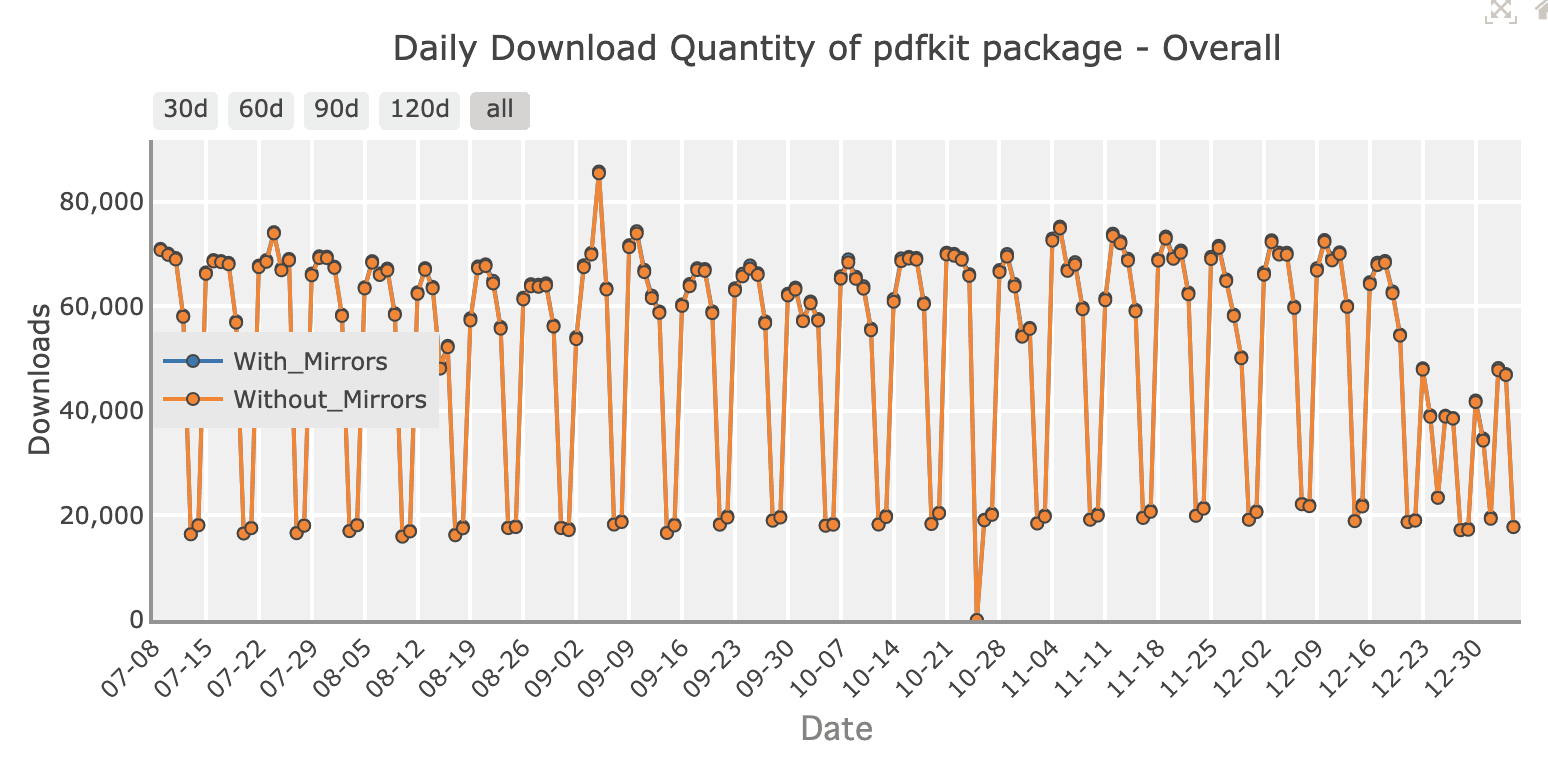
PDFKit converts HTML content into PDFs using wkhtmltopdf. Install:
pip install pdfkit
sudo apt-get install wkhtmltopdf
Using the same invoice.html:
import pdfkit

options = {
    "page-size": "A4",
    "print-media-type": "",
    "enable-local-file-access": None
}

pdfkit.from_file("invoice.html", "invoice_pdfkit.pdf", options=options)
PDFKit delivers simplicity and stable results with minimal overhead. We also have a full guide on generating pdf from html with pdfkit.
Generation PDF with pypdf2
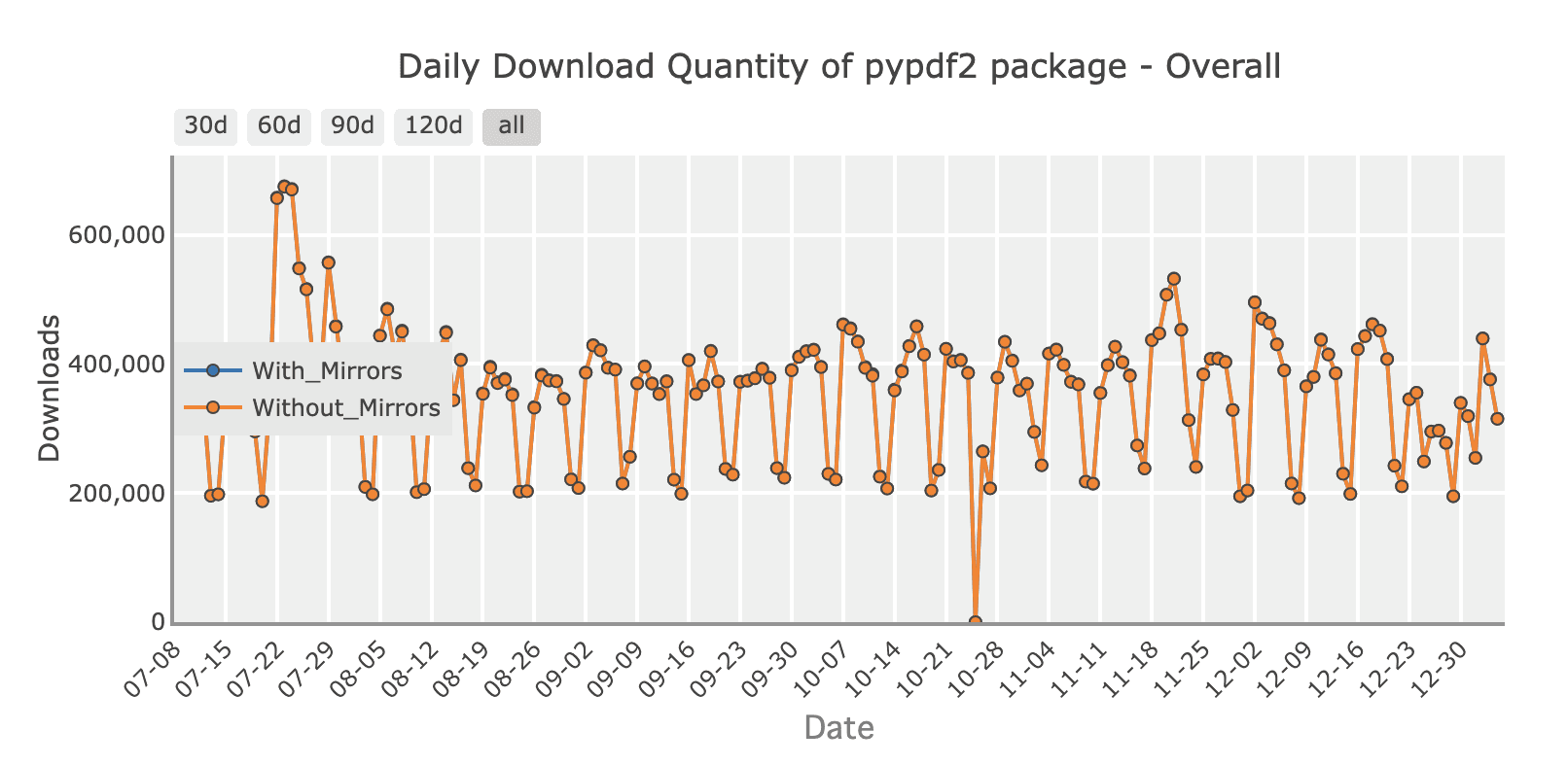
pypdf2 focuses on modifying existing PDF documents. Install with:
pip install PyPDF2pypdf2 primarily enables reading, merging, splitting, or adding pages to existing PDFs. Though it lacks robust HTML conversion capabilities, you can still assemble a new invoice PDF by using a base template and placing text annotations on the page.
Below is an example of creating an invoice from a predefined invoice_template.pdf. The code adds a free text annotation, effectively writing text into the PDF:
from PyPDF2 import PdfReader, PdfWriter

def create_invoice_with_pypdf2(customer, description, amount):
    # Load a base template PDF page
    template_reader = PdfReader("invoice_template.pdf")
    writer = PdfWriter()

    # Get the first page from the template
    invoice_page = template_reader.pages[0]

    # Define a free text annotation
    annotation = {
        "/Type": "/Annot",
        "/Subtype": "/FreeText",
        "/Rect": [100, 700, 300, 750],  # adjust positioning as needed
        "/Contents": f"Invoice for: {customer}\nDescription: {description}\nAmount: ${amount}"
    }

    # Ensure the page has an annotations array
    if "/Annots" not in invoice_page:
        invoice_page["/Annots"] = []

    # Attach the annotation to the page
    invoice_page["/Annots"].append(annotation)

    # Add the modified page to the writer and save
    writer.add_page(invoice_page)
    with open("invoice_pypdf2.pdf", "wb") as output_file:
        writer.write(output_file)
create_invoice_with_pypdf2("Alice", "Design Services", 2500)
In practice, this approach works best when you already have a PDF with placeholders or background graphics. Although pypdf2 can’t transform raw HTML, it complements your pipeline if you often deal with watermarks, bookmarks, or merging multi-page PDFs in a SaaS environment. For more powerful layout and direct HTML-to-PDF needs, consider pairing it with other libraries or template engines. If you want to know more about pypdf2, check out our guide here.
Generation PDF with reportlab
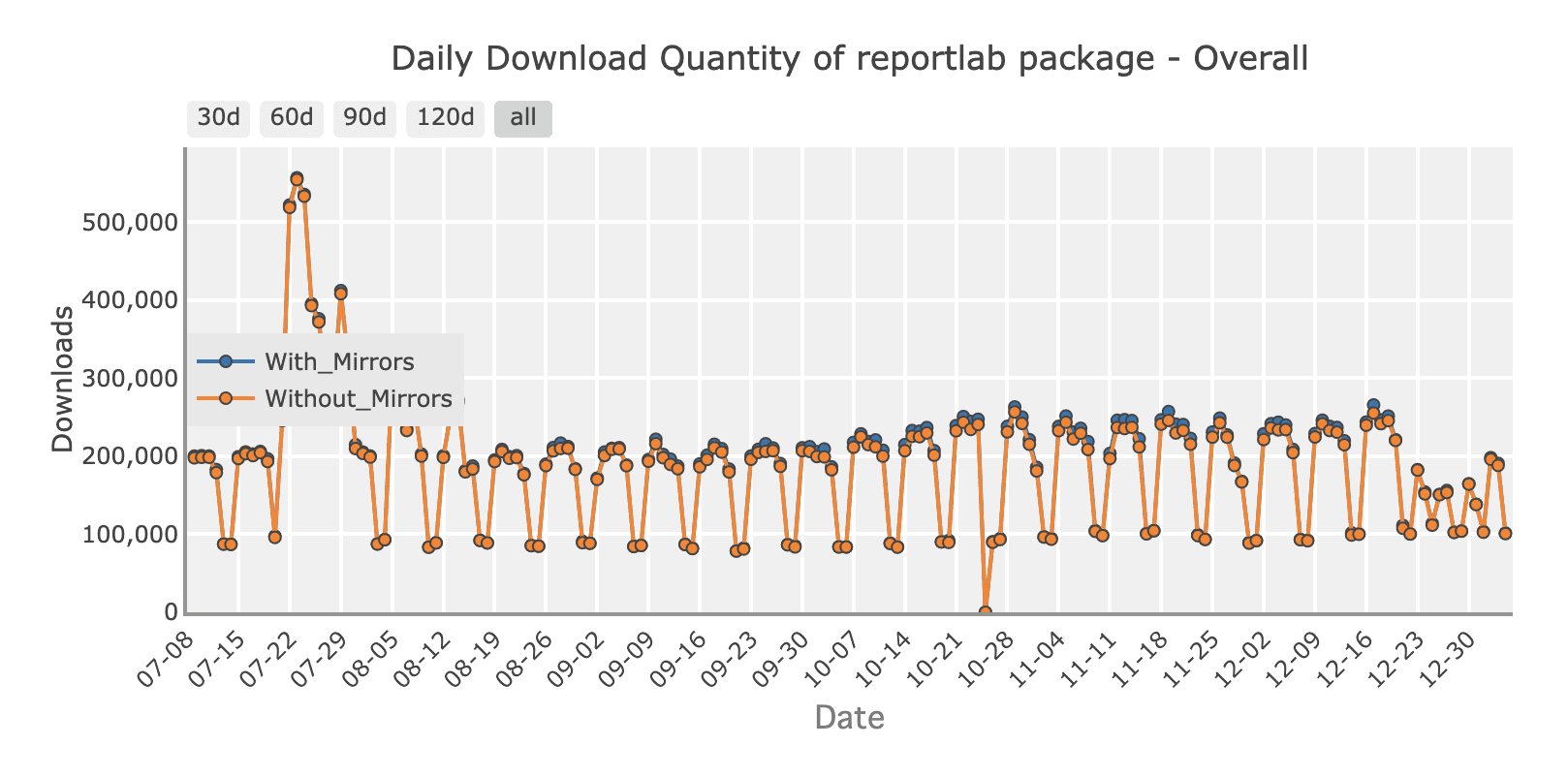
ReportLab builds PDFs from scratch using a drawing canvas. Install:
pip install reportlabGenerating an invoice:
from reportlab.lib.pagesizes import A4
from reportlab.pdfgen import canvas

def generate_invoice():
    c = canvas.Canvas("invoice_reportlab.pdf", pagesize=A4)
    c.drawString(100, 800, "Invoice for: Jane Smith")
    c.drawString(100, 780, "Description: Design services")
    c.drawString(100, 760, "Amount: $2500")
    c.showPage()
    c.save()

generate_invoice()
ReportLab supports text flow, shapes, and custom styles for professional branding. Here's a guide on how to generate pdf documents with reportlab.
Generation PDF with pdf noodle

Managing HTML-to-PDF conversion at scale can quickly become a nightmare!
Especially in serverless environments where cold starts, memory limits, and headless browser quirks love to break at the worst possible time (we even wrote a full article about it). Add constant template iterations, version control headaches, and the need to support non-technical contributors, and suddenly your “simple PDF library” turns into an ongoing engineering project.
pdf noodle eliminates all of that.
Instead of maintaining brittle infrastructure or wrestling with outdated pdf libraries, pdf noodle gives you a battle-tested PDF generation API that just works!
Fast, scalable, and designed for both developers and non-developers. You send raw HTML or use our AI-powered template builder, and pdf noodle handles the rendering, scaling, optimization, and delivery so your team doesn’t have to.
Here's an example of a simple API request to generate your pixel-perfect PDF with just a few lines of code:
import requests
import json

url = 'https://api.pdfnoodle.com/v1/html-to-pdf/sync'
headers = {
    'Authorization': 'Bearer your-api-key',
    'Content-Type': 'application/json'
}
data = {
    'html': '<html>your_html_here',
}

response = requests.post(url, headers=headers, data=json.dumps(data))
with open('output.pdf', 'wb') as f:
        f.write(response.content)
pdf noodle also includes a powerful AI Agent that can generate PDF templates instantly, along with a modern editor for refining the design, also using AI, to match your brand. You don't need developing or design experience to quickly update layouts, adjust styling, and manage template versions.
Here’s a quick demo showing how it works:
You can create your account and design your first template without any upfront payment.
If you want to explore other Third Party APIs, we listed all the top 7 PDF Generation APIs in 2025 for PDF Automation. Take a look and choose the best option for you!
Comparison between libraries
Each library addresses different top pdf libraries python priorities:
| Library      | Ease of Use | Ease of Implementation | Complex Layouts | Resource Heavy | Recommended Usage        |
|--------------|-------------|------------------------|-----------------|----------------|--------------------------|
| Playwright   | Medium      | Moderate               | High            | High           | Interactive forms        |
| Pyppeteer    | Medium      | Moderate               | High            | High           | Browser fidelity         |
| PDFKit       | Easy        | Medium                 | Medium          | Medium         | Quick html to pdf        |
| pypdf2       | Medium      | Medium                 | Low             | Low            | Merging & editing        |
| ReportLab    | Medium      | Medium                 | High            | Low            | Custom drawn documents   |
| pdf noodle      | Easy        | Easy                   | High            | Low            | Scalable SaaS workflows  |
Conclusion
The best pdf generation solution depends on your requirements.
If your primary goal is precise browser rendering, choose browser-based tools such as Playwright or Pyppeteer. Those seeking simpler pipelines might favor PDFKit. Browser-based pdf generation provides high fidelity for visually dynamic pages, whereas non-browser-based solutions focus on performance and ease of setup.
If you don't want to waste time maintaining pdfs layouts and their infrastructure or if you don't want to keep track of best practices to generate PDFs at scale, third-party PDF APIs like pdf noodle will save you hours of work and deliver a high quality pdf layout.
Try it yourself: Need a quick conversion without writing code? Use our free HTML to PDF converter — no signup required.


